



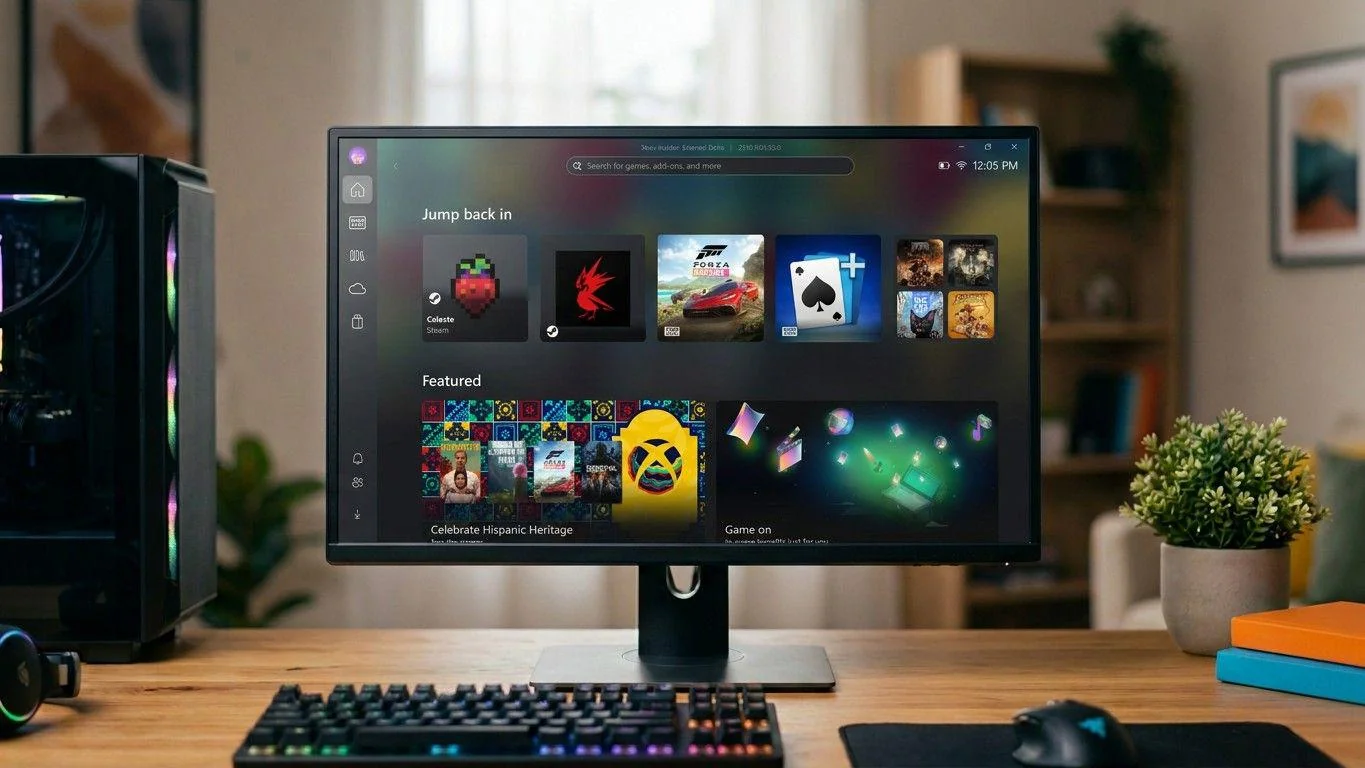
Microsoft has officially started rolling out Xbox Mode on Windows 11, bringing a more console-like experience to PC gaming. It’s designed to make Windows feel less like a desktop and more like an Xbox when you want to play.
A full-screen Xbox experience on PC
Xbox Mode essentially launches the Xbox app in a full-screen, controller-friendly interface.
Instead of navigating Windows with a mouse and keyboard, you can:
- Browse games using a controller
- Launch titles quickly
- Stay inside a console-style UI
It’s similar in concept to Steam’s Big Picture Mode, but built directly into Windows.
Performance boost by cutting background tasks
One of the most important features is performance optimization.
When Xbox Mode is active:
- Background Windows tasks are reduced
- System memory is freed up
- More resources are focused on gaming
This can help improve performance, especially on lower-power devices or handheld PCs.
Your entire game library in one place
Xbox Mode is not limited to Xbox games.
It supports an aggregated library, meaning you can access:
- Xbox games
- Game Pass titles
- Games from other PC storefronts
All from a single interface.
Easy switching between console and desktop
You are not locked into Xbox Mode.
You can:
- Switch back to the Windows desktop anytime
- Use it only when you want a console-like experience
This flexibility makes it more of an optional layer than a full replacement.
Built for handhelds—but now expanding to PCs
Xbox Mode originally appeared on handheld devices like the Xbox Ally. Now Microsoft is expanding it to standard Windows 11 PCs.
That makes sense, because handheld gaming PCs benefit the most from:
- Controller-first interfaces
- Reduced background load
- Simpler navigation
Rolling out gradually
The feature is not available to everyone immediately.
To get it:
- Update Windows 11 to the latest version
- Enable early updates in settings
- Wait for the phased rollout if it’s not visible yet
The takeaway: a step toward merging Xbox and Windows
Xbox Mode shows where Microsoft is heading:
- Turning Windows into a better gaming platform
- Blending console and PC experiences
- Competing more directly with systems like SteamOS
It’s not a complete replacement for desktop gaming, but it’s a meaningful step toward making Windows feel more like a console when you want it to.
For now, it looks like a useful option—especially for controller users and handheld gaming—but whether people adopt it widely will depend on how smooth and reliable the experience becomes over time.
Discussion (0)
Be the first to comment.