



Microsoft has released an optional Windows 11 preview update that improves the performance of the Start menu, taskbar, File Explorer, and Windows Search.
Update KB5101684 is available for Windows 11 versions 24H2 and 25H2. It also expands the rollout of newer Secure Boot certificates to more computers.
The update is optional, so it will not install automatically on every PC immediately. Its changes are expected to become part of the regular August 2026 Patch Tuesday release, giving most people the option to wait for the wider rollout.
People who want the improvements early can install KB5101684 manually through Windows Update or download it from the Microsoft Update Catalog.
Start Menu and Taskbar Should Respond Faster
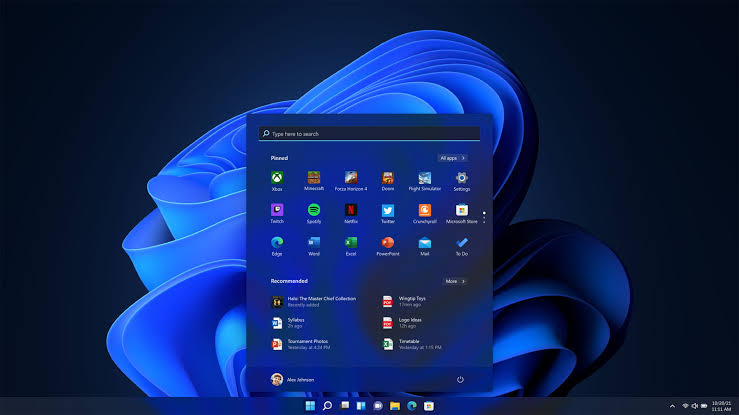
The main improvement in KB5101684 is better performance for two frequently used parts of Windows 11.
Microsoft says the update makes the Start menu and taskbar faster. The amount of improvement you notice will depend on the age, processor, memory, and storage performance of your computer.
Older PCs or systems with slower storage may benefit more than recent high performance devices. The update could reduce delays when opening the Start menu, switching between applications, or interacting with taskbar elements.
| Windows feature | Improvement in KB5101684 |
|---|---|
| Start menu | Faster response and loading |
| Taskbar | Improved performance |
| File Explorer | More readable file size information |
| Windows Search | Faster results and better typo handling |
| Secure Boot | Updated certificates for more PCs |
Microsoft has been working to improve Windows 11 responsiveness, particularly on systems with more limited hardware. These changes continue that effort by focusing on parts of the interface that people use throughout the day.
File Explorer Shows More Useful File Sizes
File Explorer receives a small but useful readability improvement.
Windows can now display file sizes using units such as megabytes and gigabytes instead of presenting everything primarily in kilobytes.
For example, a large file may appear as 2.5GB rather than a long kilobyte value. This makes it easier to understand the size of videos, games, archives, system images, and other large files without performing a manual conversion.
The change should also make storage management more practical. You can identify large files more quickly when deciding what to move, back up, or delete.
| File type | More useful display unit |
|---|---|
| Small documents | KB |
| Photos and music | MB |
| Applications and archives | MB or GB |
| Videos and games | GB |
| System images | GB |
The update does not change the actual size of files. It only presents the information in a format that is easier to read.
Windows Search Better Handles Typing Mistakes
KB5101684 also improves Windows Search performance and accuracy.
Search should return results more quickly when you look for files, applications, or settings. Microsoft has also improved how Windows handles search terms containing spelling mistakes.
This means a minor typo may be less likely to prevent the correct file from appearing.
The feature may be particularly helpful for people with large collections of documents or files stored across several folders. Search quality has been an inconsistent part of Windows 11, so better typo tolerance could reduce the need to remember exact file names.
Actual results may still depend on whether folders are indexed and which privacy or search settings are enabled.
More PCs Receive Secure Boot Certificates
The update also continues Microsoft’s rollout of replacement Secure Boot certificates.
Many Windows devices rely on certificates issued in 2011 that began expiring in 2026. Microsoft is replacing them with newer certificates released in 2023.
The rollout has taken longer than expected, and some PCs still have not received the replacements. KB5101684 extends availability to more compatible systems.
Secure Boot checks the digital signatures of software loaded when a computer starts. It helps prevent unauthorised bootloaders and certain types of malware from running before Windows is fully active.
Computers that have not received the newer certificates should continue to start and install regular Windows updates while Microsoft completes the transition.
KB5101684 Is an Optional Preview Update
Preview updates allow Microsoft to release non-security fixes before the next regular Patch Tuesday.
Installing one early can provide access to performance and usability improvements, but preview updates have received less widespread testing than the final monthly release.
| Install now | Wait for August |
|---|---|
| Receive improvements immediately | Get the changes through the normal rollout |
| Useful when affected by a fixed problem | Lower chance of encountering preview issues |
| Requires manual installation | Usually installs through regular Windows Update |
| May help test compatibility early | Better choice for most stable systems |
People who depend on their PC for essential work may prefer to wait until the changes are included in the standard August update.
Those experiencing slow Start menu, taskbar, Search, or File Explorer behaviour may have more reason to try it early.
How to Install Windows 11 Update KB5101684
You can check for the preview update through the Windows 11 Settings application.
Open Settings, select Windows Update, and enable the option labelled Get the latest updates as soon as they’re available.
Next, select Check for updates and allow Windows to complete the scan. Open Advanced options, followed by Optional updates.
KB5101684 should appear there when it is available for your device.
| Step | Action |
|---|---|
| 1 | Open Settings |
| 2 | Select Windows Update |
| 3 | Enable early update access |
| 4 | Select Check for updates |
| 5 | Open Advanced options |
| 6 | Select Optional updates |
| 7 | Install KB5101684 |
| 8 | Restart the PC when requested |
The update can also be installed manually from the Microsoft Update Catalog, although Windows Update is the simpler method for most people.
Availability may vary because Microsoft sometimes releases updates gradually based on hardware compatibility.
New Windows 11 Build Numbers
Installing KB5101684 changes the Windows build number depending on the version currently running.
| Windows 11 version | Build after installation |
|---|---|
| Windows 11 25H2 | 26200.8973 |
| Windows 11 24H2 | 26100.8973 |
You can check your Windows version by opening Settings, selecting System, and opening About.
Another option is to press Windows and R, enter winver, and press Enter. A window will show the installed version and operating system build.
KB5101684 is mainly a quality and performance update rather than a major feature release. Its faster Start menu and taskbar, clearer File Explorer size labels, improved search behaviour, and broader Secure Boot certificate support should make Windows 11 more practical without substantially changing how the operating system works.



Discussion (0)
Be the first to comment.