




Microsoft Update Catalog is an official online repository where you can manually download Windows updates, drivers, and security patches. It is especially useful when Windows Update fails or when you need a specific update file for offline installation.
In Windows 11, most updates install automatically through Windows Update. However, advanced users and IT administrators often rely on Microsoft Update Catalog to download standalone update packages in .msu or .cab format. This guide explains what it is, why you might use it, and how to download updates safely.
What Is Microsoft Update Catalog?
Microsoft Update Catalog is a web-based service maintained by Microsoft. It hosts individual update files for Windows operating systems and related products.
You can find:
- Cumulative updates for Windows 11
- Security patches
- Driver updates
- .NET Framework updates
- Feature updates
Instead of waiting for Windows Update, you can manually download and install the exact update you need.
Why Use Microsoft Update Catalog in Windows 11?
Most users do not need it. Windows 11 updates automatically in the background. However, there are situations where manual downloads are helpful.
You might use Microsoft Update Catalog if:
- Windows Update fails with an error
- You need an update for an offline PC
- You want to install a specific KB update
- You manage multiple systems in an organization
- A driver update is missing from Device Manager
It gives you full control over which update you install.
How to Use Microsoft Update Catalog in Windows 11
Follow these steps carefully.
Step 1: Identify the Update You Need
First, determine the KB (Knowledge Base) number of the update.
You can find it by:
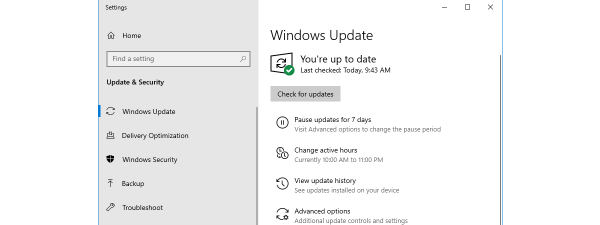
- Opening Settings.
- Going to Windows Update.
- Clicking Update history.
Each update is labeled with a KB number, such as KB5034123.
Step 2: Visit Microsoft Update Catalog
Open your web browser and go to the official Microsoft Update Catalog website.
Use the search box to enter the KB number.
For example, type:
KB5034123
Press Enter.
Step 3: Choose the Correct Version
You may see multiple results. Pay attention to:
- Windows version (Windows 11 22H2, 23H2, etc.)
- System architecture (x64, ARM64)
- Update classification
Select the one that matches your system.
To check your system type:
- Open Settings.
- Go to System > About.
- Look under System type.
Step 4: Download the Update
Click the Download button next to the correct update.
A pop-up window will appear with a direct download link. Click the link to download the file.
The file will usually be:
.msu(Windows Update Standalone Package).cab(Cabinet file)
Step 5: Install the Update
For .msu files:
- Double-click the file
- Follow the installation prompts
For .cab files:
- Right-click Start and select Terminal (Admin).
- Run: DISM /Online /Add-Package /PackagePath:"C:\Path\to\update.cab"
Replace the path with your file location.
Restart your PC if prompted.
Is Microsoft Update Catalog Safe?
Yes. Microsoft Update Catalog is an official Microsoft service. Always download updates directly from the official website.
Avoid third-party sites that host update files, as they may not be secure.
When Should You Not Use Microsoft Update Catalog?
You generally do not need it if:
- Windows Update is working normally
- You are not troubleshooting a specific issue
- You are not managing multiple PCs
For regular home users, automatic updates are usually sufficient.
Final Thoughts
Microsoft Update Catalog is a powerful tool for manually downloading Windows 11 updates and drivers. While most users rely on automatic updates, the catalog becomes valuable when troubleshooting update errors or installing patches on offline systems.
If used carefully and downloaded from the official source, it provides a safe and reliable way to manage Windows updates manually.
FAQs
What is Microsoft Update Catalog used for?
Microsoft Update Catalog is used to manually download Windows updates, drivers, and security patches for installation.
Is Microsoft Update Catalog safe to use?
Yes. It is an official Microsoft service and safe when accessed directly from its website.
How do I find a specific update in Microsoft Update Catalog?
Search using the KB number of the update in the catalog’s search bar.
Can I install updates manually in Windows 11?
Yes. You can download .msu or .cab files from Microsoft Update Catalog and install them manually on Windows 11.


Discussion (0)
Be the first to comment.