



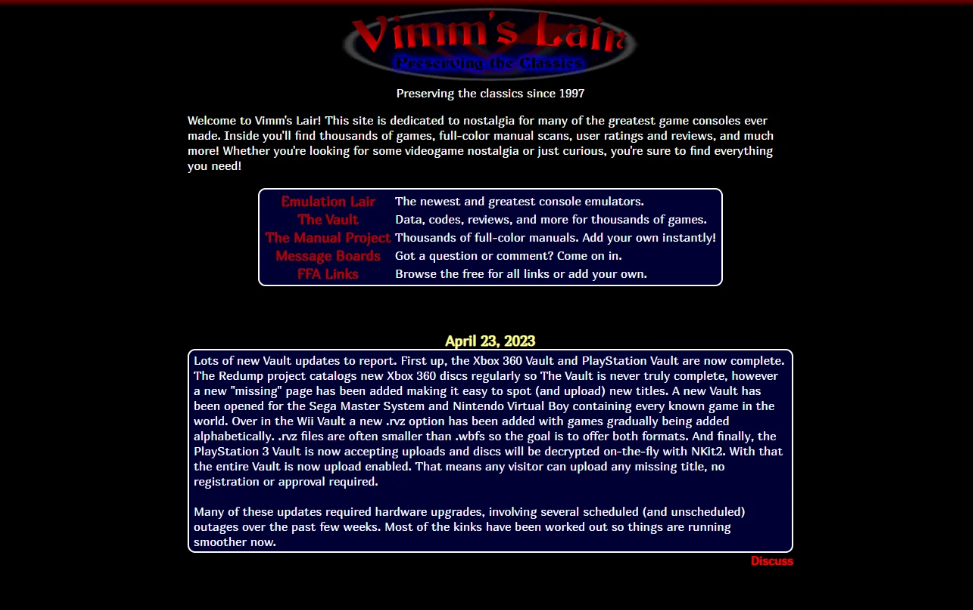
If you are looking for an ultimate Vimm’s Lair download guide, it is important to understand what the platform offers and the legal considerations involved. Vimm’s Lair is a website known for hosting retro game-related content, often discussed in emulation communities.
Before downloading anything on Windows 11, you should be aware of copyright laws, security risks, and safe alternatives. This guide explains what Vimm’s Lair is, the risks involved, and how to protect your system.
What Is Vimm’s Lair?
Vimm’s Lair is a website commonly associated with retro gaming resources. It is often mentioned in connection with:
- Classic console game files (ROMs)
- Emulation-related tools
- Game preservation discussions
However, many game files distributed through unofficial websites may be copyrighted. Downloading copyrighted material without proper rights can violate local laws.
Is Downloading from Vimm’s Lair Legal?
The legality depends on:
- Your country’s copyright laws
- Whether you own the original physical copy of the game
- The specific content being downloaded
In most regions, downloading copyrighted games without permission is not legal. Even if a game is old or no longer sold, it may still be protected by copyright.
Always verify the legal status before downloading any game files.
Security Risks of Downloading Game Files
When downloading files from unofficial websites, there are potential risks.
These include:
- Malware disguised as game files
- Modified or corrupted downloads
- Phishing advertisements
- Fake download buttons
Even if a website appears clean, third-party ads or mirrors may pose threats.
How to Protect Windows 11 Before Downloading Files
If you choose to download any files from the internet, follow these safety steps.
Keep Windows 11 Updated
- Open Settings.
- Go to Windows Update.
- Click Check for updates.
Security updates help protect against known vulnerabilities.
Use Microsoft Defender
Ensure real-time protection is enabled:
- Open Settings.
- Go to Privacy & security > Windows Security.
- Click Virus & threat protection.
Keep protection turned on at all times.
Avoid Suspicious Download Buttons
Many websites contain misleading ads. Always verify that you are clicking the correct download link.
Scan Files Before Opening
Right-click the downloaded file and select Scan with Microsoft Defender before extracting or running it.
Legal Alternatives for Retro Gaming on Windows 11
If you want to enjoy classic games safely and legally, consider these options:
- Official re-releases on digital stores
- Subscription services offering classic titles
- Licensed remasters or collections
- Open-source or public domain games
Many retro titles are available legally through modern platforms, often optimized for Windows 11.
Should You Use Vimm’s Lair?
Before using any unofficial download site, consider:
- Legal implications
- Security risks
- System safety
It is always safer to use official sources. Protecting your Windows 11 PC from malware and avoiding copyright violations should be your priority.
Final Thoughts
This ultimate Vimm’s Lair download guide is intended to help you understand the risks and legal considerations involved. While retro gaming is popular, downloading copyrighted content from unofficial sources can lead to legal and security issues.
If you use Windows 11, focus on safe browsing practices, updated security tools, and legal gaming platforms. That approach protects both your system and your peace of mind.
FAQs
What is Vimm’s Lair used for?
Vimm’s Lair is commonly associated with retro gaming resources and game-related downloads.
Is it safe to download from Vimm’s Lair?
There can be security risks such as malware or misleading ads. Always use antivirus protection and caution.
Is downloading games from Vimm’s Lair legal?
In many regions, downloading copyrighted games without permission is illegal, even if they are older titles.
What are legal alternatives to Vimm’s Lair?
Official digital stores, licensed remasters, subscription services, and public domain games are safer legal options.
Important Disclaimer
This article is for informational and educational purposes only. It does not promote, support, or encourage downloading copyrighted material without proper authorization. Users are responsible for complying with local copyright laws and platform terms of service. Always verify the legality of any download in your region before proceeding.


Discussion (0)
Be the first to comment.