



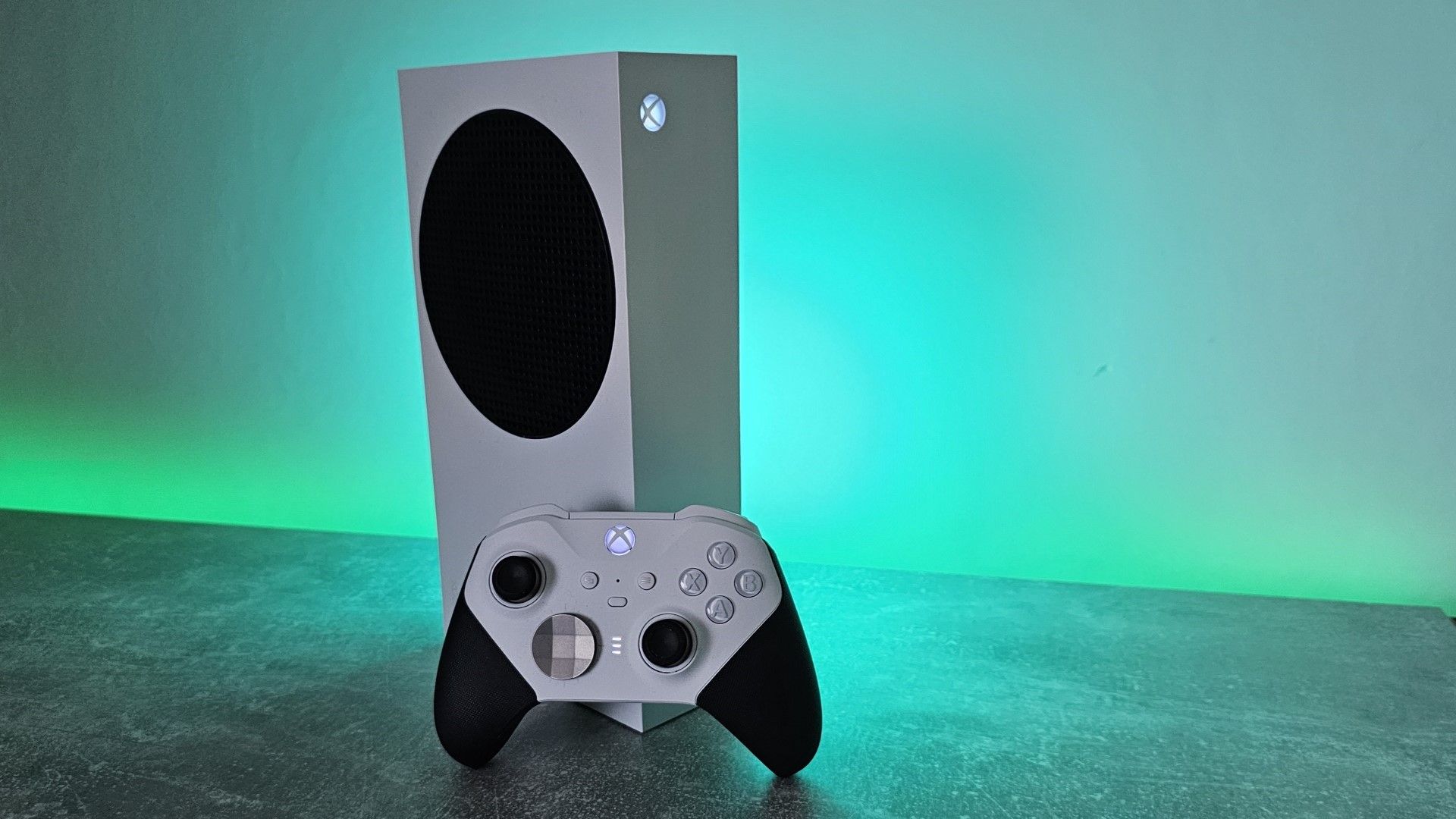
Rising summer temperatures are making traditional console gaming less comfortable in homes without air conditioning, particularly when powerful systems add their own heat to an already warm room.
The issue is especially noticeable in older British houses, which were designed to retain warmth during cooler weather rather than remain comfortable through repeated heatwaves. Indoor temperatures can stay high long after the hottest part of the day, and running a console, television, and other electronics adds more warmth.
For some players, the simplest response is to leave the Xbox switched off and move to a lower power handheld. Devices such as the ROG Ally X still generate heat, but they generally release less energy into the room than a console running demanding games at full load.
Cloud gaming offers another option because the local device performs less processing. However, it does not remove the environmental cost. It transfers much of the power use and cooling demand to remote data centres.
Xbox Series X Can Release Up to 200 Watts of Heat
An Xbox Series X can draw roughly 160 to 200 watts while running demanding games. Almost all of that electrical power eventually becomes heat inside the room.
The console’s cooling system does not eliminate the heat. Its fans move thermal energy away from the processor and other components, then release it through the vents.
That is useful for protecting the hardware, but the warm air remains inside the home.
| Gaming device or method | Local power and heat effect |
|---|---|
| Xbox Series X | Can draw around 160 to 200 watts under heavy load |
| Xbox Series S | Uses less power than Series X but still heats the room |
| Revised Series X models | Around 10 to 15 watts more efficient |
| ROG Ally X | Lower overall heat and adjustable power modes |
| Cloud gaming | Reduces local processing but moves demand to data centres |
| Reading a book | No console heat |
Microsoft’s revised Xbox Series X models use a smaller and more efficient chip. The newer versions reportedly draw around 10 to 15 watts less power than the original disc model.
That improvement can reduce electricity use over time, but it may not be enough to make a major difference in a room that is already uncomfortably hot.
The Xbox Series S has lower performance and power requirements than the Series X. It still releases the energy it consumes as heat, so extended gaming sessions can remain uncomfortable during warm weather.
Handhelds Offer More Control Over Power Use
A portable gaming PC can provide more flexibility during a heatwave.
The ROG Ally X allows players to lower its thermal design power, select a quieter operating profile, and choose games that require less processing. Silent mode can reduce performance, but it also limits power consumption and heat.
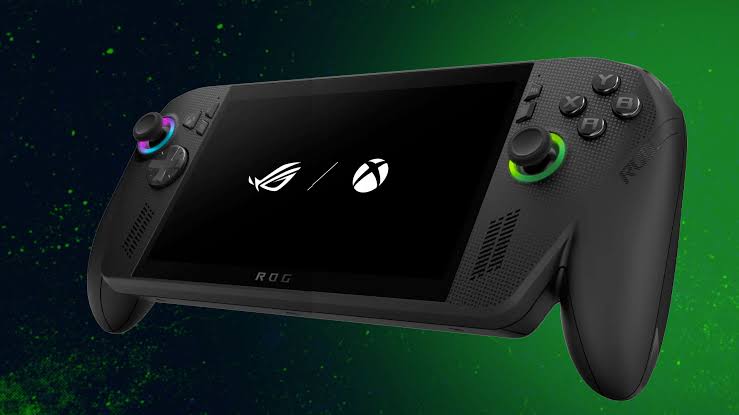
A handheld will still become warm, particularly around its vents. The difference is that it does not usually release as much total heat into the room as a console and television combination.
Players can also move to a cooler part of the house, sit near an open window, or use the device outdoors when conditions allow.
Games such as Dave the Diver, Balatro, Stardew Valley, and other lighter titles are well suited to reduced power modes. More demanding games may still require higher settings and stronger cooling.
| Handheld adjustment | Likely effect |
|---|---|
| Lower TDP | Reduces performance, power draw, and heat |
| Silent mode | Limits fan noise and energy use |
| Lower screen brightness | Extends battery life |
| Reduced frame rate | Cuts processor and graphics demand |
| Lighter games | Generates less heat than demanding 3D releases |
| Cloud streaming | Moves game rendering away from the handheld |
Portable devices do not solve the wider temperature problem, but they can make gaming more manageable when a full console setup feels uncomfortable.
Cloud Gaming Moves the Heat Somewhere Else
Cloud gaming allows a phone, tablet, handheld, or low power computer to stream a game running on remote servers.
This reduces the amount of work performed by the local device. It may keep the immediate room cooler because the handheld is mainly decoding video and sending controller inputs.
The processing still has to happen somewhere. Data centres use powerful servers to run games for several customers, and those machines require electricity and cooling.
Streaming also uses network infrastructure and continuously transfers compressed video. The total environmental impact depends on the efficiency of the data centre, electricity source, cooling system, network, and local device.
Microsoft has promoted closed loop liquid cooling as one method of reducing water consumption in newer data centres. These systems reuse cooling liquid rather than constantly drawing large amounts of fresh water.
They may improve water efficiency, but they do not remove the substantial electricity required to operate servers and cooling equipment.
Cloud gaming therefore provides a local comfort benefit rather than eliminating heat or energy use. The thermal output is shifted from the player’s home to Microsoft’s infrastructure.
British Homes Are Poorly Prepared for Repeated Heatwaves
Many homes in the UK were built for a climate dominated by cooler conditions.
Brick walls, limited ventilation, insulation, and small windows can help retain warmth during winter. During prolonged hot weather, those same features may trap heat indoors.
Air conditioning is also less common than in countries where high summer temperatures have historically been expected. Portable units are available, but they can be expensive to buy and operate.
Gaming equipment adds to other household heat sources such as ovens, computers, televisions, refrigerators, and lighting. A family using several consoles or PCs in the same room can increase the temperature further.
Simple measures can help reduce discomfort:
| Measure | Benefit |
|---|---|
| Close curtains during direct sunlight | Reduces solar heating |
| Ventilate when outside air is cooler | Helps release trapped heat |
| Avoid gaming during the hottest hours | Lowers exposure to peak indoor temperature |
| Use lower power modes | Reduces heat from hardware |
| Limit frame rates | Cuts unnecessary processing |
| Keep vents clear | Prevents overheating and excessive fan speed |
| Move to handheld gaming | Allows play in a cooler location |
These steps cannot fully compensate for extreme temperatures, but they can reduce the amount of additional heat created indoors.
Console Cooling Protects the Hardware, Not the Room
The warm air leaving an Xbox is usually evidence that its cooling system is doing its job.
Internal fans move heat away from the processor and out of the enclosure. Blocking the vents or placing the console in a tight cabinet would make the system hotter and could lead to reduced performance or an automatic shutdown.
Owners should keep enough open space around the console and avoid covering its intake or exhaust areas. The system should also be cleaned carefully if dust begins restricting airflow.
The fact that the console feels hot does not necessarily mean it is malfunctioning. The larger problem during summer is that the heat has nowhere useful to go once it leaves the hardware.
Some PC owners have experimented with ducts that carry hot exhaust air through a window. That kind of setup may help in specific rooms, but it requires careful installation and is not a practical option for every console owner.
Until cooler housing designs or wider air conditioning become common, summer gaming may require compromises. Lower power settings, handheld devices, shorter sessions, and playing during cooler parts of the day can all help.
For players living in heat retaining homes, leaving an Xbox in temporary summer hibernation may be the most comfortable choice.



Discussion (0)
Be the first to comment.