



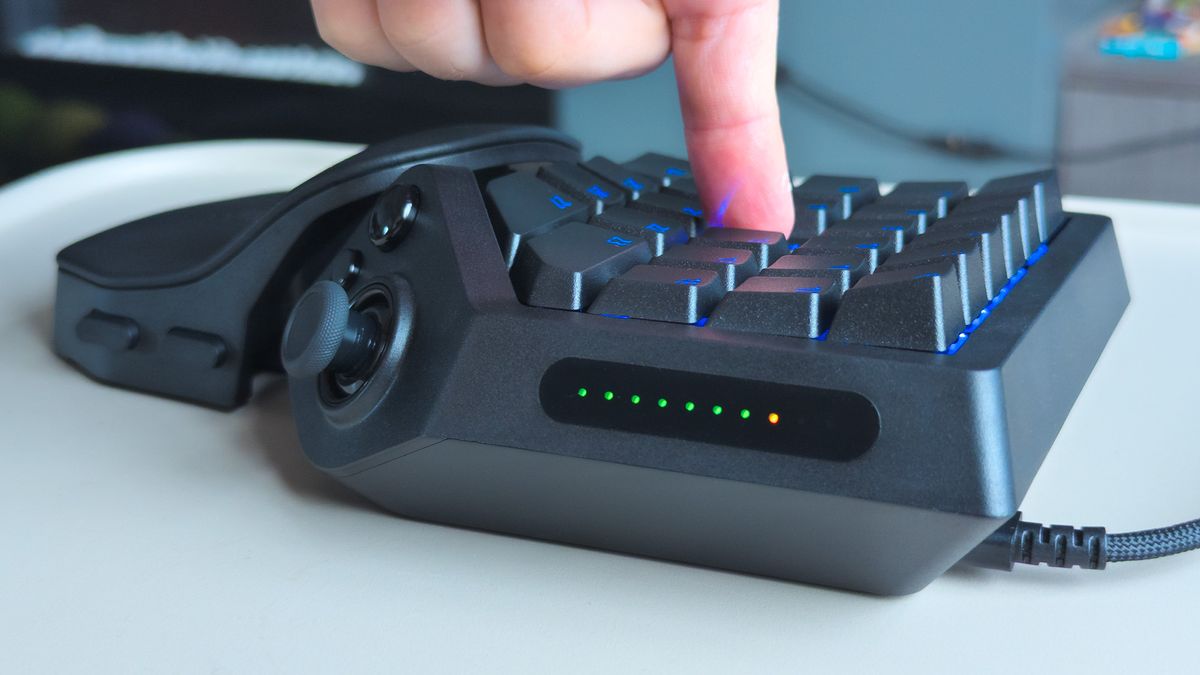
Razer has returned to its unusual one handed gaming keypad with the Tartarus V2 Pro, a $199.99 model that combines 27 analog optical keys, an ergonomic wrist rest and a TMR thumbstick. The hardware delivers impressive customization and comfort, but several software and control decisions prevent the keypad from reaching its full potential at launch.
The Tartarus V2 Pro is primarily aimed at players who want many commands available under one hand. MMORPGs and MOBAs are obvious targets, although its analog controls also make it useful in other genres.
Razer uses its Analog Optical Switch Gen 2 linear switches, while lighting comes through Chroma RGB. The keypad includes onboard storage for as many as three profiles and connects through a detachable USB Type C cable.
Adjustable Actuation Is the Main Attraction
The strongest feature is the ability to control exactly how far a key must travel before an input activates.
A row of LEDs provides visual feedback for key travel, including the selected actuation point. This makes it possible to create much more sensitive controls than a traditional keyboard offers.
Razer's Snap Flex feature adds another layer by allowing commands to trigger when a key is released. The analog switches can also behave more like controller inputs.
For example, a key normally used for moving forward can be configured as an analog accelerator in a driving game. A light press can produce slow movement while pushing the key further increases the input.
| Feature | Razer Tartarus V2 Pro |
|---|---|
| Price | $199.99 |
| Main keys | 27 |
| Switches | Razer Analog Optical Switch Gen 2 |
| Thumb control | TMR thumbstick |
| Profiles | Up to 3 onboard |
| Connectivity | Detachable USB Type C cable |
| Lighting | Razer Chroma RGB |
| Wrist rest | Fully adjustable |
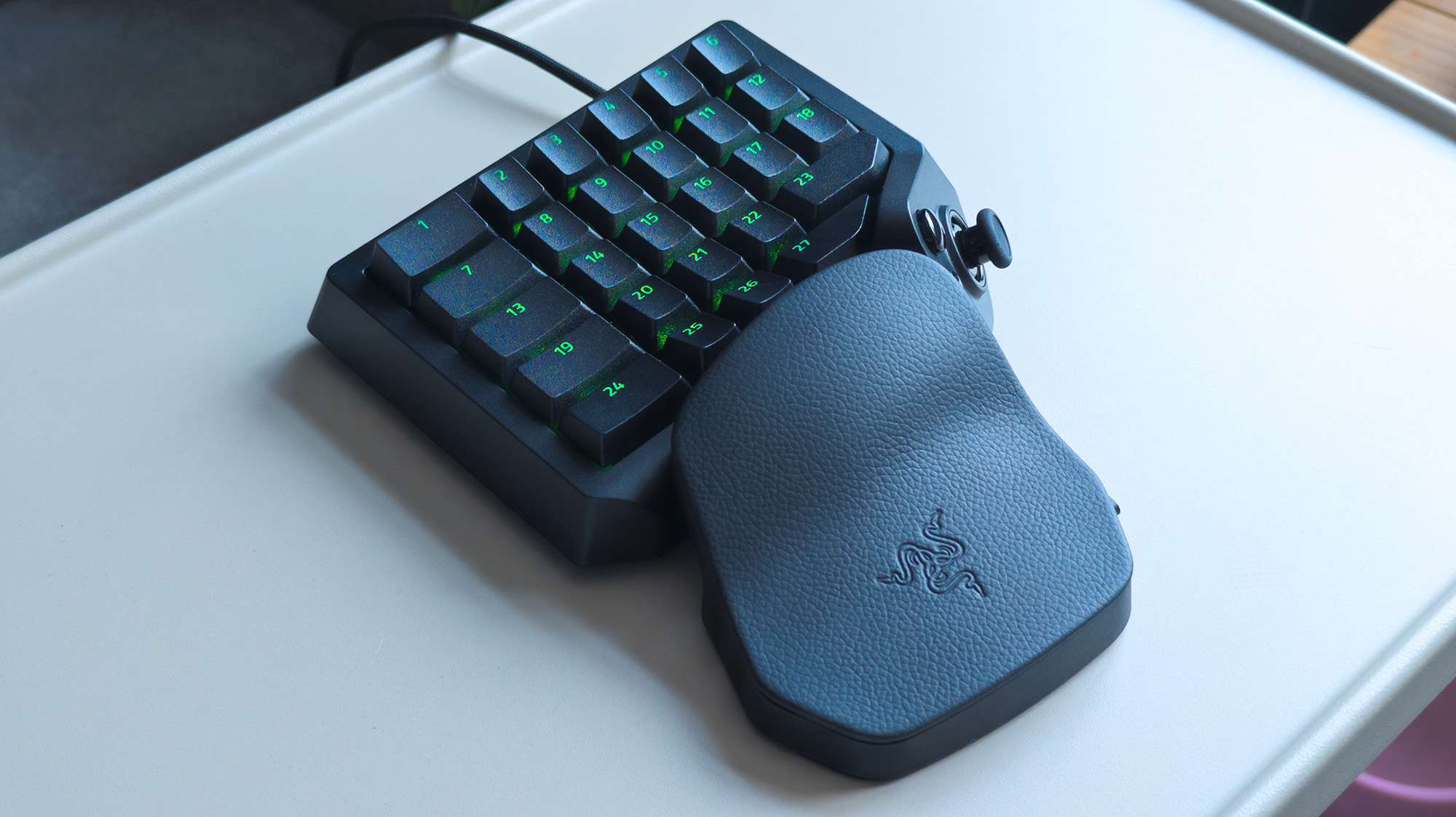
Comfort is another major strength. The curved body and adjustable wrist rest are designed to support the left hand for long gaming sessions.
The wrist rest can be moved to change both its distance and angle. Combined with the curved layout and textured PBT keycaps, the design allows your fingers to fall naturally across the primary controls.
The Thumbstick Needs More Work
The new TMR thumbstick should be one of the Tartarus V2 Pro's strongest additions. TMR technology is designed to resist the drift problems associated with conventional analog sticks.
Its implementation is less convincing.
By default, the thumbstick behaves like the right stick on a traditional controller, even though the Tartarus is designed for the left hand. That makes movement controls less intuitive unless a game provides suitable remapping options.
A larger issue is orientation. The current software does not allow you to properly realign the thumbstick direction. Depending on how your hand rests naturally, pushing your thumb toward the monitor may register as sideways movement rather than forward movement.
Razer is working on improvements, and software such as Steam Input can already compensate for some of the problem.
There are other small frustrations. The large thumb button has a noticeably different clicky feel compared with the smooth linear keys. The lighting can also behave unexpectedly when this button is pressed, while another software issue can prevent the automatic lighting timeout from functioning correctly.
These problems appear more related to software and configuration than fundamental hardware limitations, which means future Synapse updates could improve the experience considerably.
A Strong Keypad With a High Price
The Tartarus V2 Pro costs considerably more than earlier generations. The original Tartarus launched at $79.99 in 2013, while the 2019 Tartarus Pro arrived at $129.99. The new model reaches $199.99.
That makes it difficult to recommend as a casual accessory, especially if you already own a recent Tartarus model.
For MMO and MOBA players who regularly manage large numbers of abilities, however, the combination of programmable controls, adjustable actuation and onboard profiles can be genuinely useful.
Accessibility may also be an important benefit. Rapid Trigger allows a key to reset after only a small upward movement, reducing how much finger travel is required. Adjustable actuation can further reduce the physical movement needed to register commands.
The hardware foundation is strong. The analog optical keys are responsive, customizable and well suited to games that benefit from large command layouts. The ergonomic design also makes the Tartarus V2 Pro comfortable for extended use.
Its biggest weakness is that the thumb controls do not yet feel as polished as the main keys. Better orientation options and improved Synapse behaviour could address much of that.
At $199.99, the Tartarus V2 Pro is a specialist device rather than an obvious replacement for a normal keyboard. If you play games built around dozens of commands and want deep control over key behaviour, it offers capabilities that standard keyboards rarely provide. If you already own an older Tartarus, the improvements may not yet be significant enough to justify the upgrade.
Discussion (0)
Be the first to comment.