



Fitbit Charge HR has been launched for a couple of months now so this review might be old news for you. However, we bet that our review will stand out from the rest, as it is made based on a couple of months of daily usage experience with this device. If you are curious to learn how well it works, if it might help you improve your health and wellbeing, and whether it is a device that won't cause any weird rashes and health problems while wearing it, then you should read this review before purchasing Fitbit Charge HR. There's lots of ground to cover, so let's get started:
Unboxing the Fitbit Charge HR
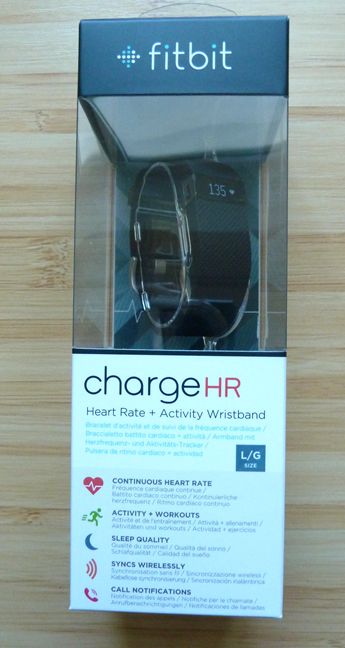
The packaging used for the Fitbit Charge HR is very similar to that of other Fitbit devices. You can easily see the device as well as its most important specifications.
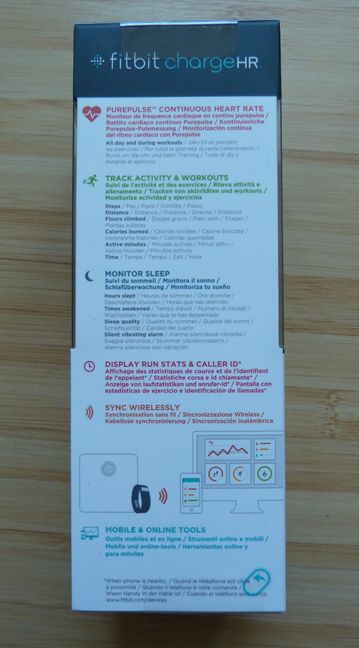
On the back of the box you will find more details about all its major features, in several languages.
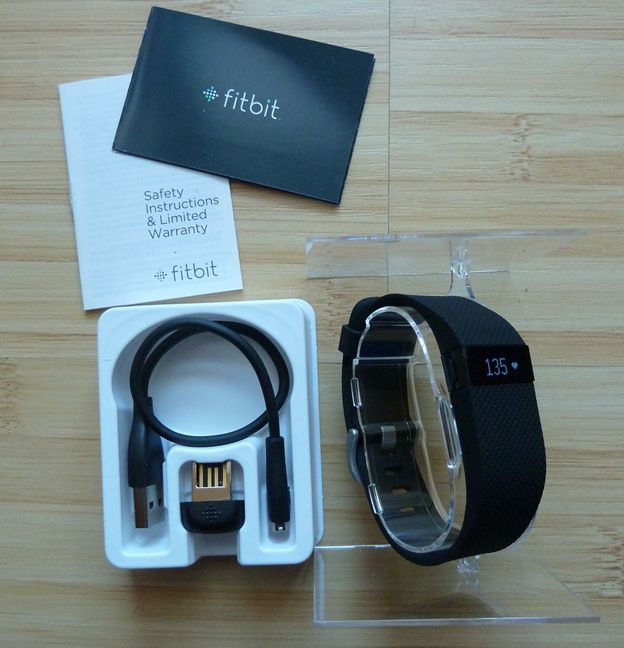
When you open the box, you will find the Fitbit Charge HR, a wireless sync dongle, the charging cable, the warranty and a quick setup guide.
Now that you got an idea of how this device looks, let's take a look at what it has to offer in terms of specifications:
Hardware Specifications
First of all, the Fitbit Charge HR comes in three sizes: small, large and extra-large. In order to correctly choose the size that fits you, you should read this guide. The device has some degree of water resistance but it can only take small quantities of water, like sweat, rain and water splashes. You can't swim with it, take a shower or wash the dishes while wearing it. You must take it off during such activities.
In terms of sensors, Fitbit Charge HR packs an optical heart rate monitor, a 3-axis accelerometer, an altimeter and a vibration motor.
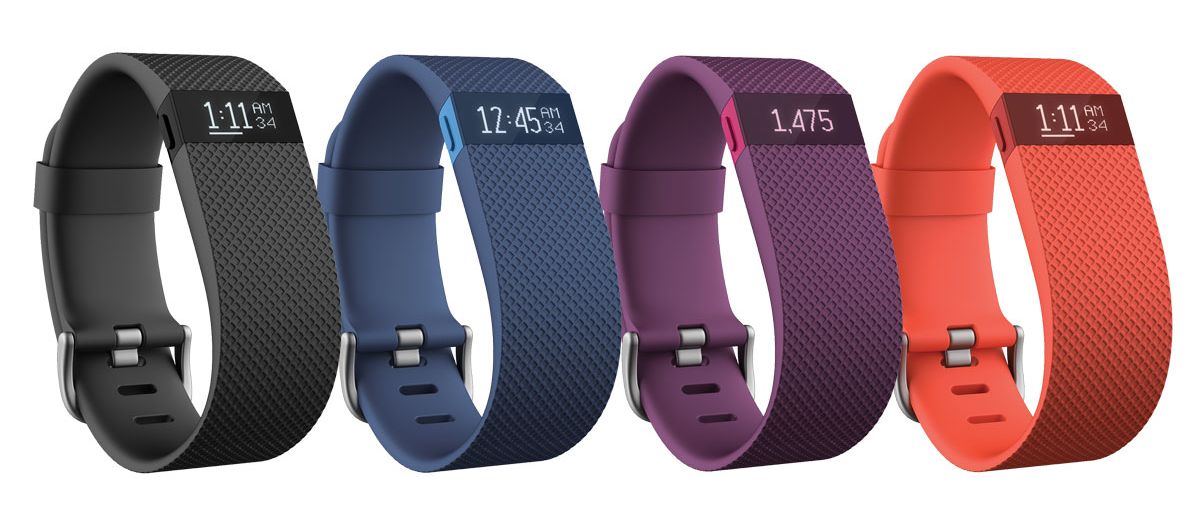
The wristband is made of a flexible elastomer material similar to that used in many sports watches. Charge HR also has a surgical-grade stainless steel buckle. The device is available in five colors: black, blue, plum, tangerine and teal. Unfortunately, Fitbit offers pictures only for four of these colors, as you can see below.
The device has a simple OLED display that you can turn on by tapping on it or by pressing the button on its left. The promised battery life is up to 5 days and the charging time of one to two hours. In order to charge it, you must use the charging cable included in the package. You can't use anything else for charging because this device has its own proprietary power jack.
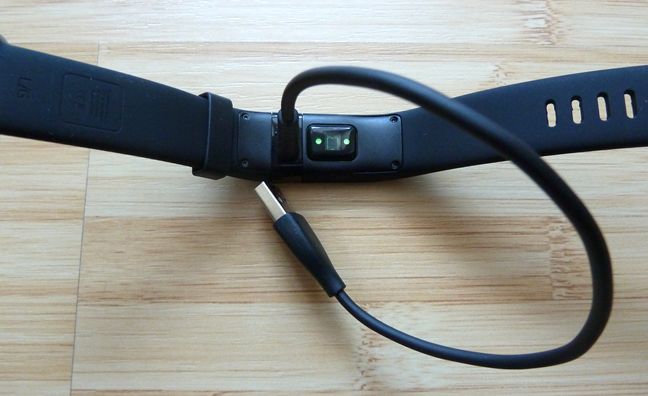
In order to send and receive data to other devices, Fitbit Charge HR has a Bluetooth 4.0 radio transceiver. In terms of memory, the device can track up to 7 days of detailed motion data, up to 30 days of daily totals and heart rate data at 1 second intervals during exercise tracking and at 5 second intervals all other times. One area where the Fitbit Charge HR shines is its excellent device support. It offers apps for Windows, Android, iOS, Windows Phone and Mac. But more on that later in this review.
You can view the full set of official specifications, here: Charge HR Specifications.
Using the Fitbit Charge HR
The only complicated part of using the Fitbit Charge HR is setting it up. First, you need to create an account with Fitbit, then add your device and synchronize it for the first time. Before moving forward to using it, it is a great idea to set how you want it to work. This is done using one of the many apps that are available for it.
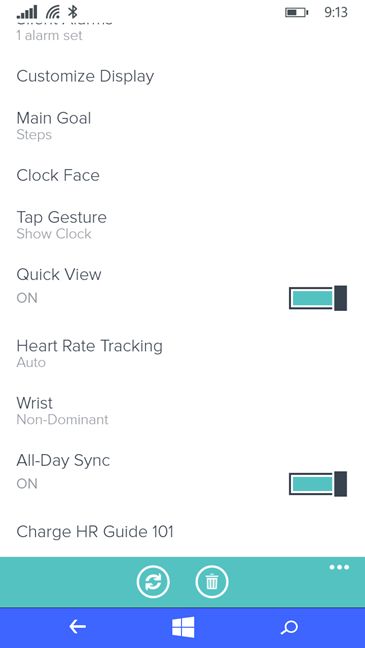
You should set things like: your main goal, what the display does when you tap on it, how you want Fitbit to track your heart rate, on which wrist you are wearing the device, how the device syncs, your weight, height, the units of measurement that you want to use, etc. The list is long and we strongly advise you to spend some quality time setting things up, otherwise you won't be pleased with some of the results you will get.
Once you set it up, close the Fitbit app that you are using and resume your normal activities. When you check back on Fitbit, later on, see whether it reports and measures things to your liking. Don't hesitate to experiment with the many available settings until you get the data you are interested in, as precisely as possible.
One aspect that's very important about wearable devices is how well they are tolerated by your skin. We're happy to report that, after several months of using Fitbit Charge HR, we had no issues with rashes and irritations. As long as you clean up the device on a weekly basis, you should be OK. Also, the rubber band doesn't get sticky on your arm and it doesn't have the tendency to trap sweat.
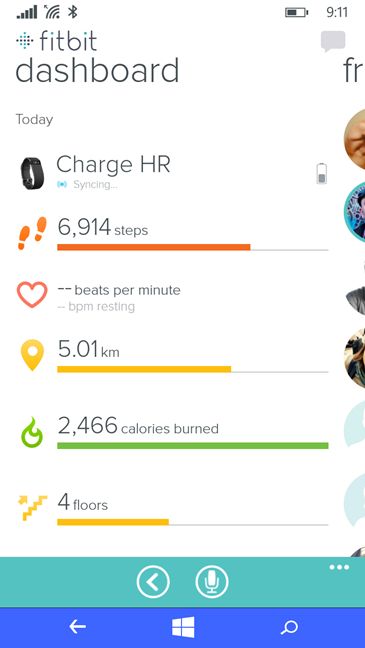
If you want to get data from the Fitbit Charge HR, you can use the display and have it share today's overall numbers like: calories, steps and so on, or you can use the Fitbit app and get detailed stats of what is going on. One issue that we have experienced when using the Fitbit Charge HR with a Windows Phone smartphone is that we couldn't get the caller ID to work on the Fitbit. That's even though we disabled All Day Sync. Apparently these features don't work simultaneously.
Another small bug we noticed is that, when you clap your hands, like when going to a concert, the display turns itself on and Fitbit may count some steps during that time, even though you are moving only your hands. It's a minor quibble in our view.
Regarding the data you get from the Fitbit Charge HR, you must be aware that it is never 100% accurate, no matter what you measure. First of all, measuring the number of steps you do in a day is generally good. Yes, it measures steps if you clap your hands during a concert but that doesn't truly impact your overall numbers in a meaningful way. The data you get from Fitbit is meaningful enough for you to understand how active you are and to help you take measures for improvement.
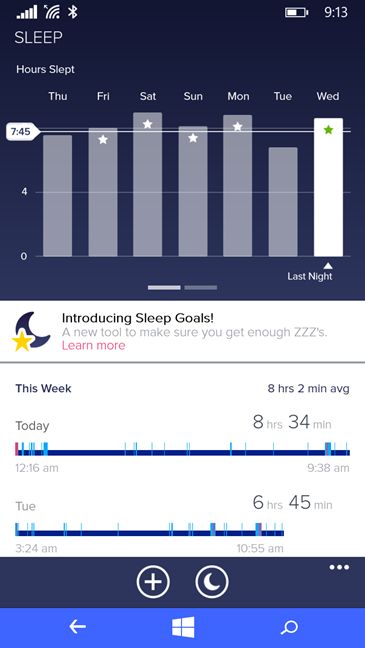
We were very pleased with the sleep tracking offered by Fitbit. You can set sleep goals for yourself and track how much you sleep each night, how agitated you are and so on. Fitbit Charge HR has helped us a lot in improving how much we sleep each night and made us decide to allow more time for this "activity". As a result, we felt better each morning and we had better productivity throughout the day.
In our view, Fitbit Charge HR's main weakness is exactly what should set it apart: heart-rate monitoring. First of all, measuring heart-rate in the wrist area leads to less accurate results than when using other areas of your body. Also, the accuracy is hit by skin pigmentation, how you move, how much you move, where exactly you wear the device and how tight it stays on your body, etc. Fitbit has even created a guide on how to use the device for the best possible results and you should read it: Heart rate FAQs.
We were pleased though with its resting heart rate measures, which show how your heart beats when you are still, and it can be an important indicator of the health of your heart. These reports seemed close enough to reality and provided data that was useful to us.
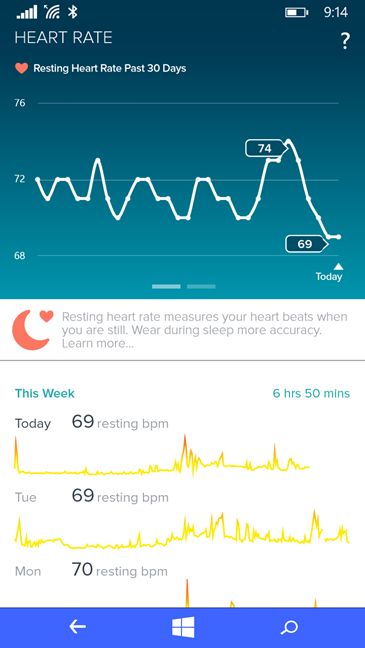
Regarding the promised battery life - we could never get our Fitbit Charge HR to last 5 days unless we stopped its heart-rate monitoring, which defeats the purpose of buying Fitbit Charge HR instead of Fitbit Charge. In real-life you should expect 4 days of battery life, give or take a couple of hours. However, charging is generally fast. In most cases, Fitbit Charge HR charges in about 1 hour. After a couple of weeks of use, we developed the habit of leaving it to charge while we showered. This way we kept it safe, away from water and it was charging while we were not taking many steps. You might want to develop a similar habit.
A big part of the user experience is the software ecosystem of the wearable device that you are using. Some devices have great sensors and hardware but very poor apps. Luckily, this is not the case for Fitbit. More on this subject, in the next section of this review:
Fitbit apps & device support
One aspect that makes Fitbit stand out from the crowd is its excellent device and software support. Fitbit has apps for just about anything: Windows PCs, Android devices, iOS devices, Windows Phones and Mac computers. When you purchase your Fitbit device, you need to create a Fitbit account and sync it with your device. You can do that using the Fitbit Connect desktop app for Windows.
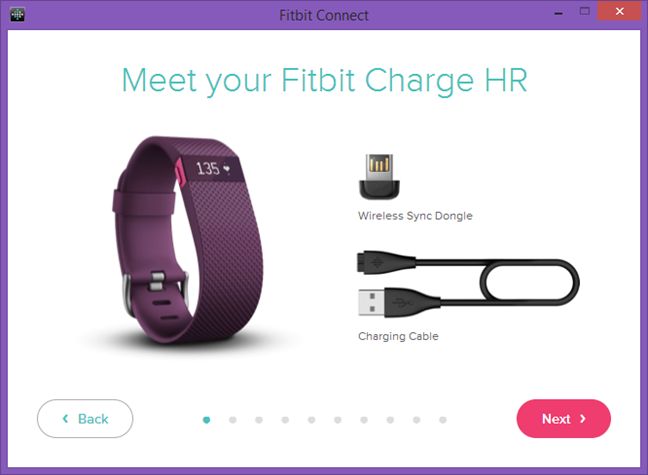
Once you set up your Fitbit account and your Fitbit Charge HR, the Fitbit Connect desktop app takes you to the online Fitbit Dashboard, which you can visit at any time, without using Fitbit Connect. If you use your smartphone to sync your Fitbit data, you won't need the Fitbit Connect desktop app after the initial setup.
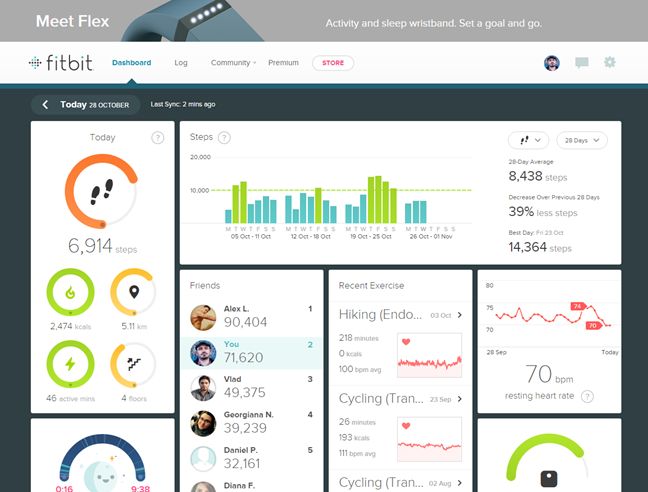
The Fitbit Dashboard includes several visual stats and reports. They are not very detailed but they do offer enough information so that you understand your data and your habits. You can view how many steps you have taken today and in the last few days, how you stack up against your friends, a list with recent exercises, a chart with your resting heart rate, the evolution of your weight goal (if you have set one) and so on.
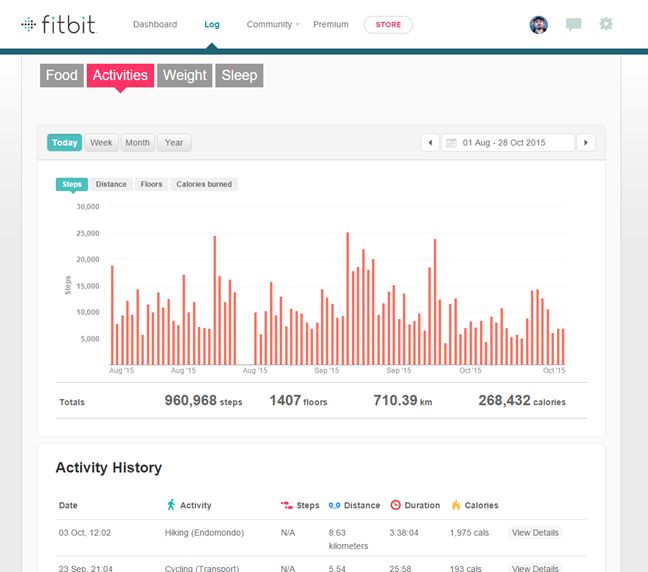
There's also a section with logs, where you can access more granular data about your activity. We found them more useful than the dashboards.
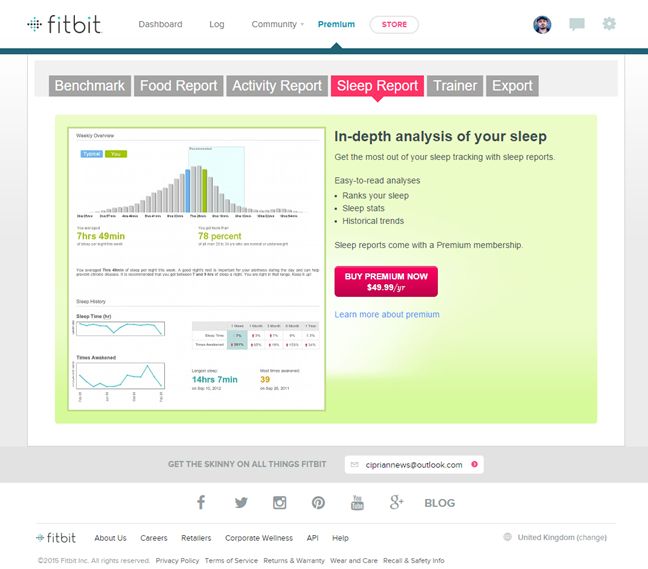
If you want to go truly in-depth with the analysis of your data, you have to purchase a Premium membership, which costs 49.99 USD/year. If you purchase it, you can compare your data with that of other Fitbit members, compare your calorie intake vs. the calories you burn, get access to historical trends in your sleep reports and more.
An interesting limitation of the free plan is that you can't export your Fitbit data. You have to purchase the Premium membership in order to do that. Luckily, you do get a free 7-day trial to get a taste of what's on offer, before purchasing this membership.
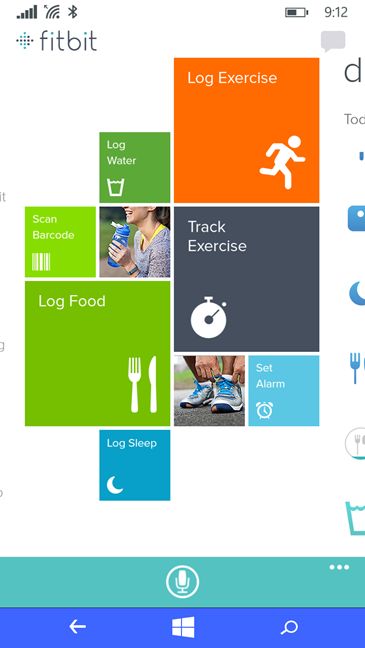
Fitbit mobile apps are excellent! We have used the Fitbit app for Windows Phone extensively and we can say that it's great. Its feature set is the same as that of the Fitbit clients for Android and iOS, an example which should be adopted by other companies making wearable devices. With the mobile app, you can access all your daily data, view what your friends are doing, set challenges and goals and log many extras, including your food and water.
Another great aspect is that Fitbit is integrated with many fitness and wellness apps, including RunKeeper, Endomondo, MyFitnessPal, Strava and so on. You can view the full list of partnerships, here. I used Fitbit in parallel with Endomondo and MyFitnessPal and I was very pleased by how the data syncs among all these services and how much more I can do by having it put together. Personally, I managed to lose 24 pounds (11 kg) in about 7 months, which is a great result in my view. That's what you want from a wearable device, isn't it? To improve your health and well-being.
If there's one idea to keep in mind about Fitbit Charge HR and any other wearable device, is that it isn't perfect. It's measurements are not always fully-accurate, at least not when it comes to your heart-rate monitoring. However, the data it provides is meaningful enough for you to better understand your habits, your health and get an idea on what you need to focus in order to improve your well-being. The team at Digital Citizen has used this device for very good results.
What's different between Fitbit Charge HR and Fitbit Charge
When using the comparison table offered by Fitbit , you get the impression that Fitbit Charge HR and Fitbit Charge are the same, except only one difference: continuous heart rate monitoring. However, that's not the case. First of all the strap on the Charge HR attaches with a standard watch buckle-type clasp, making it more secure and less likely to pop off.
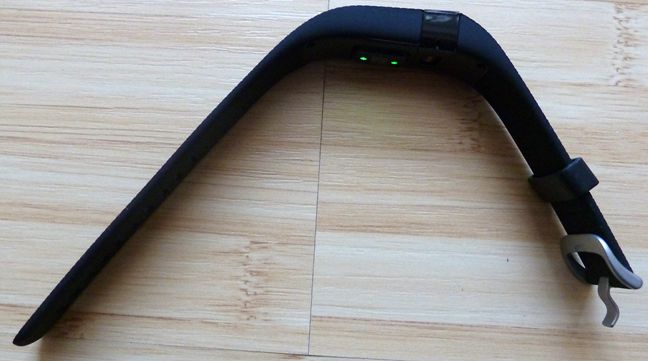
The watch buckle-type clasp is missing on the Fitbit Charge, as you can see below. A very small difference is also the pattern in the plastic used for the buckle.
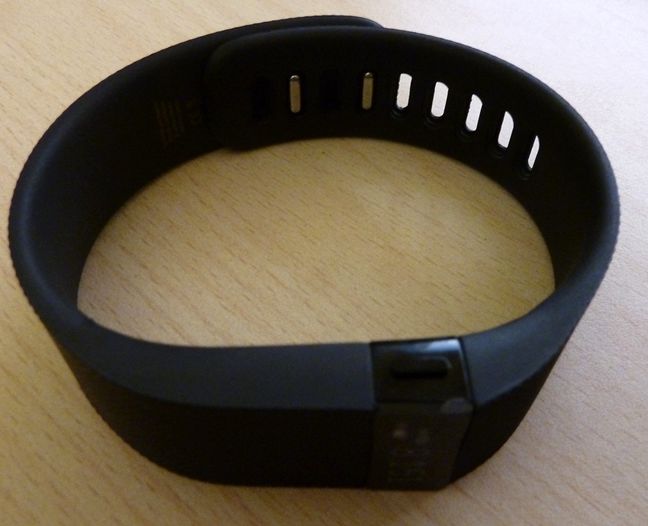
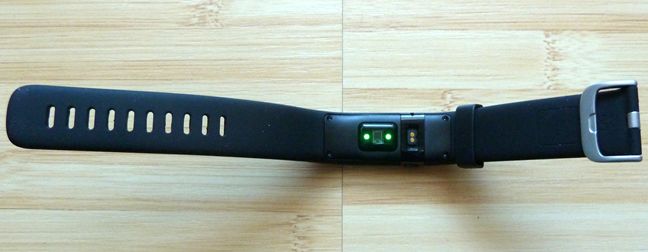
Another difference is the optical heart-rate monitor with green LEDs that bulges out of the bottom. You can see it in the picture below. Also the charging jack is different on the Fitbit Charge HR. It's positioned near the heart-rate monitor and it's smaller than on the Fitbit Charge.
Below you can see the charging jack on the Fitbit Charge. It's obvious that you cannot use the charging cable from the Fitbit Charge HR for the Fitbit Charge or the other way around.
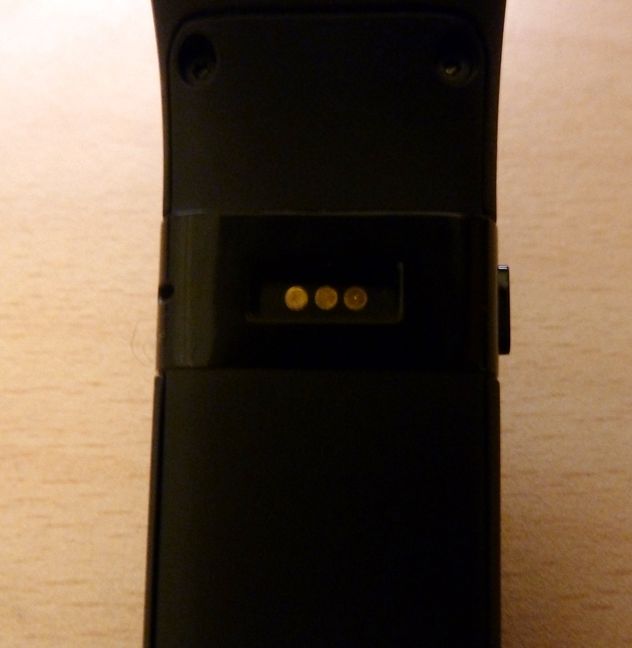
Therefore, if your family owns both devices, make sure that you keep both charging cables, as you won't be able to reuse them from one device to another.
The most common problem with Fitbit Charge HR
Since a couple of our team members have used Fitbit Charge HR for the last few months, one of us also encountered issues with it. It seems that the most common problem with this device is that the rubber band is pulling away from the hard portion of the bracelet, and the housing around the charging port comes off with the slightest pressure. This may happen after a couple of months of use and it will be very annoying.
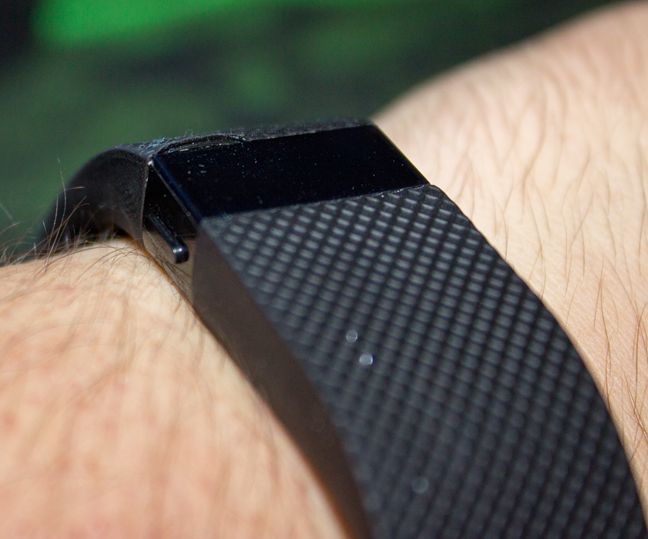
Your only solution is to contact Fitbit's support service. Luckily, they are generally very responsive and take support requests seriously. They have successfully replaced our faulty unit without knowing that we are bloggers at Digital Citizen and that we will publish reviews about their devices.

Verdict
Overall, we are pleased with what Fitbit Charge HR has to offer. It is a device that's easy to use, offers plenty of useful data that you can use to improve your health and wellbeing, it is very well integrated with many fitness-related apps and services and it's compatible with all mobile platforms, including Windows Phone. Yes, its data is not 100% accurate and not all the features offered by Fitbit are free but, for most people, Fitbit Charge HR will offer enough so that they can improve themselves. And, in the end, that's all that matters. We recommend it to anyone who is interested in using wearable devices to improve their wellbeing.
Discussion (1)
Fitbit does not currently support Caller ID feature on Windows Phone. https://community.fitbit.com/t5/Charge-HR/windows-phone-app-and-caller-id/m-p/907156/highlight/true#M46523