



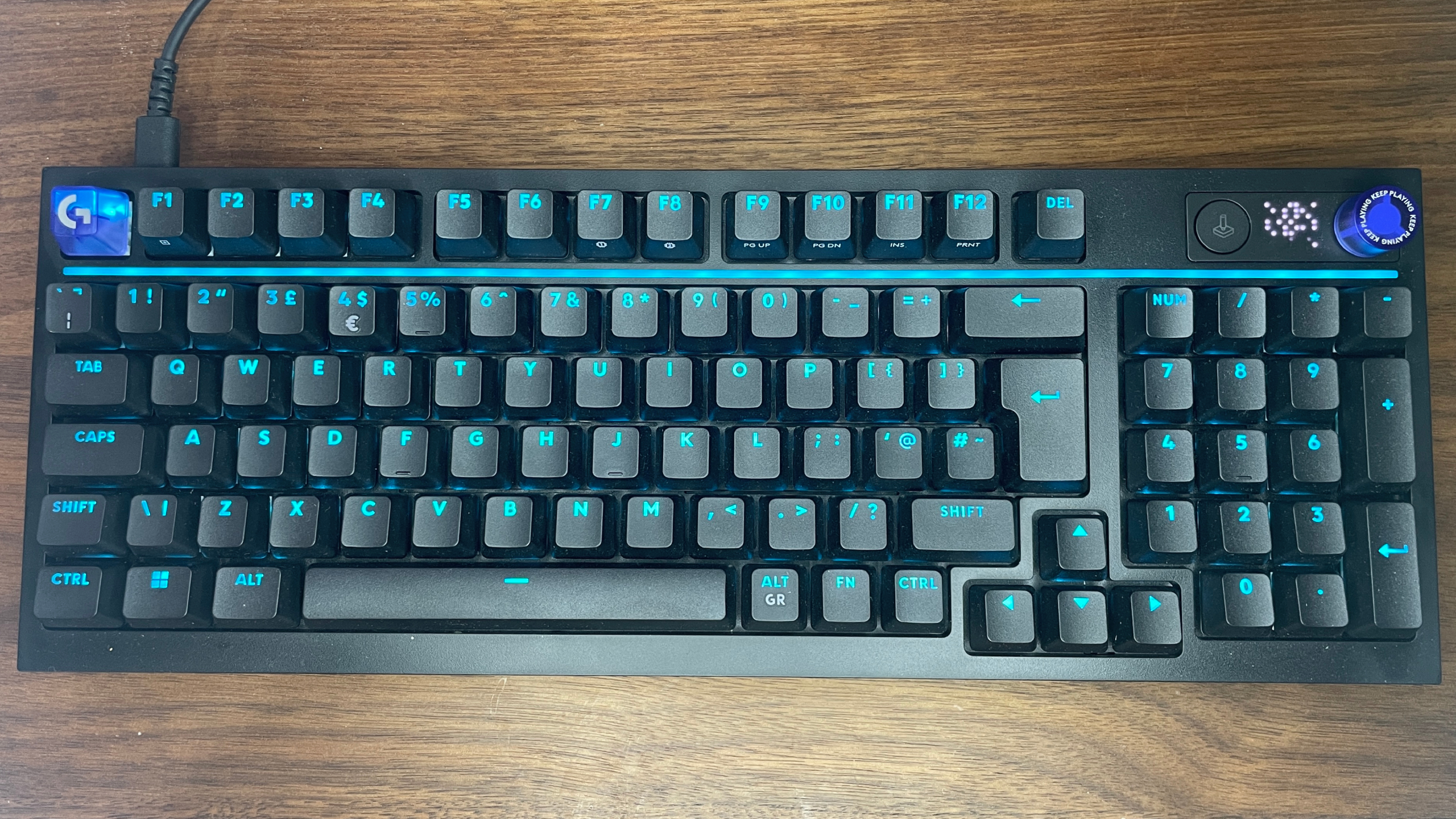
The Logitech G316 X has some promising features for a mid-range gaming keyboard, including hot-swappable switches, per-key RGB lighting, a 30-zone light bar, a detachable USB-C cable, and up to 8 kHz polling. But the tactile version struggles with the one part that matters most: how the keys feel.
At $120, the G316 X should offer a confident mechanical typing and gaming experience. Instead, its tactile switches reportedly feel unusually stiff, lack a clear tactile bump, and can become tiring during longer use. The result is a keyboard that looks more premium than it feels.
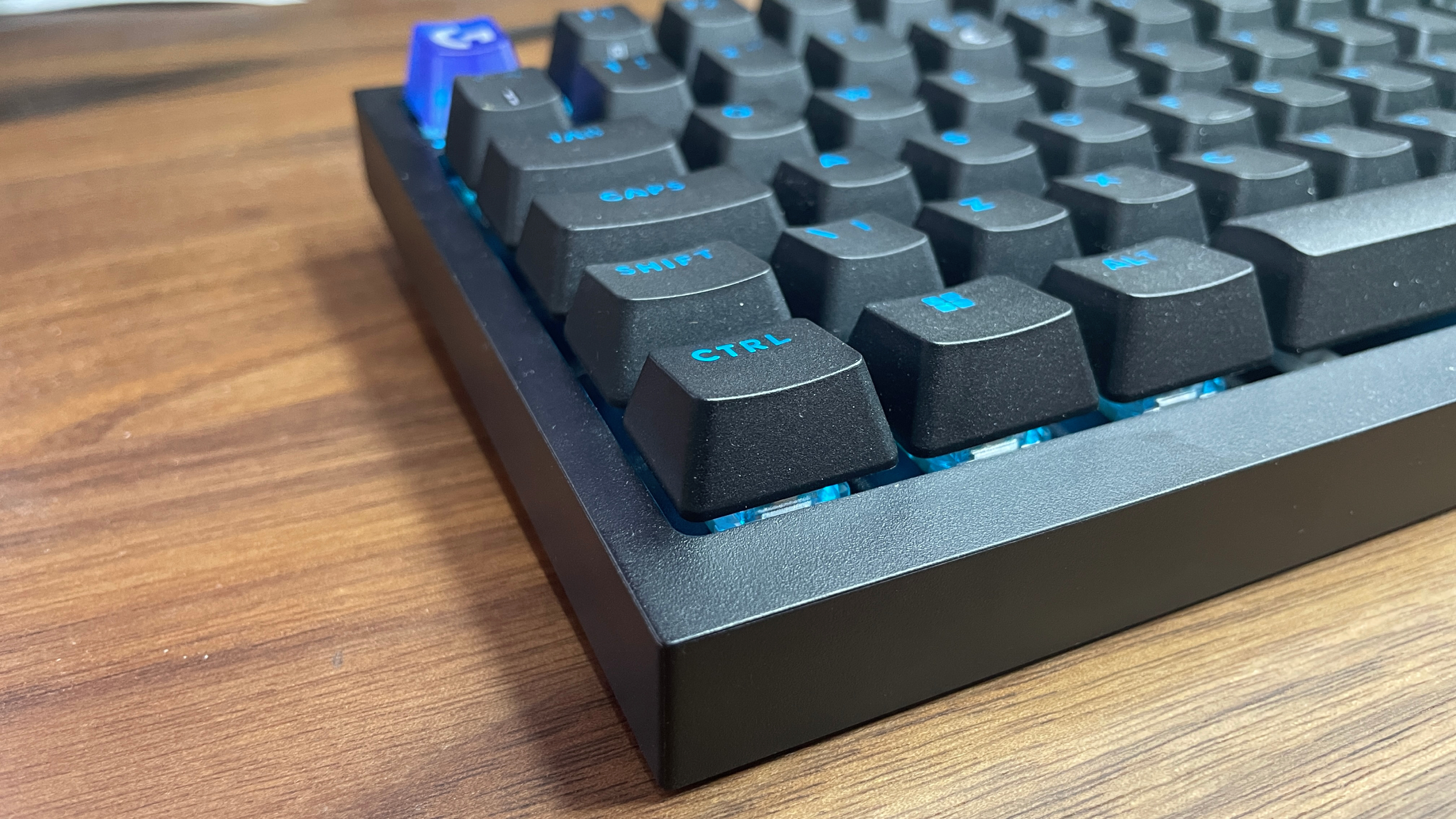
The design is not bad. The keycaps are sturdy double-shot PBT, the lighting is bright, and the keyboard includes useful controls such as a volume knob, game mode button, and a small LED display for status indicators. However, those extras do not make up for a keypress experience that feels closer to a stiff membrane keyboard than a comfortable mechanical one.
Logitech G316 X Specifications
| Feature | Details |
|---|---|
| Switch type | Tactile switches, hot-swappable |
| Keycaps | Double-shot PBT |
| Lighting | Per-key RGB with 30-zone light bar |
| Connection | Wired USB-C to USB-A |
| Polling rate | Up to 8 kHz |
| Weight | 880g without cable |
| Price | Around $120 |
The hot-swappable switch design is one of the keyboard’s better ideas. It means buyers can replace the included switches with compatible alternatives if they dislike the stock feel. But spending extra money to replace switches immediately is difficult to justify on a keyboard already priced above many stronger competitors.
The Tactile Switches Are the Main Problem
Tactile switches are usually designed to provide a noticeable bump during the keypress, helping you feel when the key has activated. On the G316 X, the switches reportedly do not offer that familiar feedback.
Instead, the keys require a large amount of force at the beginning of the press, then move more easily afterward. That creates an uneven feel that can make precise inputs difficult.
This is especially noticeable in competitive games. In Counter-Strike 2, for example, quick movement corrections and counter-strafing depend on reliable control over key presses. A switch that feels too stiff or unpredictable can make those actions harder.
The keyboard also produces a loud clacky sound, which some people may enjoy. It is not a deep or soft sound, though, and extended typing sessions may become uncomfortable because of the resistance in the switches.
Lighting and Controls Are the Best Parts
The RGB light bar gives the G316 X more personality than a typical plain gaming keyboard. It adds a retro cyberpunk look, especially when paired with the dot matrix display.
The dedicated control knob is also useful. It can manage volume by default, but can be switched to control music playback, RGB brightness, or polling rate. There is also a game mode button that can disable the Windows key and other selected shortcuts.
These are thoughtful additions, but the keyboard’s plastic chassis feels average for the price. It is solid enough and does not feel cheap, but it does not stand out against other gaming keyboards in this range.
Should You Buy the Logitech G316 X?
The tactile Logitech G316 X is hard to recommend at its current price. It has good lighting, practical features, and hot-swappable switches, but its stiff and unclear tactile key feel makes it a poor choice for players who want responsive control.
You may enjoy it if you prefer loud, clacky keys and like the design enough to replace the switches later. But for most people, there are better gaming keyboards available with smoother linear switches, more reliable tactile feedback, or Hall effect features at a similar or lower price.
The G316 X could have been a strong affordable gaming keyboard. Instead, its stock tactile switches hold back an otherwise decent design.



Discussion (0)
Be the first to comment.