



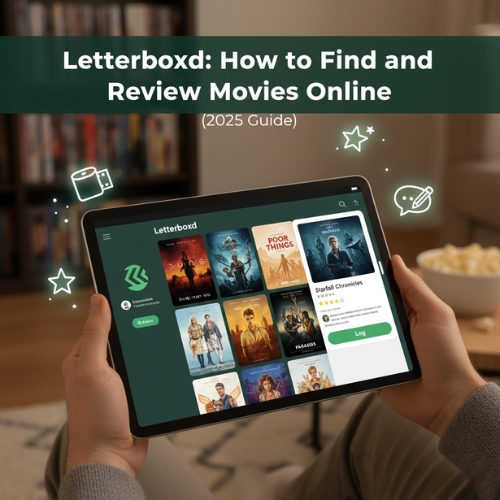
If you love talking about movies, rating what you watch, or finding hidden gems recommended by real people, Letterboxd is the platform for you. It’s a social network built around film discovery where you can track, rate, and review every movie you’ve ever seen.
This guide explains how to find, log, and review movies on Letterboxd, create lists, and connect with other movie fans. Whether you’re new to the app or just want to use it more effectively, these steps will help you get started.
What Is Letterboxd and Why Movie Fans Love It
Letterboxd is a film-tracking and social discovery app often called the “Goodreads for movies.” It lets users rate films, write reviews, and keep a film diary that records what they’ve watched and when. You can also build and follow curated lists made by critics or other users.
Letterboxd works on the web and via mobile apps for Android and iOS. You can browse popular films, discover what’s trending, and interact with a global community of movie lovers all in one clean, minimalist interface!
How to Create and Set Up Your Letterboxd Profile
- Go to letterboxd.com or install the Letterboxd app from Google Play or the App Store.
- Sign up using your email, Google, or Apple account.
- Once your account is ready, click on your account name at the top toolbar and select Profile.
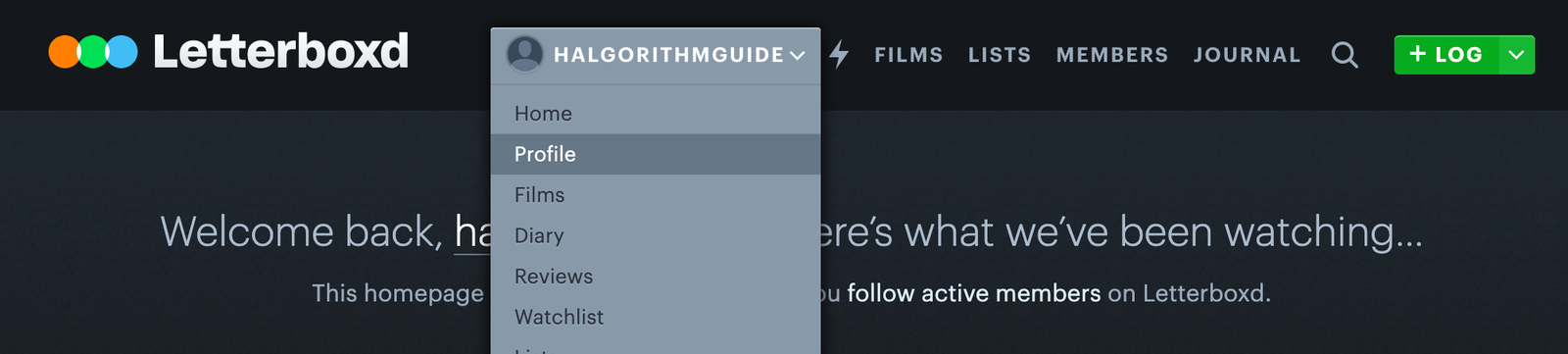
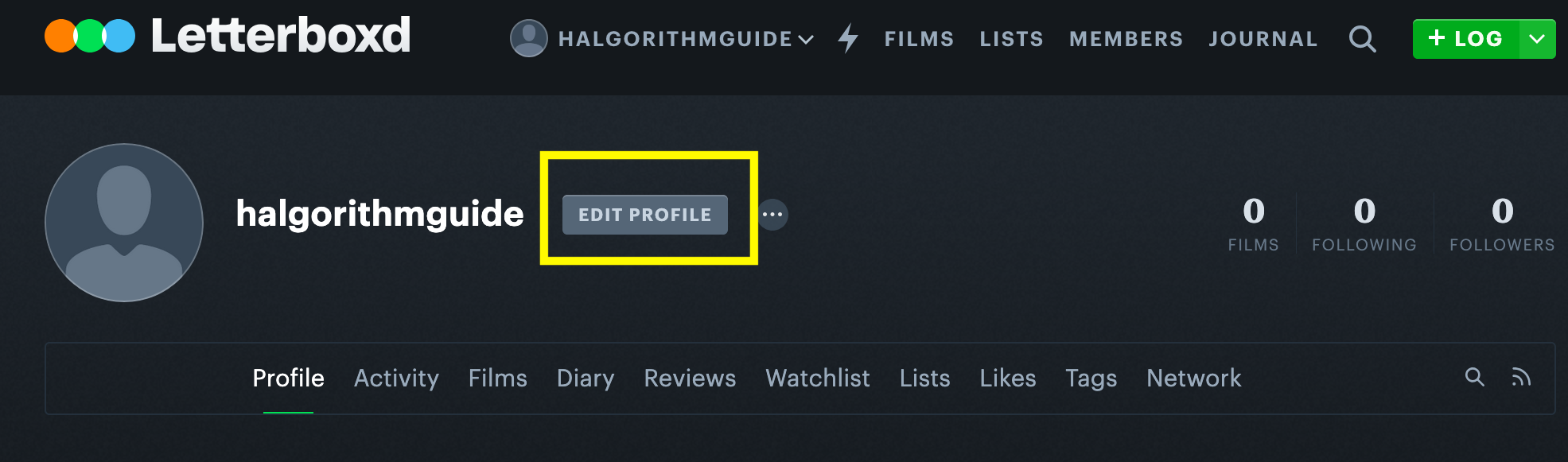
- Once you're in the profile, click Edit Profile to customize it.
- Here, you can change your username, pick a unique one, and upload a profile picture. (You can also use Gravatar to sync an avatar.)
- Add a short bio, your favorite genres, and a few “favorite films” that show on your profile.
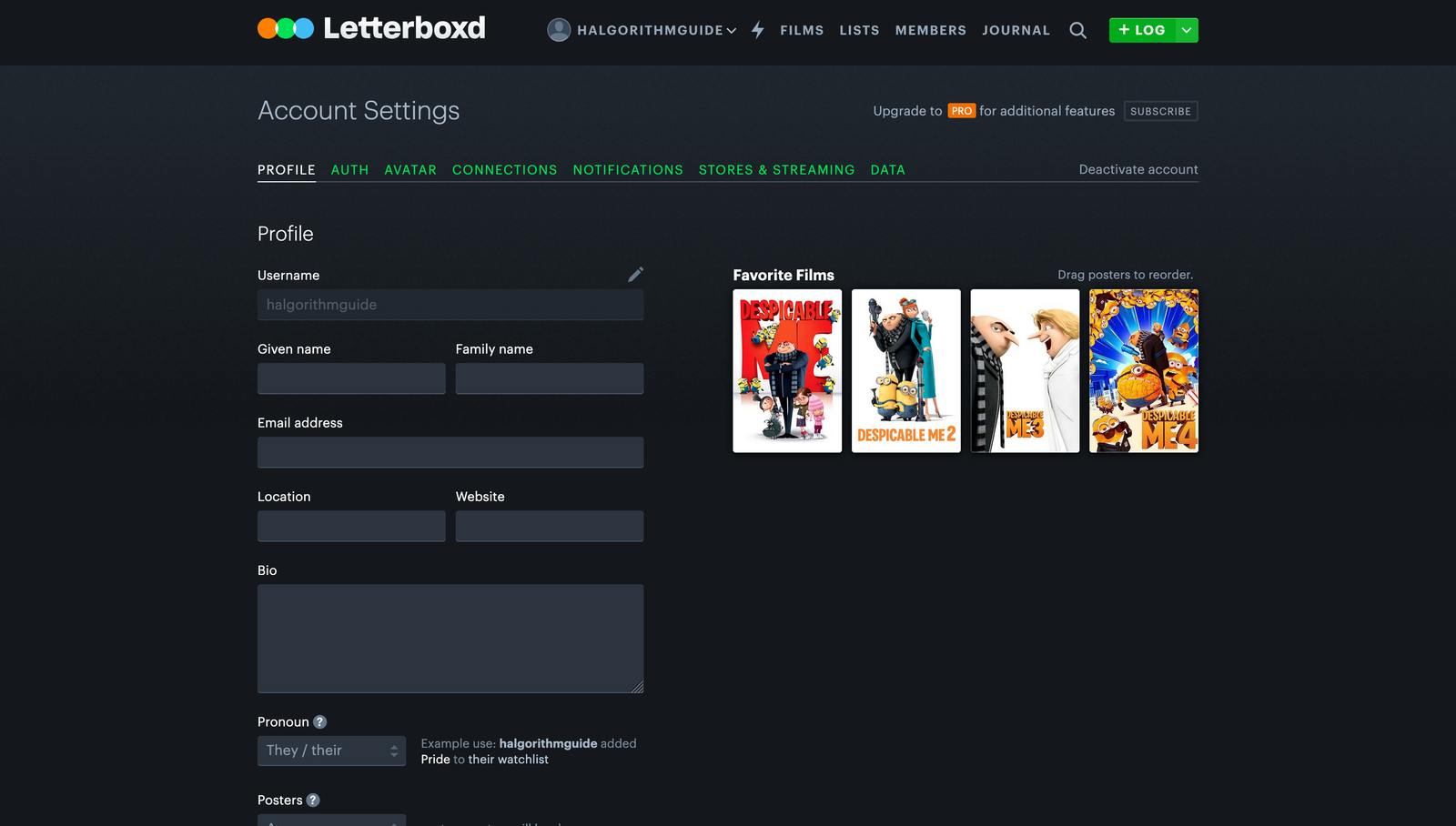
Pro Tip: Upgrade to Letterboxd Pro for extra features like detailed watch stats, streaming service filters, and year-in-review insights.
How to Find and Log Movies on Letterboxd
Logging a movie is the foundation of your Letterboxd experience. You can do it from either the mobile app or the website.
- Tap the Search icon and type the movie title.
- Select the correct result, then tap “Log or Review”.
- Choose your rating (0.5 to 5 stars), add the date you watched it, and tag it with genres or notes.
- Optionally, write a short diary entry or full review before saving.
Each movie you log automatically appears in your Film Diary, which acts as your personal movie journal. You can sort by date, rating, or tags to see your film-watching history over time.
How to Write and Publish Reviews
Writing reviews on Letterboxd helps you remember your impressions and share opinions with others. You can post a few words or a full essay; it’s up to you.
- Select the film you watched, then click “Review or Log...”
- Rate it out of five stars.
- Write your thoughts in the text box.
- Add tags like #rewatch or #classics to organize your reviews.
- Tap Save or Publish to make it public or private.
You can edit reviews anytime or mark them as “spoiler” if they reveal plot details. Reviews can also be shared directly to social platforms like X or Threads.
Using the Film Diary to Track Your Watch History
Every movie you log shows up in your Diary, complete with date watched and rating. This timeline gives you a clear picture of your watching habits over the months or years.
- Access your Diary from the profile menu.
- Sort by Date, Rating, or Title.
- Edit or delete any entry directly from this view.
- Pro members can view stats like “Most Watched Director” and “Top Genres.”
How to Create and Explore Lists
Lists are a favorite feature on Letterboxd. They let you group movies by theme, like “Best Horror Films of 2020” or “My Top 10 Comfort Movies.” You can also browse lists made by others to discover new films.
- Open the main menu → tap Lists.
- Click Create New List and fill in a name and description.
- Add films manually or import from IMDb on desktop.
- Set the list to Public or Private.
Many users follow curated lists from critics or film festivals. It’s one of the best ways to find unique recommendations beyond mainstream streaming platforms.
Discovering Movies and Connecting with Others
Letterboxd isn’t just for tracking films; it’s also a community. You can follow users with similar tastes, comment on reviews, and see what your friends are watching.
- Use the Discover tab to browse “Popular This Week” or “Highest Rated.”
- Check your Activity Feed to see friends’ recent reviews and lists.
- Tap the Heart icon to like posts or add them to your own watchlist.
Tip: Following respected critics or creators helps you build a personalized feed filled with quality recommendations.
Tips for a Better Letterboxd Experience
- Use tags to organize reviews by genre or theme.
- Turn on notifications for your favorite reviewers.
- Explore “Lists You’re In” under each film to find similar titles.
- Link your region to see where each movie is streaming.
- Back up your data occasionally; export your diary to CSV for safekeeping.
FAQs
Is Letterboxd free?
Yes, most features are free. A paid Pro plan unlocks advanced analytics, ad-free browsing, and streaming filters.
Can I use Letterboxd without logging every movie?
Absolutely. You can still browse reviews, lists, and follow users without posting your own logs.
How do I find where a movie is streaming?
Letterboxd lists available platforms under each film. Just select your country in Settings to see accurate results.
Is Letterboxd only for movies?
Yes. The platform focuses on films, not TV series, though short films and documentaries are included.
Conclusion
Letterboxd makes film discovery social, organized, and fun. Whether you want to log every movie you’ve seen or share thoughtful reviews with friends, it’s the ultimate digital movie journal.
Start your film diary today, build watchlists, and explore curated lists from movie lovers around the world. The more you use Letterboxd, the better your movie-tracking journey gets.


Discussion (0)
Be the first to comment.