




If you ordered an iPhone, MacBook, or accessory from Apple, you can track the shipment using Apple’s own tools and the delivery carrier. Apple updates order status in stages, so knowing where to check helps you avoid confusion and spot delays early.
Below are the most reliable ways to track Apple product shipments, plus clear explanations for every order status you may see.
Table of contents
- Track your Apple order using Apple order status
- Track Apple shipments in the Wallet app
- Track Apple shipments using the carrier
- Understand Apple order status messages
- Track split shipments and accessories
- Track international Apple shipments
- What to do if Apple shipment tracking is not updating
- Tips for tracking Apple product shipments more accurately
- Summary
Track your Apple order using Apple order status
Apple’s Order Status page gives you the official tracking view for every Apple Store purchase. It works for both account-based and guest orders.
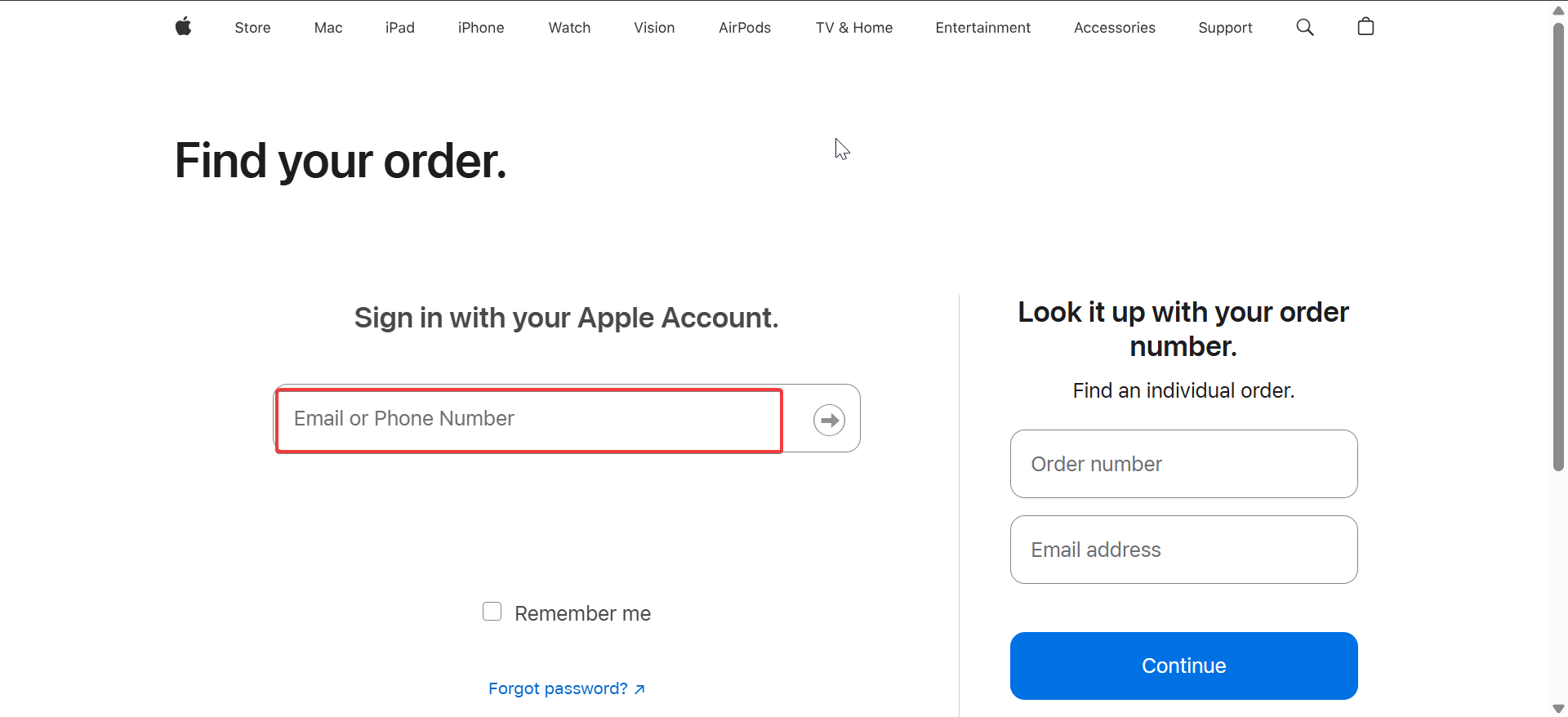
Track orders when signed in
Sign in with your Apple ID to see your full order history. Apple shows processing status, shipping progress, delivery estimates, and tracking numbers in one place.
Track orders without an Apple ID
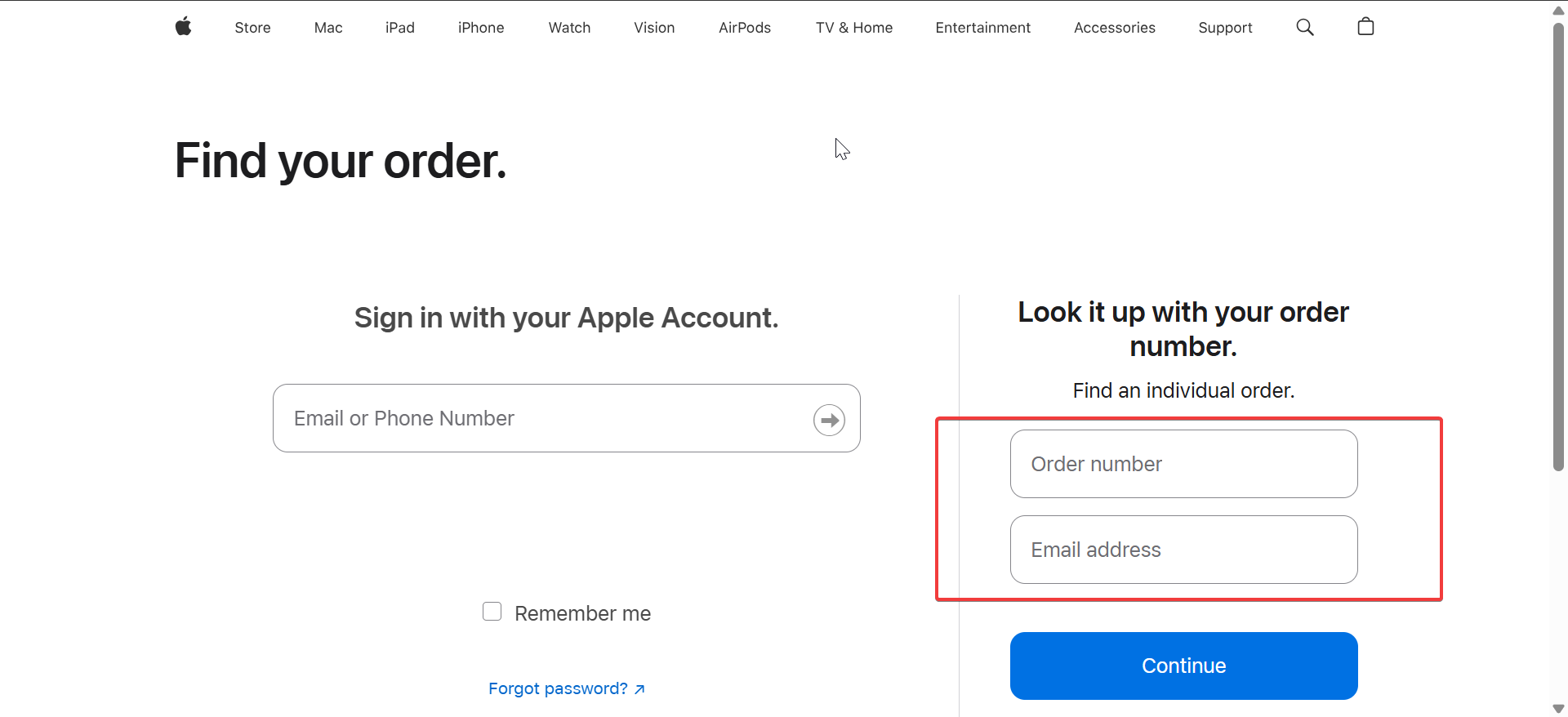
If you checked out as a guest, enter your order number and the email address used at checkout. This method still shows shipping status and carrier details once available.
Track Apple shipments in the Wallet app
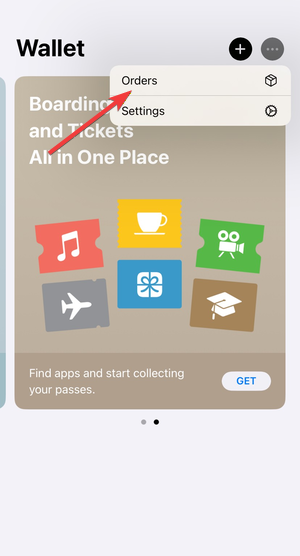
The Wallet app often updates faster than the website. Apple also sends push notifications when your order ships or reaches delivery day.
Just open the Wallet app on your phone, click the More button, and select Orders. Now, tap an order to see the order details.
Track Apple shipments using the carrier
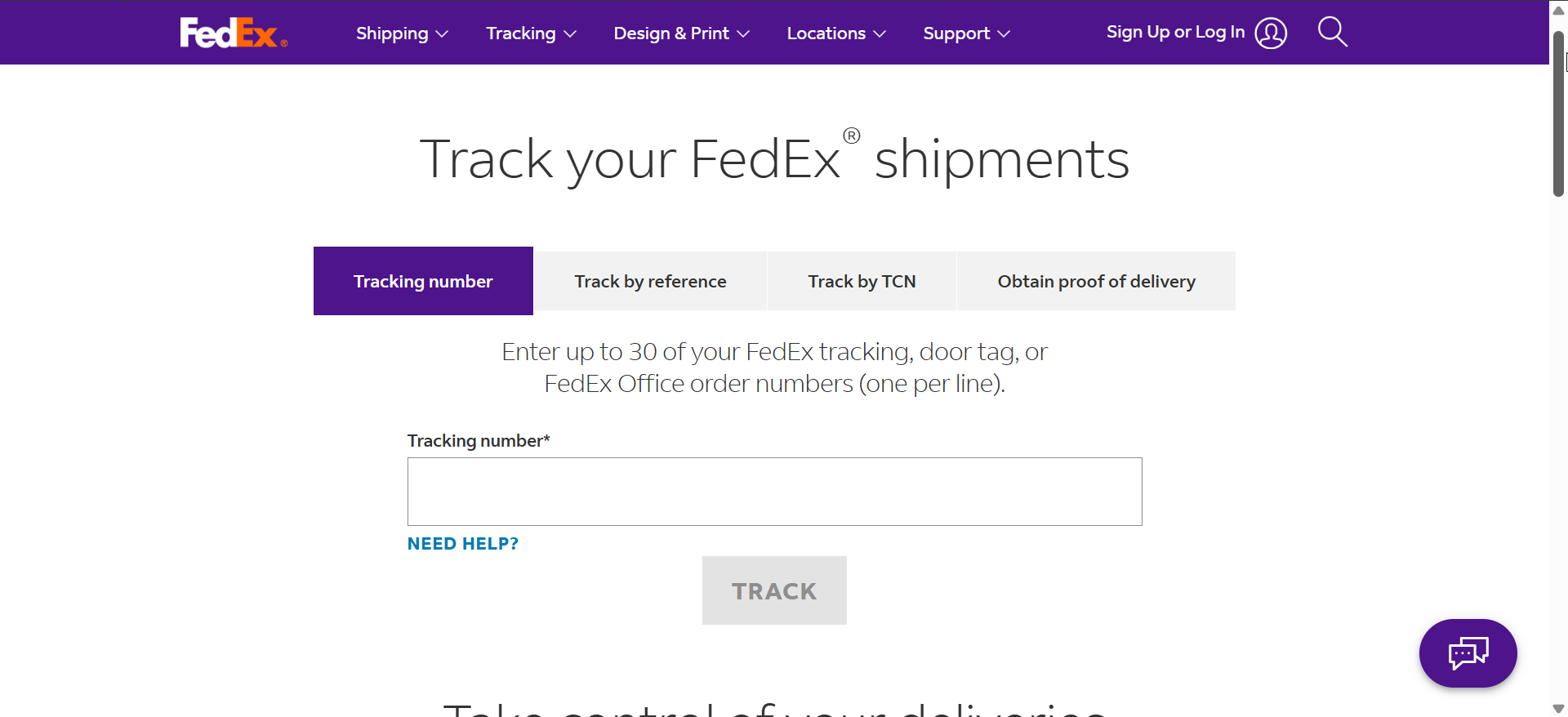
Once Apple ships your order, the carrier usually provides the most accurate delivery information. Apple commonly uses UPS, FedEx, or DHL.
Find your carrier tracking number
Apple adds the tracking number to your order details after shipment. You can find it on the Order Status page or in the Apple Store app.
Track deliveries directly on the carrier website
Carrier tracking shows scan history, delivery windows, signature requirements, and reroute options. Use this view on delivery day for the most precise updates.
Understand Apple order status messages
Apple uses specific status labels that reflect internal fulfillment stages. Knowing what each one means prevents unnecessary worry.
Processing
Apple confirms payment and allocates inventory during this stage. Orders can stay here for days, especially for custom configurations or high-demand products.
Preparing to ship
Apple packages your order and generates shipping documents. Tracking numbers often appear near the end of this stage.
Shipped
Apple hands the package to the carrier. Delivery estimates become more accurate once the carrier scans the shipment.
Delivered
The carrier marks the package as delivered. Check for signature requirements or alternate delivery locations if you cannot find the package.
Track split shipments and accessories
Apple frequently ships accessories separately from main devices. You may receive multiple tracking numbers with different delivery dates, even for one order.
Track international Apple shipments
International orders pass through customs before final delivery. Customs clearance can delay delivery estimates, even after the package ships.
What to do if Apple shipment tracking is not updating
Tracking delays usually resolve on their own, but some cases need action.
When tracking says “label created” for days
Apple created the shipping label, but the carrier has not scanned the package yet. This delay is common during weekends or high-volume launches.
When delivery dates keep changing
Carrier estimate changes often reflect routing updates or weather delays. Check carrier tracking for the latest confirmed delivery window.
Tips for tracking Apple product shipments more accurately
- Use the Apple Store app for faster status updates.
- Switch to carrier tracking after Apple marks the order as shipped.
- Check for split shipments before assuming a delay.
- Expect slower updates during major product launches.
Summary
- Track orders first using Apple’s Order Status tools.
- Use the Apple Store app for faster notifications.
- Rely on carrier tracking after shipment confirmation.
- Understand order statuses to avoid confusion.
Apple provides reliable shipment tracking, but accuracy depends on knowing where to look at each stage. Start with Apple’s tools, then switch to carrier tracking once the order ships. Following this approach gives you the clearest picture of your Apple product delivery from checkout to arrival.



Discussion (0)
Be the first to comment.