



Battlefield 1 remains one of the most popular shooters in the franchise, and you can still download and play it on modern Windows PCs. You can install it through Steam, the Epic Games Store, or the EA App depending on where you own the game.
This guide walks you through every supported method so you can install the game without running into launcher or download issues.
But before starting the download, note that Battlefield 1 requires a modern Windows machine with a dedicated GPU. You need enough RAM and storage space to complete the download and installation. Once you are sure the PC meets these requirements, and you have the EA App and an EA account, you explore the download options below.
1) Download Battlefield 1 through Steam
Open your Steam library, search for Battlefield 1, and purchase the game. Once you complete the checkout process, it appears in your library.
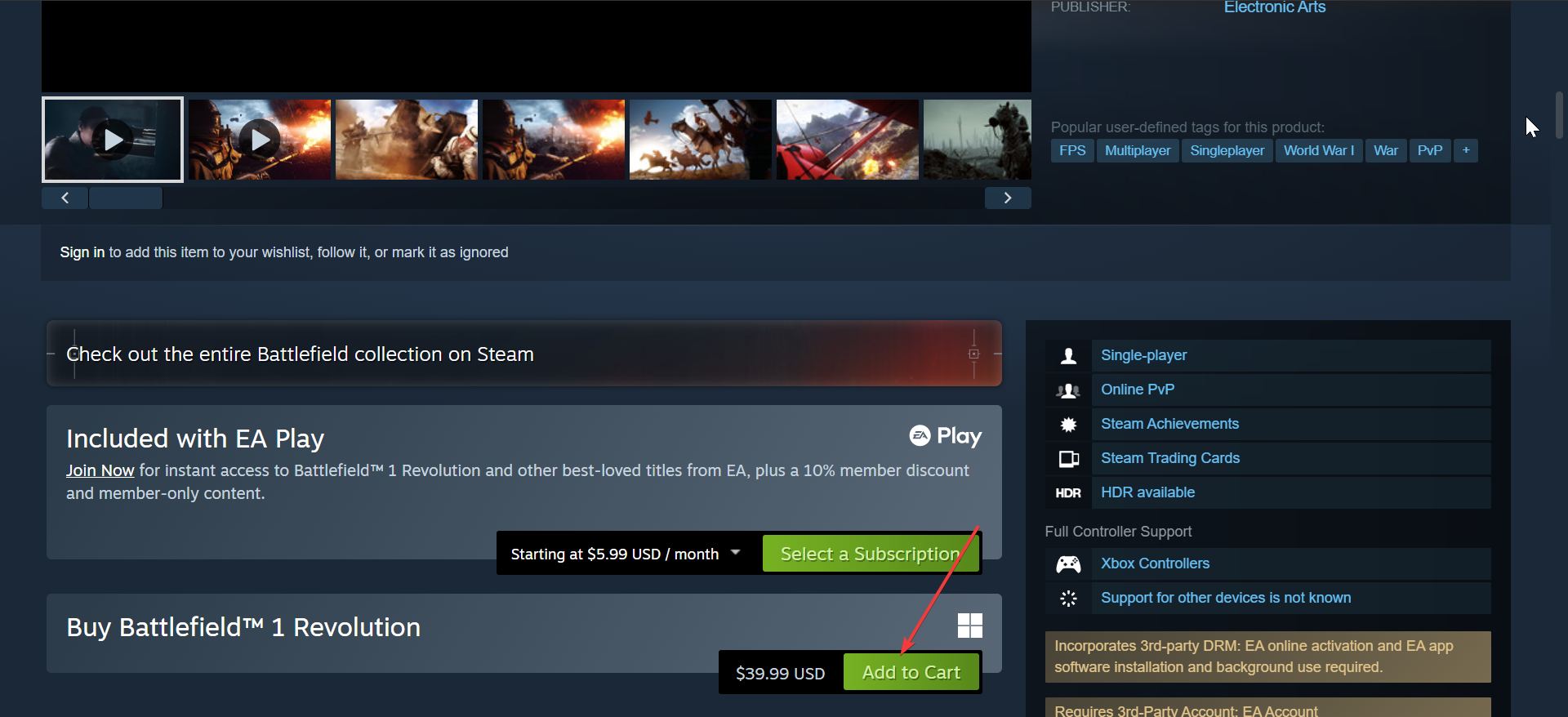
Next, select Install in your Steam library. Steam downloads the initial files and prompts you to install the EA App if it's not already present. Finally, you need to link Steam to the EA App.
2) Download Battlefield 1 through the Epic Games Store
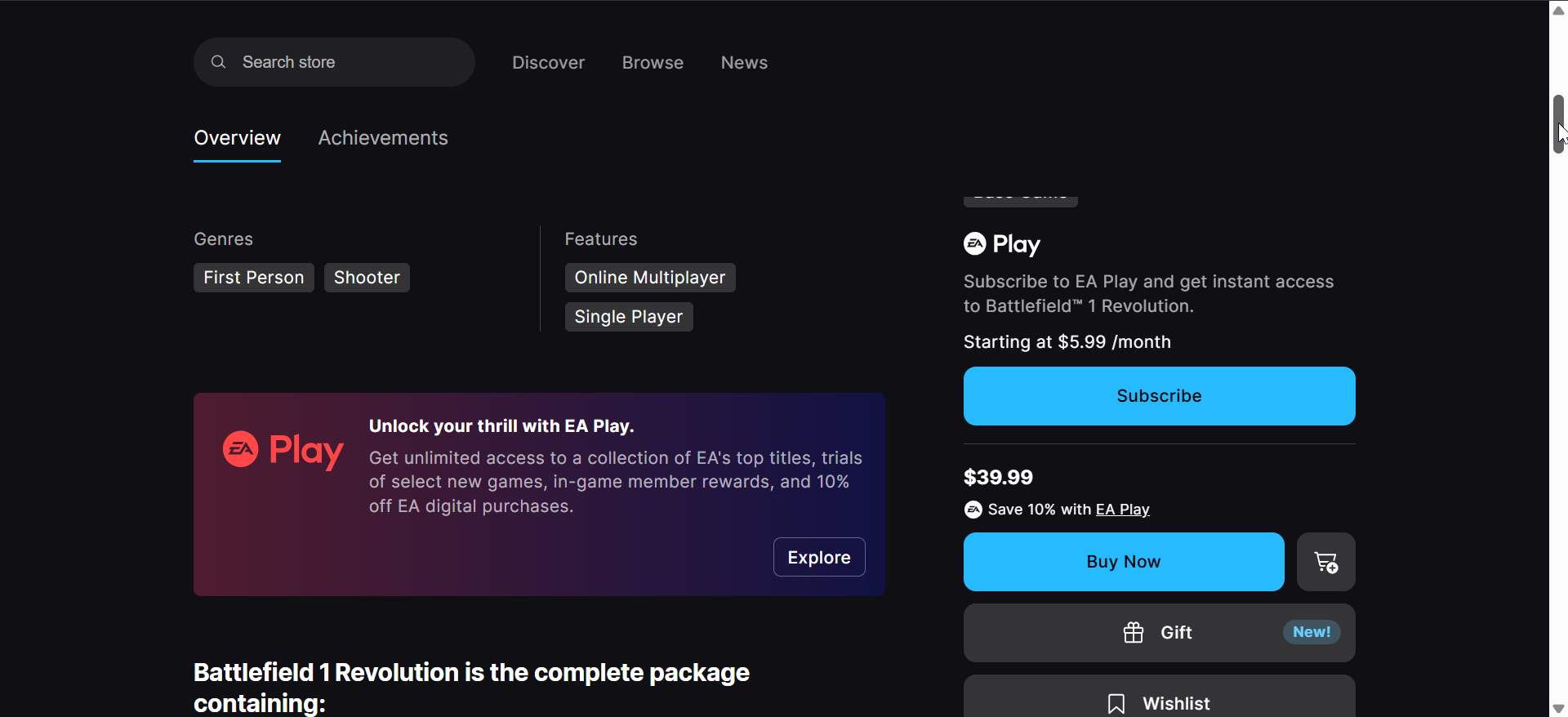
While Battlefield is not one of the free games you can claim on Epic Games, you can still download the Battlefield 1 Revolution edition. Epic handles the purchase while the EA App manages the actual download and updates.
Open your Epic library, search for Battlefield 1, and complete the purchase. The game appears in your library once the transaction finishes.
Next, select Install in the Epic launcher. Epic installs the EA App and transfers you to EA’s download screen.
3) Download Battlefield 1 Directly From the EA App
If you already own Battlefield 1 on an EA account or redeemed a product code, the EA App provides a direct install path without needing Steam or Epic.
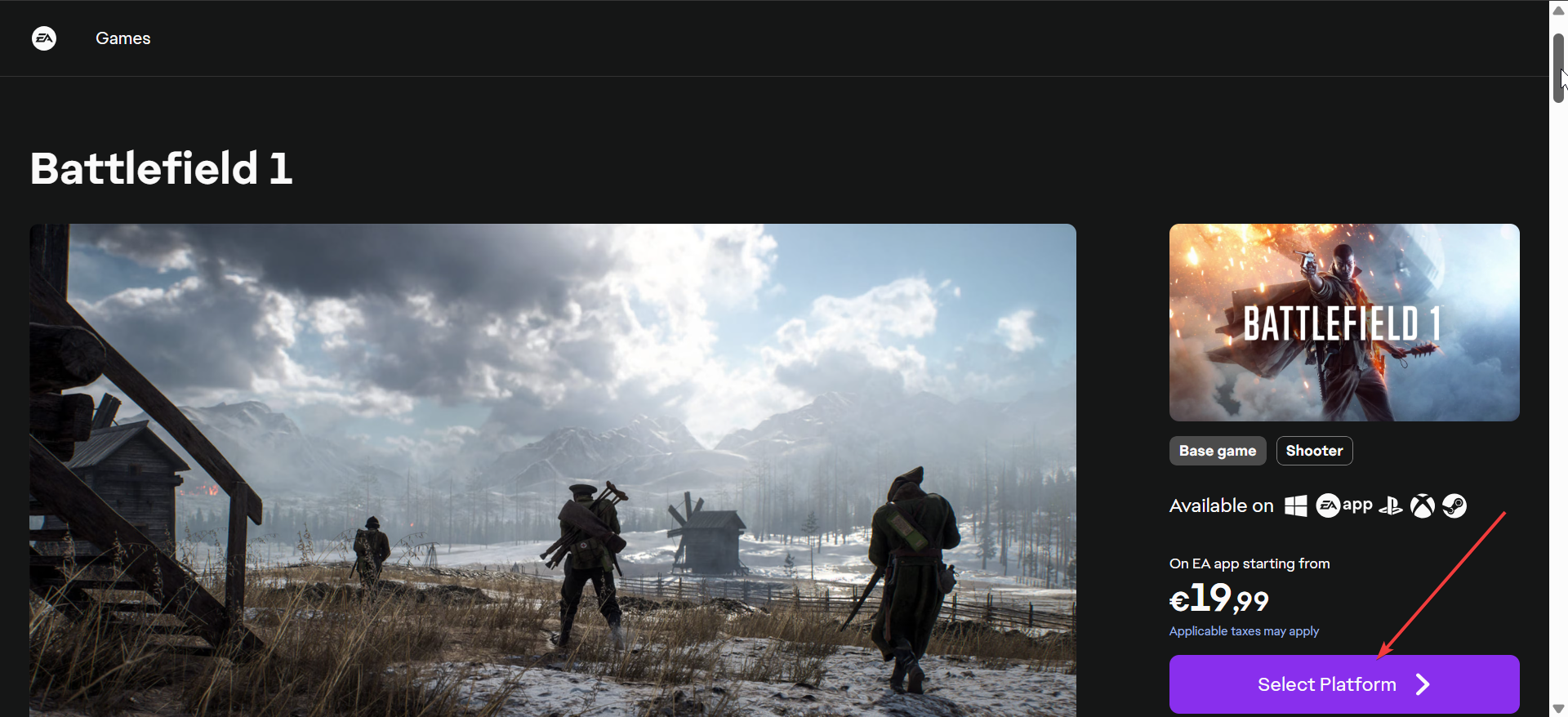
Go to the official EA website to download the EA App. Next, double-click the downloaded installer and follow the onscreen instructions to complete the installation. Now, launch the app, open My Collection to find Battlefield 1, select Download, and choose your install folder to begin copying files.
Alternatively, you can download the game directly from the EA website by purchasing through your preferred platform.
4) How to install Battlefield 1 after download
Battlefield 1 may install additional components such as DirectX, Visual C++, and shader files. This happens during the first launch.
First-launch setup
Allow the game to configure dependencies when you open it for the first time. Keep the EA App running in the background.
Adjust the install folder or move the game
If you run low on storage, the EA App includes an option to move installed games to another drive without redownloading them.
Troubleshooting Battlefield 1 download not working
- Fix the greyed-out install button: This issue usually appears when the EA App is stuck or offline. Clear the EA App cache and restart the launcher to refresh the install prompt.
- Repair your Game files: Open the game’s menu in the EA App and choose Repair. The launcher checks for missing or corrupted files and replaces them automatically.
- Check account linking issues: If Steam or Epic cannot communicate with the EA App, unlink and relink your accounts inside the EA App settings.
- Reinstall the EA App: If all else fails, reinstall the EA App and sign back in. This resolves most persistent download issues.
Tips for Downloading Battlefield 1 Faster
- Install the game on an SSD to improve both download and loading times.
- Close active downloads in Steam, Epic, or Windows Store.
- Switch to a wired Ethernet connection if your Wi-Fi speed drops.
- Disable VPNs, which can slow or interrupt downloads.
FAQ
Can I Download Battlefield 1 without the EA App? No. You must use the EA App for activation and updates, even when purchasing through Steam or Epic.
Can I transfer Battlefield 1 from another PC? You can copy game files, but you still need the EA App to verify and repair them.
Why does Battlefield 1 keep reinstalling components? The game verifies DirectX and Visual C++ files during updates or after a driver change.
Is Battlefield 1 free anywhere? No legitimate PC storefront offers the game for free.
Summary
- Check system requirements and ensure you have the EA App installed.
- Choose your platform: Steam, Epic, or EA App.
- Buy Battlefield 1 and start the installation process.
- Link your EA account to your platform.
- Use troubleshooting steps if the download fails.
Once you choose your platform, the EA App handles the download and activation process. Following the steps above ensures that Battlefield 1 installs correctly, links to your account, and launches without errors.

Discussion (0)
Be the first to comment.