




If you’re trying to use ChatGPT Codex, the Codex app is the most direct way to experience it. But it’s important to set expectations correctly: this is not just another coding tool you install and forget. It works best when you treat it like a task-oriented development assistant.
Here’s how to get started, and more importantly, how to use it properly.
Where to Get the Codex App
The Codex app is provided by OpenAI and connects directly with ChatGPT.
Current availability is still evolving:
- macOS has the most stable experience
- Windows support is rolling out
- Linux support is limited
You’ll need:
- A ChatGPT account
- Access to Codex features (typically via paid plans)
If you don’t see it yet, it usually means rollout or plan limitations, not a setup issue.
How to Install Codex
Easiest way is to follow the link on the official website
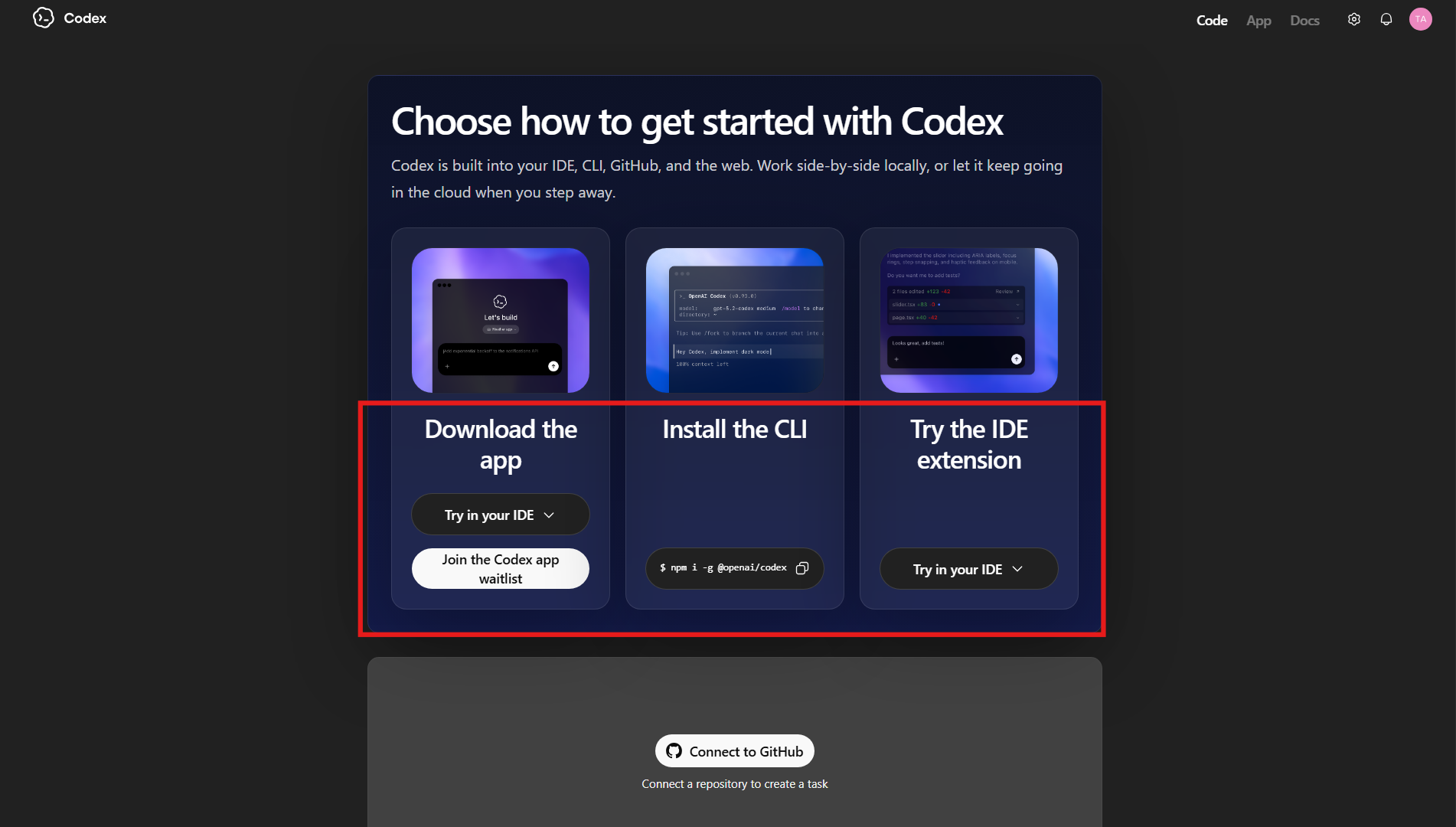
On macOS
- Download the Codex app from OpenAI
- Move it to Applications
- Open the app and sign in
On Windows
- Download the installer (if available to you)
- Install like any standard application
- Sign in with your ChatGPT account
The installation itself is straightforward. There is no complex configuration required.
How to Use Codex (The Right Way)
The biggest mistake people make is using Codex like a chatbot. That limits what it can do.
Codex works best when you give it clear, structured tasks.
Step 1: Load a Project
Open a folder or repository inside the app.
Codex needs context. Without a codebase, its usefulness drops significantly.
Step 2: Give a Task, Not a Prompt
Instead of:
“Write a function”
Use:
- “Fix the login bug in this module”
- “Add validation to this API endpoint”
- “Refactor this file for readability”
The more specific the task, the better the result.
Step 3: Let It Work
Codex will:
- Analyze the code
- Make changes across files
- Run checks or tests if available
- Return structured results
This is where it differs from tools like GitHub Copilot, which mainly suggest code but do not execute tasks.
Step 4: Review and Iterate
You still need to:
- Review changes
- Ask for refinements
- Approve or adjust output
Think of it as supervising, not delegating completely.
Alternative Ways to Use Codex
If the app is not available to you, Codex can still be used in other ways:
- Inside ChatGPT (if enabled)
- Through CLI tools for advanced workflows
- Via IDE integrations like Visual Studio Code
For most developers, IDE integration is often more practical than a standalone app.
What Makes the Codex App Different
The Codex app is designed around task execution, not conversation.
It allows you to:
- Work on entire features instead of snippets
- Handle multi-file changes
- Run longer, structured workflows
- Manage multiple tasks in parallel
This makes it feel closer to a development workspace than a chatbot interface.
Real-World Insight
Codex becomes useful when:
- You are working on real projects
- Tasks are clearly defined
- You are willing to review outputs
It struggles when:
- Instructions are vague
- Context is missing
- You expect fully autonomous behavior
In practice, it works best as a junior developer you supervise, not a replacement.
Final Thoughts
Downloading the Codex app is the easy part. Using it effectively requires a shift in approach.
Instead of asking for code, you start assigning tasks. Instead of writing everything yourself, you review and guide.
That is where ChatGPT Codex stands out. It is not just about generating code faster. It is about reducing the amount of manual work you have to do.
FAQs
Is the Codex app available to everyone?
Not yet. Availability depends on your region and ChatGPT plan.
Do I need to install it to use Codex?
No, you can also access it through ChatGPT or IDE integrations.
Is Codex better than GitHub Copilot?
They serve different purposes. Codex handles tasks, Copilot focuses on suggestions.
Do I need coding knowledge?
Yes, especially to review and validate results.
Can Codex work on full projects?
Yes, that is one of its main strengths.



Discussion (0)
Be the first to comment.