



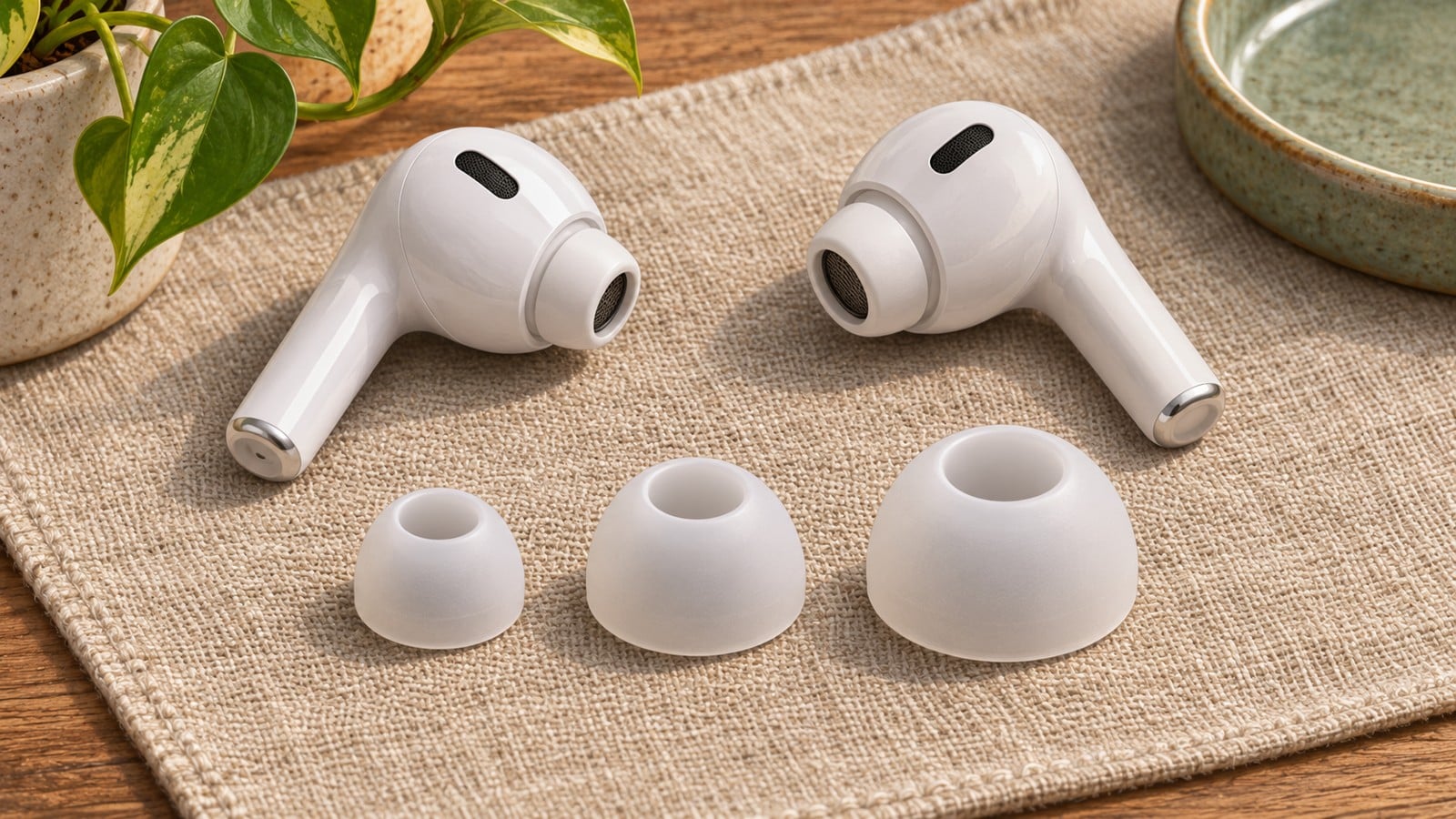
A poor Galaxy Buds3 Pro fit-test result usually calls for adjusting the seal or changing the tip size, not pushing the earbuds deeper. Start by checking that the left and right earbuds are in the correct ears and both are detected as being worn.
Run the test with both earbuds in place
- Put the earbuds in gently, with their microphones oriented toward your mouth.
- Open the connected earbuds’ settings. Samsung’s current US instructions use Sound quality and effects > Earbud fit test; the route can vary with One UI and Galaxy Wearable versions.
- Wait until both earbuds show In ear, then tap Start.
- If a side reports poor fit, adjust that earbud and choose Try again.
Use Samsung’s wearing and fit guidance for the current interface. If one earbud is not detected in your ear, resolve that before interpreting the acoustic test.
Compare the supplied tips
A gap around a tip can reduce the seal. Try another supplied size on the affected side; your ears do not necessarily need the same size. Follow Samsung’s tip-handling instructions when removing and attaching silicone tips. Hold the earbud body, turn the tip inside out, then grip and gently detach it without using your fingernails. Align the replacement’s inner groove with the speaker and push until it clicks into place. Do not forcefully twist or pull it.
Do not use the Buds3 Pro without their tips. A larger tip that produces pain is not an improvement, even if a test result changes. Stop wearing the earbuds if they cause irritation or discomfort.
Check comfort as well as the result
After a successful test, listen at a comfortable volume and move your jaw normally. The earbuds should remain comfortable without needing constant pressure. If every supplied size fails on one side, record whether that earbud is detected as in-ear and contact Samsung rather than forcing it into position.
Featured image: AI-generated illustration of representative equipment, not an exact product photograph or a hands-on test.
Discussion (0)
Comments are closed.