



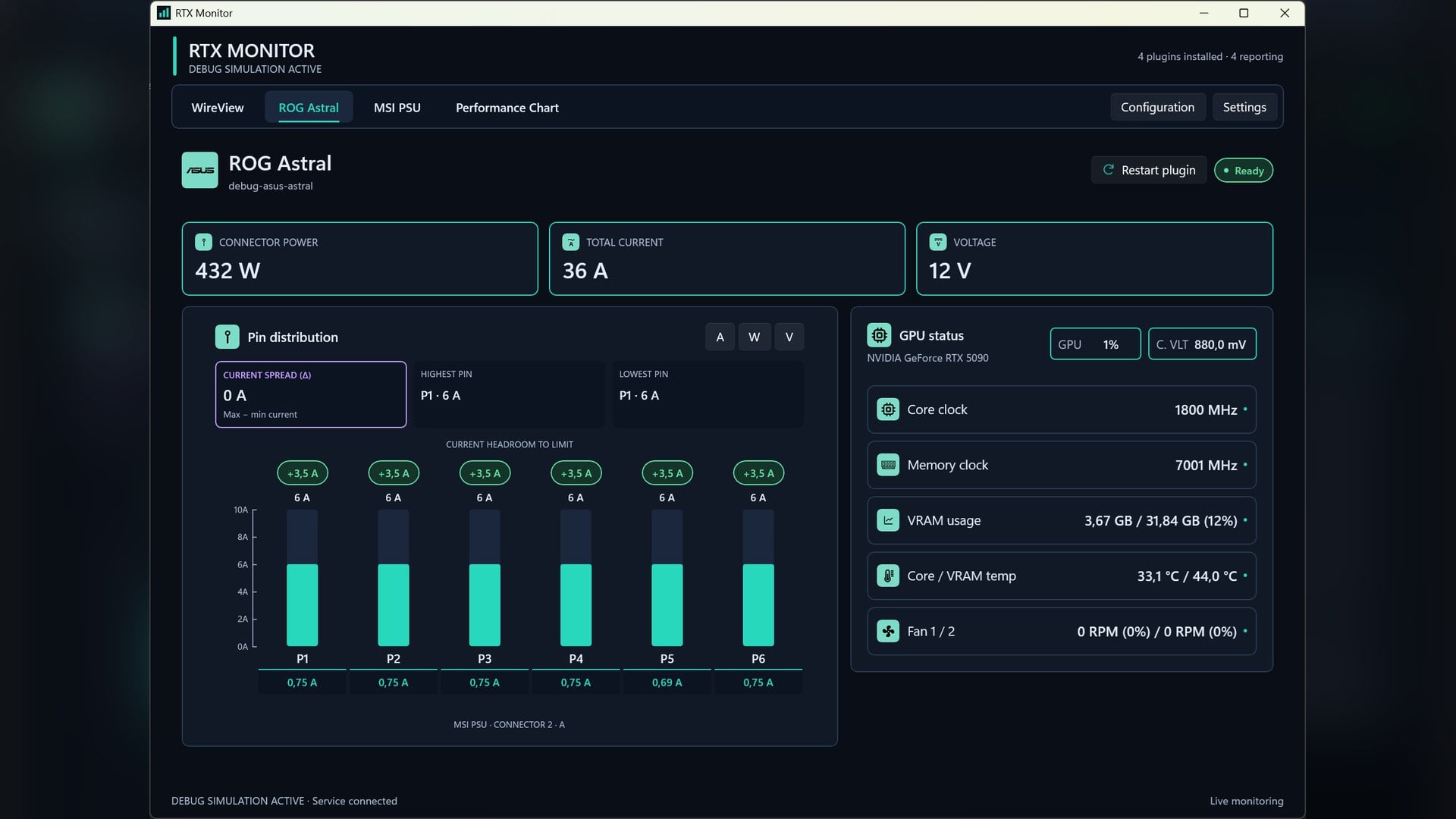
A new monitoring utility called RTX Lens aims to help PC enthusiasts identify potentially dangerous power delivery problems affecting NVIDIA GeForce RTX graphics cards. Developed by independent developer Codeh4ck rather than NVIDIA, the free and open source software combines hardware monitoring, smartphone notifications, and automated protective measures within a single interface.
The utility comes amid continued reports of melting 16 pin power connectors on the GeForce RTX 5090, despite NVIDIA adopting the revised 12V 2x6 connector standard.
RTX Lens started on GitHub as RTX5090Monitor, a name the developer dropped in November. The project has since expanded to support several graphics cards, power supplies, and dedicated monitoring accessories.
RTX Lens monitors individual GPU power connector pins
RTX Lens can display conventional graphics card information, including GPU temperatures, clock speeds, utilization, and video memory consumption.
However, its more advanced features require compatible hardware capable of measuring electrical activity across individual power connector pins.
The following devices currently support advanced monitoring through RTX Lens:
| Compatible hardware | Monitoring capabilities |
|---|---|
| ASUS ROG Astral RTX 5080 and RTX 5090 | Individual GPU connector pin currents |
| Thermal Grizzly WireView Pro II | Pin currents, voltage, power consumption, and connector temperatures |
| MSI MPG Ai1300TS | Individual pin currents across both GPU power connectors |
| MSI MPG Ai1600TS | Individual pin currents across both GPU power connectors |
Combining a compatible MSI power supply with an ASUS ROG Astral graphics card or Thermal Grizzly WireView Pro II allows you to monitor electrical activity at both ends of the GPU power cable.
RTX Lens also supports sensor data recording during gaming and benchmarking sessions. The recorded information can be exported as interactive charts for further analysis.
RTX Lens supports smartphone alerts and automatic system shutdown
One of the utility's most useful features is its ability to respond automatically when potentially dangerous operating conditions are detected.
You can configure warnings for excessive electrical current, uneven current distribution between individual pins, and elevated temperatures.
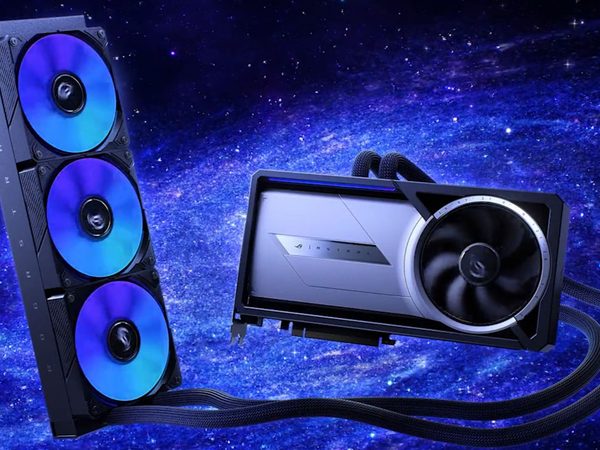
If an abnormal condition persists, the software can shut down your computer when the corresponding protection feature is enabled, although the project's FAQ still lists shutdown based on Astral or WireView readings as planned for a future version.
RTX Lens also integrates with MSI Afterburner's Safeguard+ functionality, allowing systems with a supported MSI power supply to activate an emergency profile that reduces GPU power consumption.
Companion Android and iOS apps, offered as an APK download and an iOS beta rather than through the app stores, provide remote access to hardware readings and warnings. However, notification availability on the smartphone lock screen depends on the application version.
The developer has also introduced a customizable widget for the Corsair Xeneon Edge through iCUE.
A dedicated Windows service allows RTX Lens to continue monitoring hardware and enforcing configured protection measures even when its desktop interface is closed.
RTX Lens cannot guarantee protection against melting connectors
Although RTX Lens provides additional monitoring capabilities, software alone cannot eliminate the risk of power connector damage.
Its effectiveness depends heavily on the availability and accuracy of physical sensors. Without compatible monitoring hardware, certain electrical or thermal abnormalities may remain undetected.
The utility is also relatively early in its development, meaning additional improvements and compatibility updates may arrive in the future.
RTX Lens version 1.2.1 was released on November 25, 2026, and is available as a free download. For owners of compatible RTX 5080 and RTX 5090 graphics cards, it offers another way to monitor power delivery irregularities and potentially identify problems before they cause expensive hardware damage.
Discussion (0)
Be the first to comment.