



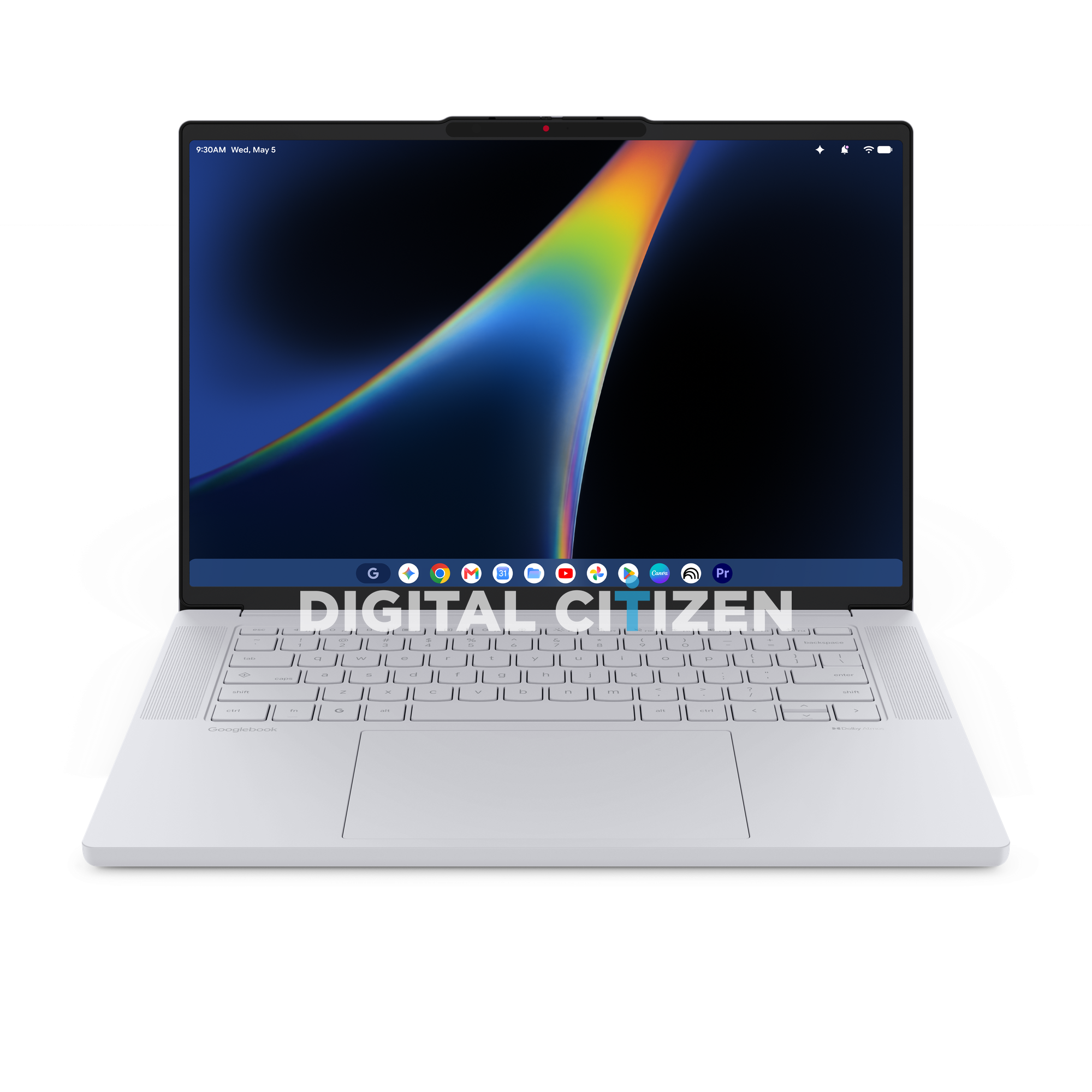
We have gotten our hands on the full press image set for the Lenovo Googlebook 15, one of the very first machines in Google's brand new laptop category. This is the thing Google announced in May when it said it was retiring the Chromebook name and starting over, and Lenovo is one of the handful of partners building the first wave.
First, a Quick Refresher on What a Googlebook Is
Google announced Googlebooks in May 2026 at The Android Show, its Google I/O edition event. The short version is that ChromeOS as we knew it is done. Google has merged Chrome OS and Android into a single desktop operating system built on Android's technology stack, and Gemini is woven through the whole thing rather than bolted on.
The practical result is that a Googlebook can run Android phone apps natively, without emulation or a separate container, and it can reach directly into the files on your Android phone. Google has also rethought the humble mouse cursor with a feature called Magic Pointer. You wiggle the cursor, point it at something on screen, and Gemini reads the context and offers actions. Point at a date in an email and you can spin up a meeting. Select two images and you can ask it to combine them.
Google confirmed the first Googlebooks would land in fall 2026 from Acer, ASUS, Dell, HP, and Lenovo, and said they would sit at a more premium price point than Chromebooks did. Everything we see in these Lenovo renders backs that up.
The Keyboard Tells the Whole Story
If you want to understand how different a Googlebook is, look at the keyboard deck. Lenovo has printed Googlebook on the left side of the palm rest where you would normally find a ThinkPad or IdeaPad badge. Not Lenovo. Googlebook. That is a striking branding decision and it tells you how much Google is controlling this platform.
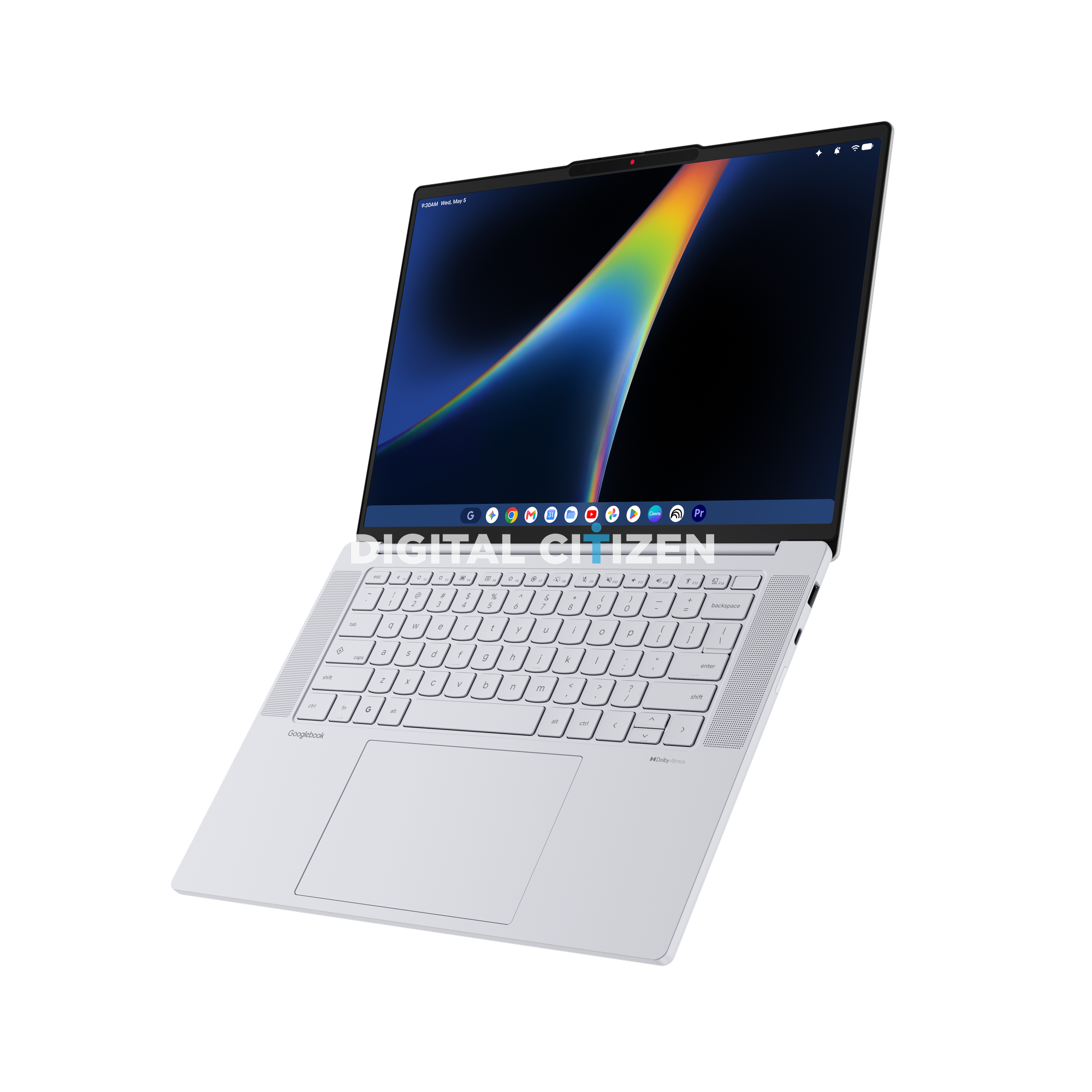
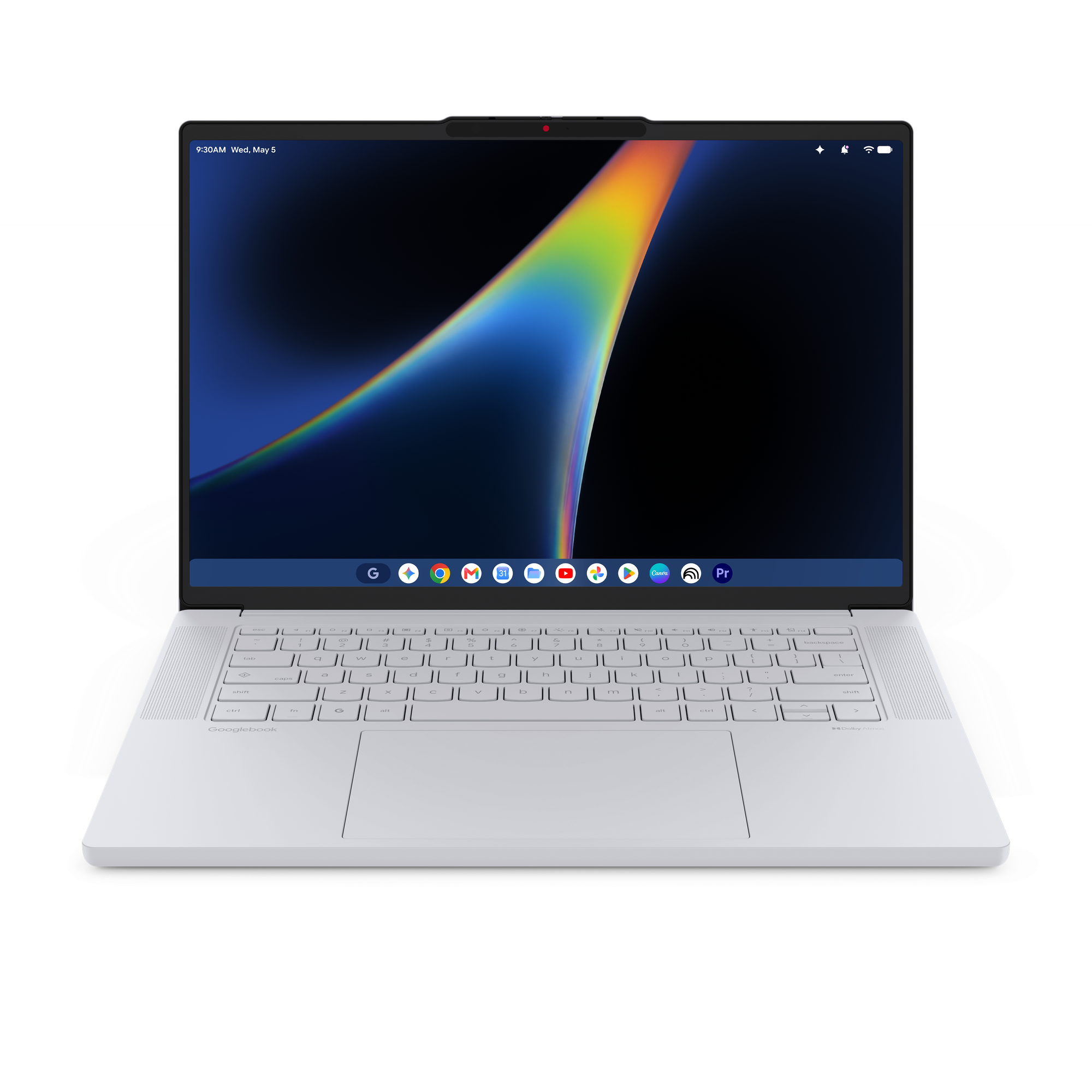
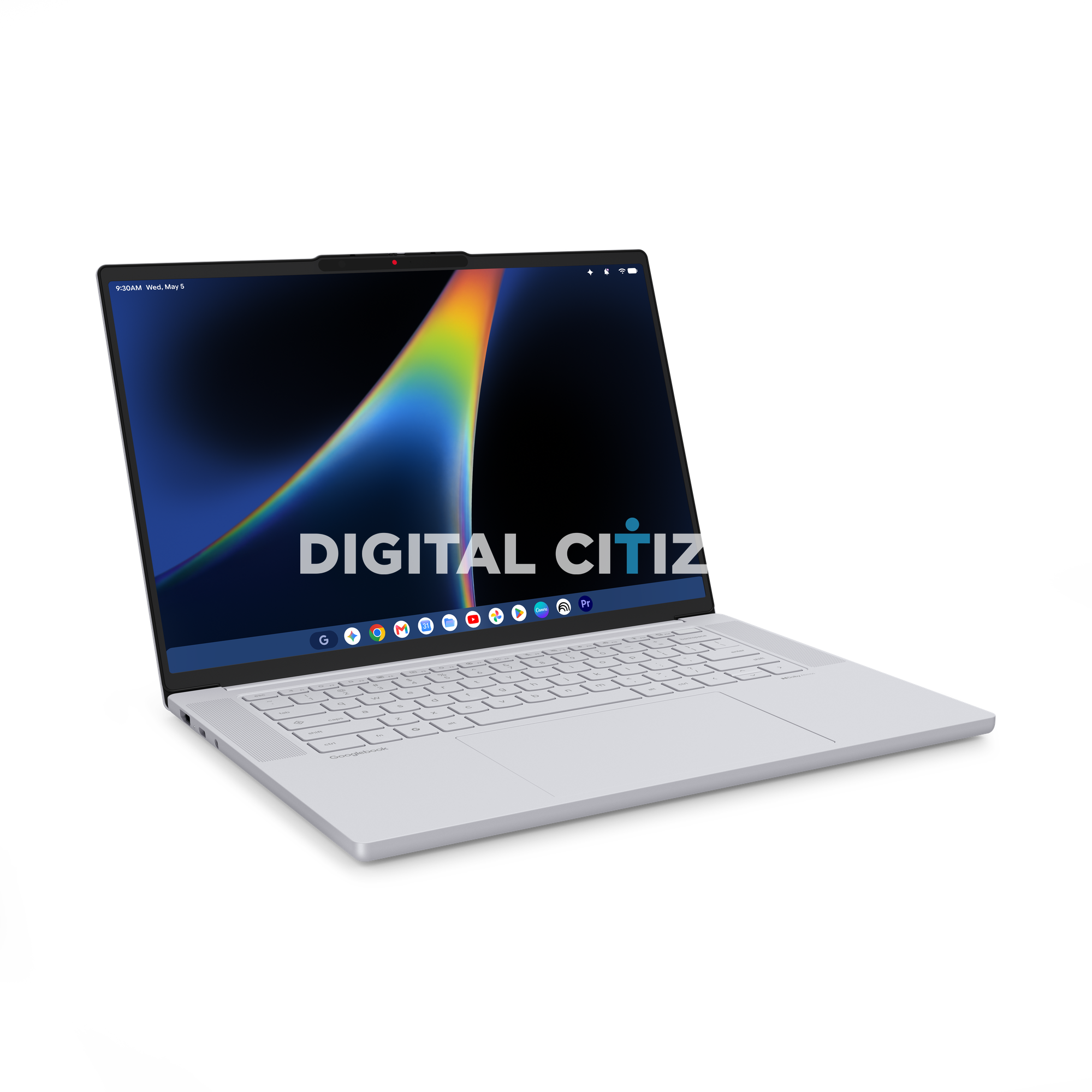
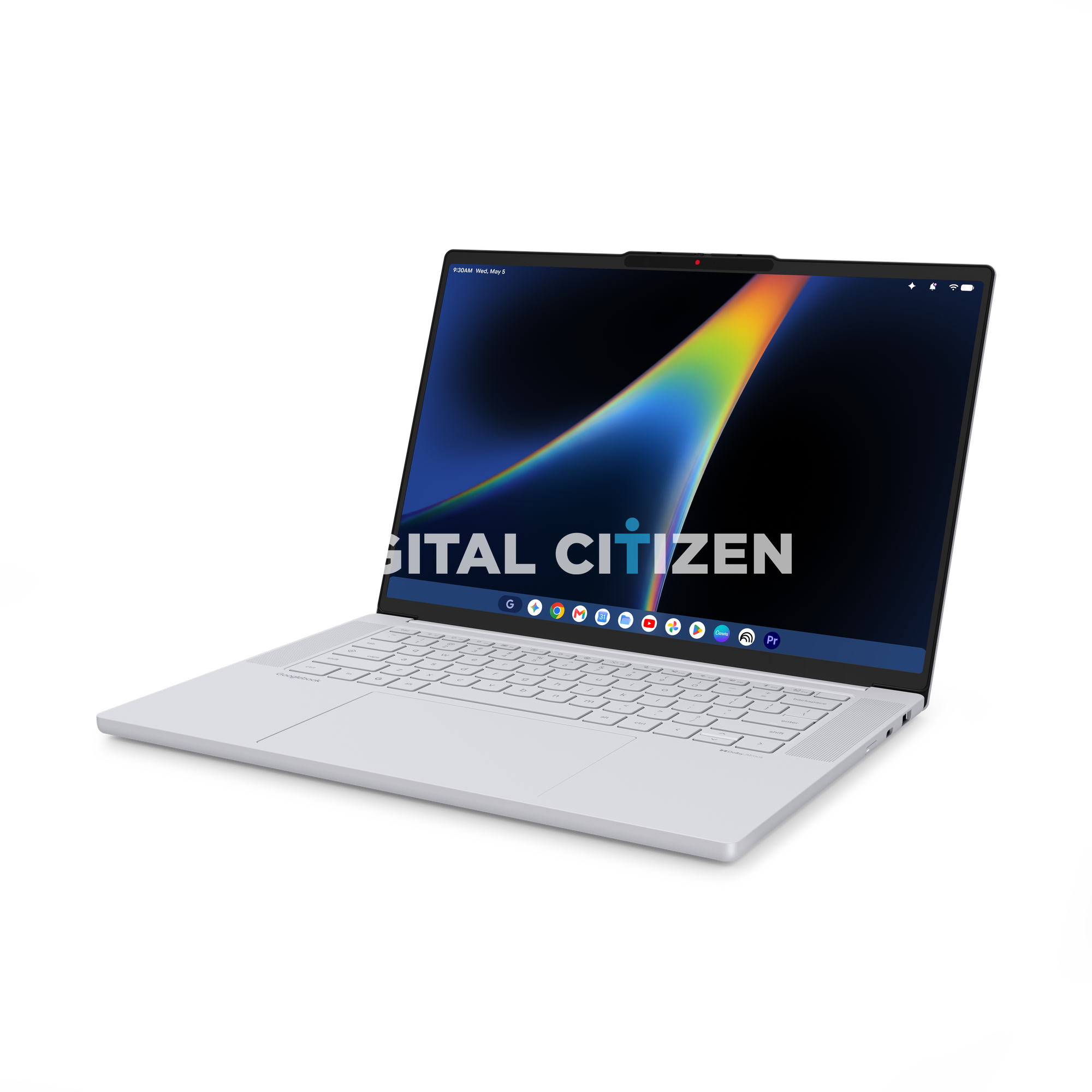
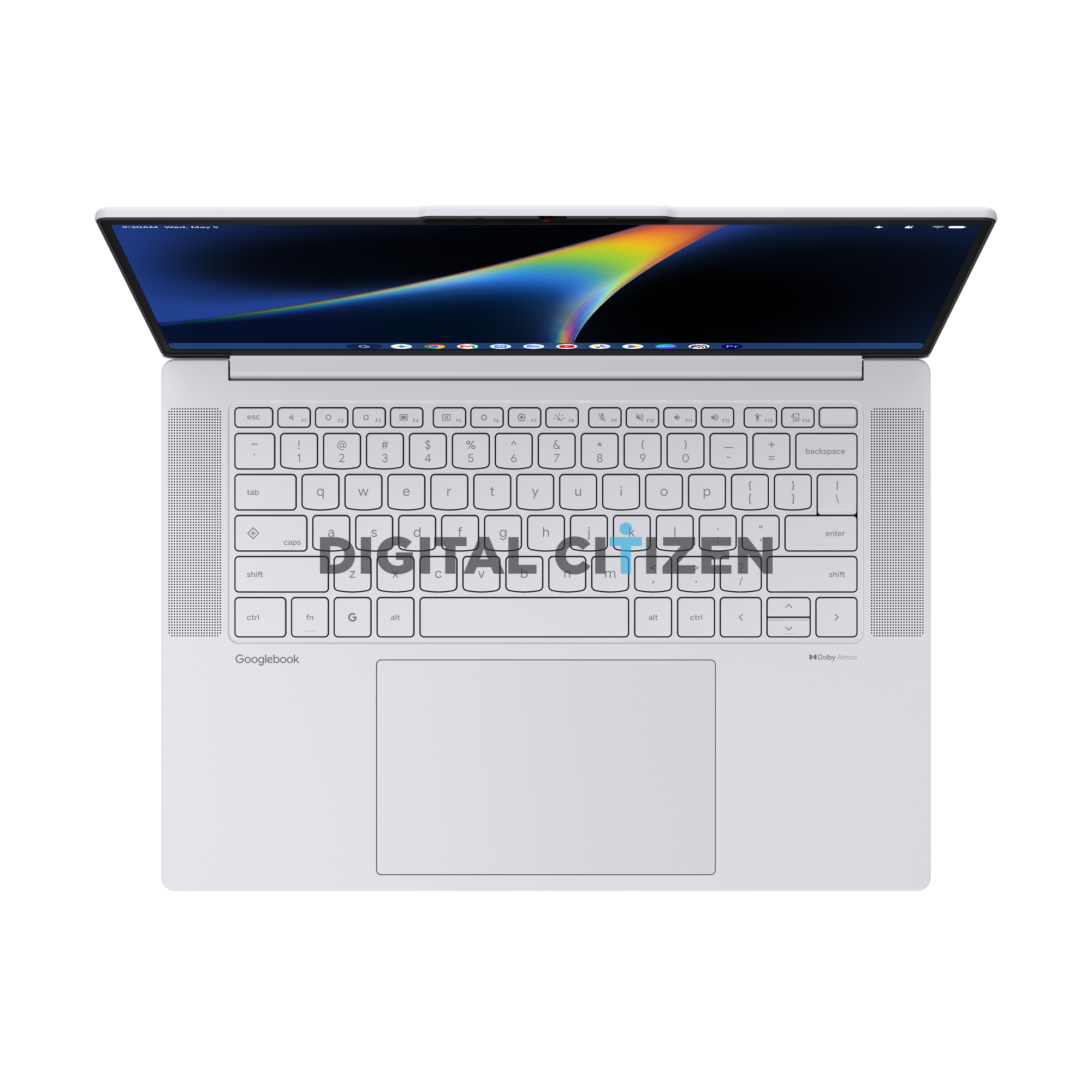
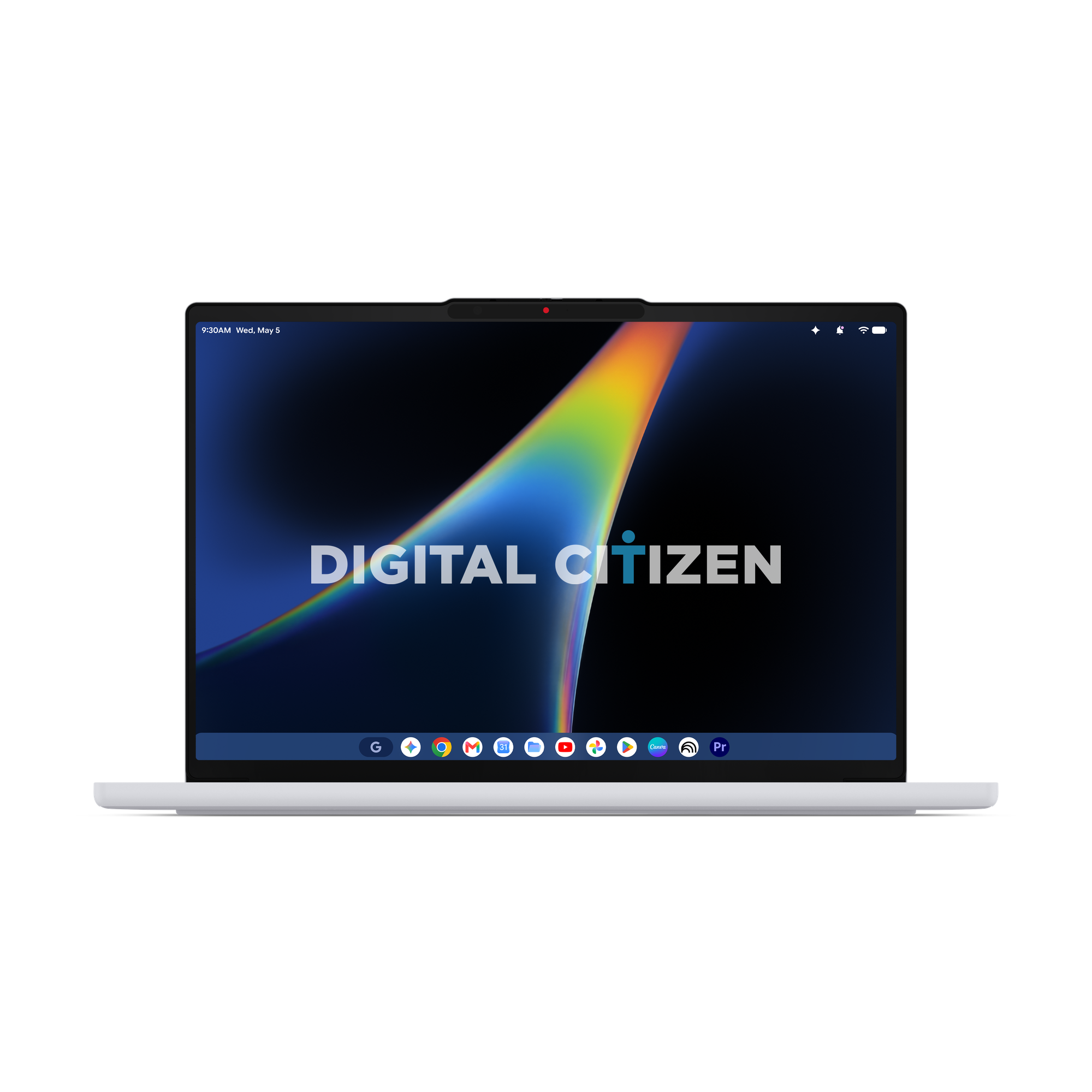

Then look at the bottom row. Between the fn key and the alt key there is a dedicated key marked with a Google G. That is a hardware Gemini key, and it is going to be the defining physical feature of this entire category the same way the search key defined Chromebooks. Google has replaced the Windows key with its own.
Above it, in the caps lock position, there is a key with a small diamond launcher glyph sitting above the caps label. That is the launcher and caps lock sharing a single key, which is very much the Chromebook way of doing things carried forward.
The function row is the other surprise. Lenovo has fitted fourteen function keys, F1 through F14, plus escape and a dedicated key at the far right. Reading the glyphs left to right you get back, refresh, full screen, window overview, screenshot, brightness down, brightness up, keyboard backlight, microphone mute, speaker mute, volume down, volume up, an accessibility key, and what looks like a quick account or profile switch key. That accessibility key in particular is a nice touch and not something you see on most laptops.
There is no number pad, which is unusual for a 15 inch machine, but it means the keyboard is perfectly centred and the trackpad is enormous.
The Software in the Renders Is the Real Leak
Look at the screen and you can see the new desktop for yourself.
Along the top there is a status bar in the Android style, with the time and date on the left and a row of icons on the right. Those icons are a Gemini sparkle, a notification bell, Wi-Fi, and battery. A phone status bar on a laptop is a strange thing to see, and it is the clearest sign that this OS is Android underneath.
Along the bottom there is a taskbar with a rounded G button on the left that acts like a start button, then a row of pinned apps. Reading them left to right we can make out Gemini, Chrome, Gmail, Google Calendar, Files, YouTube, Google Photos, the Play Store, Canva, what appears to be a sharing or cast app, and then something that stopped us in our tracks. The last icon is Adobe Premiere Pro.
Adobe Premiere Pro pinned to the taskbar of a Google laptop is a serious statement. Chromebooks were never taken seriously for creative work. Putting a video editor front and centre in the official press render says Google wants Googlebooks judged as real computers.
Ports That Actually Make Sense
Lenovo has not gone minimalist here, and thank goodness.
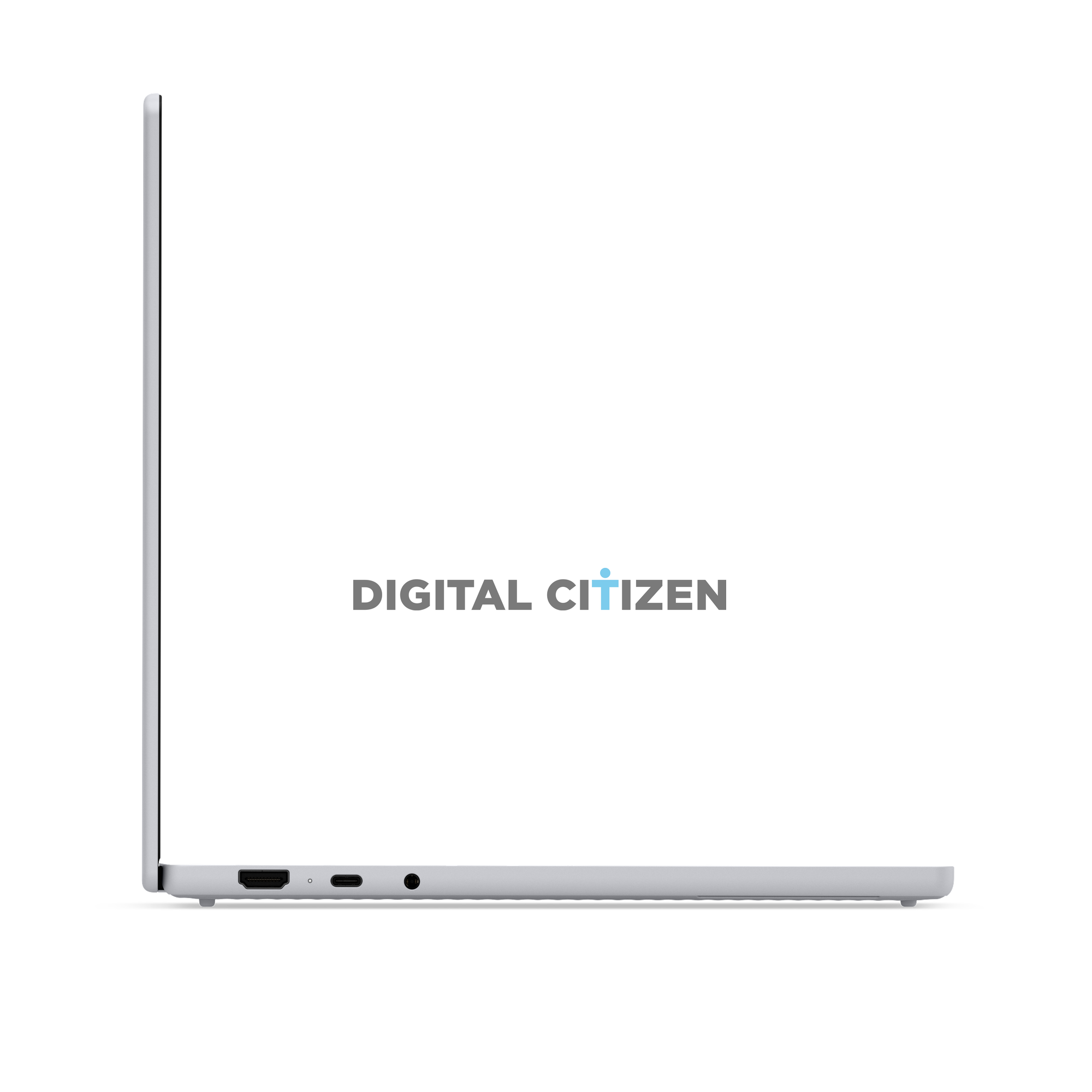
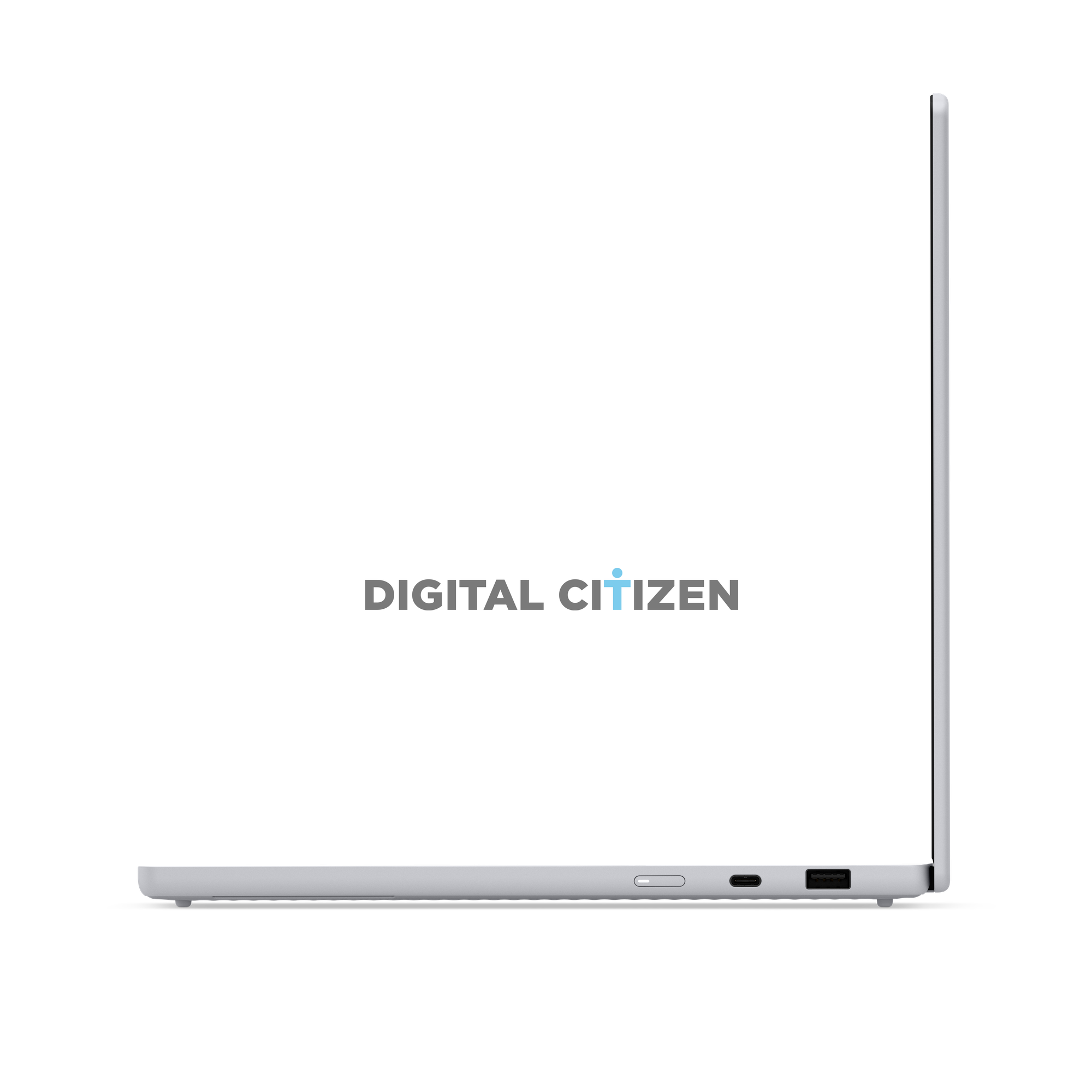
On the right side you get a full size HDMI output, a small status LED, a USB-C port, and a 3.5mm headphone jack. On the left side there is what looks like a card reader slot, a second USB-C port, and a full size USB-A port.
That is a genuinely generous selection for a machine this thin. You can plug in a monitor without a dongle, charge from either side, connect an old USB stick, and still use wired headphones. Anyone who has fought with a two port ultrabook will appreciate this.
A Notch, and a Physical Privacy Shutter
The display has extremely thin bezels on all four sides, and to make that work Lenovo has put the webcam in a small notch at the top of the screen. Look closely at that notch and you can see two things. There is a red indicator dot, and there is a small sliding element to the left of the camera.
That is a physical privacy shutter built into the notch itself. Lenovo has been shipping its ThinkShutter privacy covers for years, and getting one into a notch this small is a neat piece of engineering. For a laptop this deeply tied to an AI assistant, a physical camera cover is not a small detail. It is a trust feature.
Design and Build
The whole machine is finished in a light silver white that photographs almost like a cloud grey. It is clean, soft, and quite unlike the aggressive dark aluminium most laptops default to. It looks like something Google would design rather than something a PC maker would.
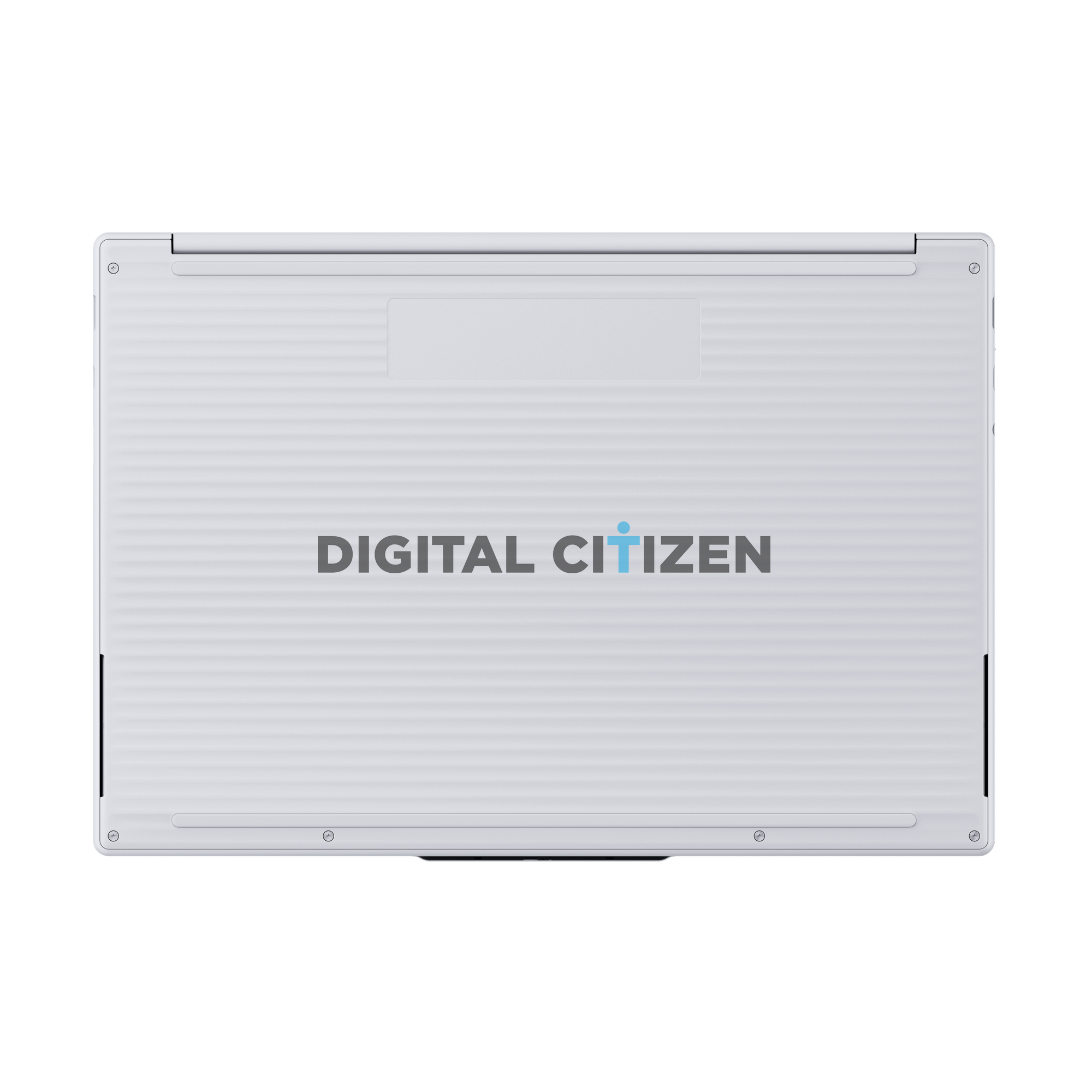
Flip it over and the bottom cover is the most distinctive part of the industrial design. Instead of a flat plate, Lenovo has given the entire underside a horizontal fluted texture, a series of fine ridges running from side to side. It looks like corduroy in metal. Long rubber feet run across the top and bottom edges, there is a service panel near the hinge, and speaker cutouts sit on both left and right edges.
Speaking of speakers, there are large perforated grilles on both sides of the keyboard for upward firing sound, and there is a Dolby Atmos badge on the right side of the palm rest. Combined with the side firing cutouts on the base, this looks like a four speaker setup, which would make it a genuinely good machine for watching things.
The hinge deserves a mention too. One of the press renders is specifically labelled as the laptop opened to 157.5 degrees, which means the display lays back nearly flat. That is useful for sharing a screen across a desk, and it hints at a hinge Lenovo is proud of.
What We Still Do Not Know
The press kit is all hardware and no spec sheet, so the big questions are still open. We do not know the processor, and this is the most interesting unknown of all. Because Googlebooks are built on the Android stack, an Arm chip is entirely plausible, though Intel and AMD options are just as likely for a first generation machine. We also do not have the display resolution or refresh rate, the memory and storage tiers, the battery size, or the weight.
And of course we do not have a price. Google has said Googlebooks will be more premium than Chromebooks were, and the global memory shortage is not helping. Do not expect the two hundred dollar bargain bin machines that gave Chromebooks their reputation.
Our Take
The Lenovo Googlebook 15 is the most interesting laptop we have written about in a long time, and the reason has almost nothing to do with the aluminium. It is the first machine we have seen that treats a phone operating system as the foundation for a real computer, with a hardware Gemini key, an Android status bar, native phone apps, and Adobe Premiere Pro sitting in the dock as if that were perfectly normal.
Lenovo has done its part properly. The port selection is generous, the speaker setup looks serious, the privacy shutter is welcome, and that fluted underside gives the machine a personality of its own. Whether Googlebooks succeed will come down to whether Gemini and Magic Pointer are actually useful day to day, and whether Google can price these things sensibly.
We expect Lenovo to announce this officially at IFA in September, with the first Googlebooks going on sale this fall. Our sources tell us Lenovo has more than one Googlebook coming, so this 15 inch model may not even be the interesting one.

Discussion (1)
I got the Lenovo 14in Chromebook Plus a couple of months ago and I can tell you the build is great, This looks like the bigger brother to it with 15in display. Also it looks like it has larger up firing speakers which should help with sound volume. The addition of a HDMI port is great, you don’t have to have a dongle. The lighted power button is nice, my old chromebook had this. The keyboard looks the same, a great typing keyboard reminds me of my old IBM Thinkpad keyboard. So I think this is going to be a winner for both Lenovo and Google, with one of the first Googlebooks on the market. I think I will even pick up the Lenovo AI mouse when it ships to round out my current Laptop.