




Dunkin’ accepts Apple Pay at most locations, but availability depends on how and where you place your order. In general, Apple Pay works in-store and in the Dunkin’ app, while drive-thru and kiosk support can vary by location.
This guide explains all options available to you and the alternatives you can use if Apple Pay is not available.
Table of contents
Where Apple Pay works at Dunkin’
Apple Pay support at Dunkin’ depends on the ordering method and the payment hardware used at each store.
In-store purchases
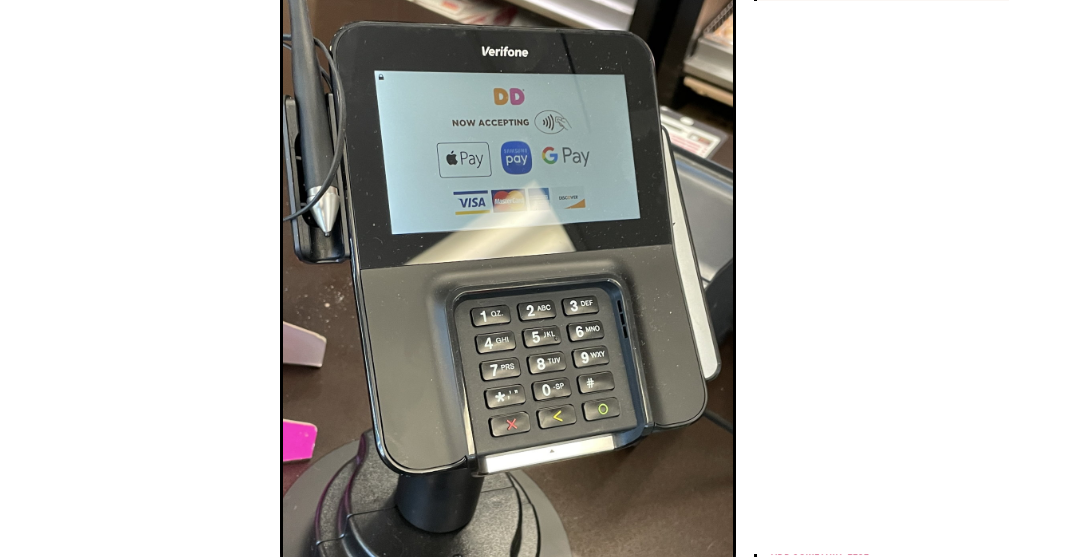
Most Dunkin’ locations accept Apple Pay at the counter. You can tap your iPhone or Apple Watch on the contactless terminal to complete payment.
Drive-thru orders
Some Dunkin’ drive-thru lanes accept Apple Pay, but many still rely on older terminals. Availability often depends on whether the payment reader supports contactless payments at the window.
Ordering in the Dunkin’ app
Apple Pay works reliably in the Dunkin’ app for mobile orders. You can use it for pickup orders at participating locations.
Self-service kiosks
Apple Pay support on in-store kiosks varies. Some newer kiosks accept contactless payments, while older ones may not.
How to pay with Apple Pay at Dunkin’
Using Apple Pay at Dunkin’ is straightforward once the store supports contactless payments.
Using Apple Pay in-store
Hold your iPhone or Apple Watch near the contactless reader. Authenticate with Face ID, Touch ID, or your passcode to complete the payment.
Using Apple Pay in the Dunkin’ app
Select Apple Pay at checkout when placing your order. Confirm the payment using Face ID, Touch ID, or your device passcode.
Set up Apple Pay before visiting Dunkin’
Preparing Apple Pay in advance reduces checkout issues and speeds up ordering.
Add a card to Apple Wallet
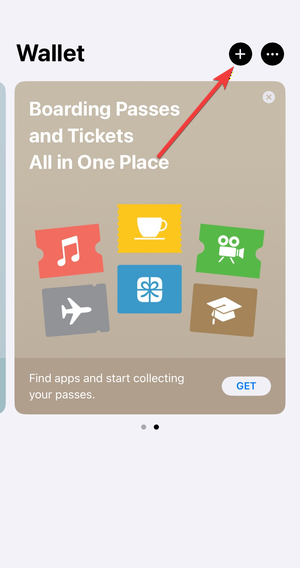
Open the Wallet app, tap the plus icon, and add a supported debit or credit card. Follow your bank’s verification steps to activate the card.
Make Apple Pay your default payment method
Setting Apple Pay as your default wallet option helps you pay faster at supported terminals without switching payment methods.
Why Apple Pay may not work at some Dunkin’ locations
Apple Pay issues usually stem from hardware or location-specific limitations.
Store-specific payment systems
Dunkin’ locations operate as franchises, so payment terminals vary. Some stores still use systems that do not support contactless payments.
Terminal or network issues
Temporary network outages or malfunctioning contactless readers can prevent Apple Pay from working, even at supported locations.
What payment methods Dunkin’ accepts besides Apple Pay
If Apple Pay is unavailable, Dunkin’ offers several alternative payment options.
Credit and debit cards
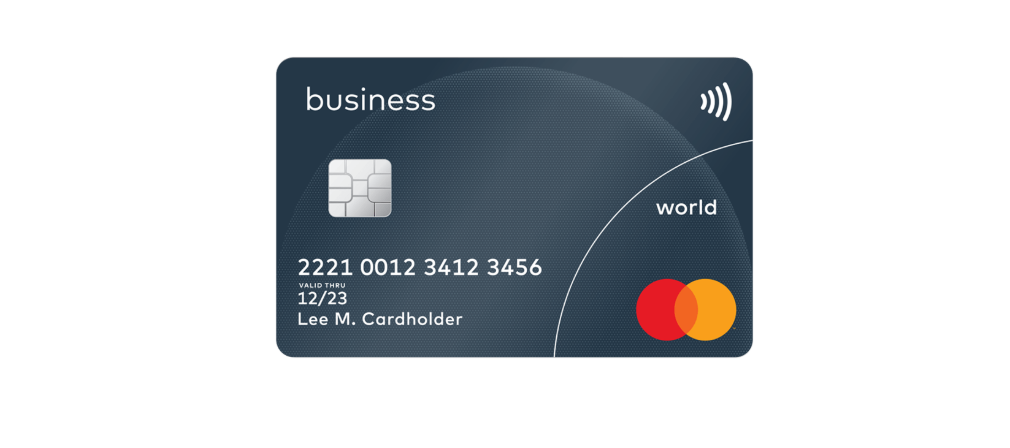
Most Dunkin’ locations accept major credit and debit cards, including Visa, Mastercard, and American Express.
Dunkin’ gift cards and rewards
You can pay using Dunkin’ gift cards and earn or redeem rewards. In the app, Apple Pay can still fund purchases tied to your rewards account.
FAQs about Apple Pay at Dunkin’
Does Dunkin’ accept Apple Pay everywhere?
No, Apple Pay availability varies by location and payment terminal.
Can you use Apple Pay with Dunkin’ rewards?
Yes, Apple Pay payments in the app still allow you to earn and redeem rewards.
Does Apple Pay work for delivery orders?
Apple Pay works in the Dunkin’ app, but delivery availability depends on the delivery partner.
Is Apple Pay accepted outside the U.S.?
Apple Pay acceptance at Dunkin’ primarily applies to U.S. locations.
Summary
- Dunkin’ accepts Apple Pay at most in-store counters and in the mobile app.
- Drive-thru and kiosk support depends on the location’s payment hardware.
- Setting up Apple Pay before visiting reduces payment issues.
- Credit cards, gift cards, and rewards remain reliable alternatives.
Apple Pay works at many Dunkin’ locations, especially for in-store and app-based orders. Since franchise payment systems vary, checking support at your local store or keeping a backup payment method ensures a smooth checkout experience.
Finally, if you are wondering you can use Apple Pay at CVS, you can check our guide to know what is possible.


Discussion (0)
Be the first to comment.