



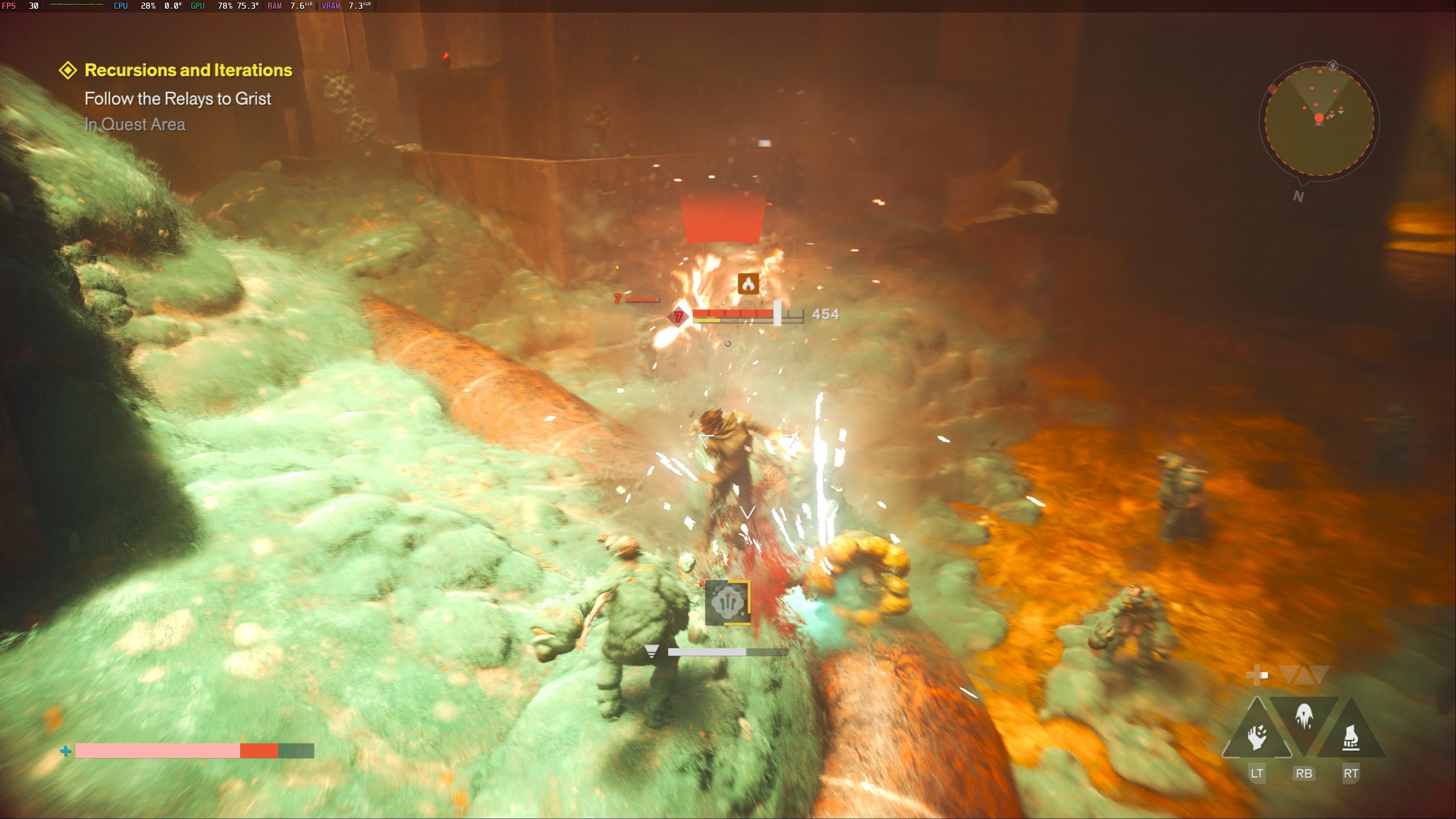
Control Resonant can run well on Valve’s Steam Machine, but getting smooth performance requires careful resolution, graphics and upscaling choices.
Testing shows that 4K is possible only with substantial image quality compromises, while 1440p at 30 FPS and 1080p at 60 FPS provide more practical options.
The game is much easier to run on the Steam Machine than on the Steam Deck, although demanding visual settings still push the hardware hard.
4K requires aggressive FSR upscaling
Running Control Resonant at 4K proved to be the most demanding test.
The highest practical configuration used the Handheld graphics preset together with FSR set to Performance.
That combination could approach 30 FPS, but frame rates still occasionally dropped below the target.
Switching FSR to Ultra Performance could improve stability, although image quality suffers because the game is rendered internally at a much lower resolution before being reconstructed to 4K.
For that reason, using a lower output resolution with better graphics settings may provide a more balanced experience.
| Target | Settings | Result |
|---|---|---|
| 4K 30 FPS | Handheld preset, FSR Performance | Around 30 FPS with occasional drops |
| 1440p native | Handheld preset | Similar performance to 4K with FSR Performance |
| 1080p native | High preset | Around 38 to 39 FPS |
| 1440p 30 FPS | High preset, FSR Quality | Stable 30 FPS |
| 1440p 60 FPS | Handheld preset, FSR Ultra Performance | Around 60 FPS |
| 1080p 60 FPS | Handheld preset, FSR Quality | Stable 60 FPS |
The 4K result shows that the Steam Machine has enough graphics power to output the game at that resolution, but not without relying heavily on upscaling and reduced quality settings.
Native 1440p remains demanding
Native resolution testing produced similar limitations.
At 1440p, even the Handheld preset delivered roughly the same performance as the 4K test using FSR Performance.
The image looked sharper because no aggressive upscaling was involved, but the frame rate remained too low for a consistently smooth experience.
Native 4K was effectively out of reach.
At 1080p, the situation improved considerably.
Using the High graphics preset at native 1080p produced roughly 38 to 39 FPS on average.
Moving to the Ultra preset brought performance closer to the native 1440p result, making High the more sensible setting if you want to avoid frequent drops.
60 FPS is possible at 1080p
A stable 60 FPS target can be reached, but the game needs lower settings and upscaling.
The most balanced 60 FPS setup uses 1080p resolution, the Handheld graphics preset and FSR set to Quality.
That configuration keeps frame rates near 60 while preserving reasonable image quality.
For displays limited to 1080p, this setup is particularly useful because the lower output resolution is less noticeable and the faster frame rate makes movement and combat feel smoother.
A 1440p 60 FPS setup is also possible, but it requires FSR Ultra Performance together with the Handheld preset.
That involves significantly more aggressive reconstruction, so image quality takes a larger hit.
1440p at 30 FPS offers the best visual balance
Players who prefer image quality over frame rate have a stronger option.
Testing found that 1440p resolution with the High graphics preset and FSR set to Quality could maintain a stable 30 FPS.
This configuration preserved noticeably better visual detail than the 60 FPS setups while avoiding the instability seen in the 4K tests.
No significant drops were reported during testing with these settings.
For players using a higher resolution display, this may be the more attractive setup because Control Resonant relies heavily on atmosphere, lighting and environmental detail.
Recommended settings depend on your priority
There is no single configuration that delivers maximum resolution, high graphics quality and 60 FPS at the same time.
The Steam Machine requires a clear choice between visual quality and frame rate.
If you prefer sharper graphics and higher settings, 1440p at 30 FPS with High settings and FSR Quality provides the better balance.
If smooth performance matters more, 1080p at 60 FPS with the Handheld preset and FSR Quality is the stronger option.
The Steam Machine can therefore provide a solid Control Resonant experience, but native 4K remains beyond its practical limits for this game.
Upscaling plays an important role at every higher performance target, and pushing beyond the recommended settings quickly introduces either frame rate drops or substantial reductions in image quality.


Discussion (0)
Be the first to comment.