



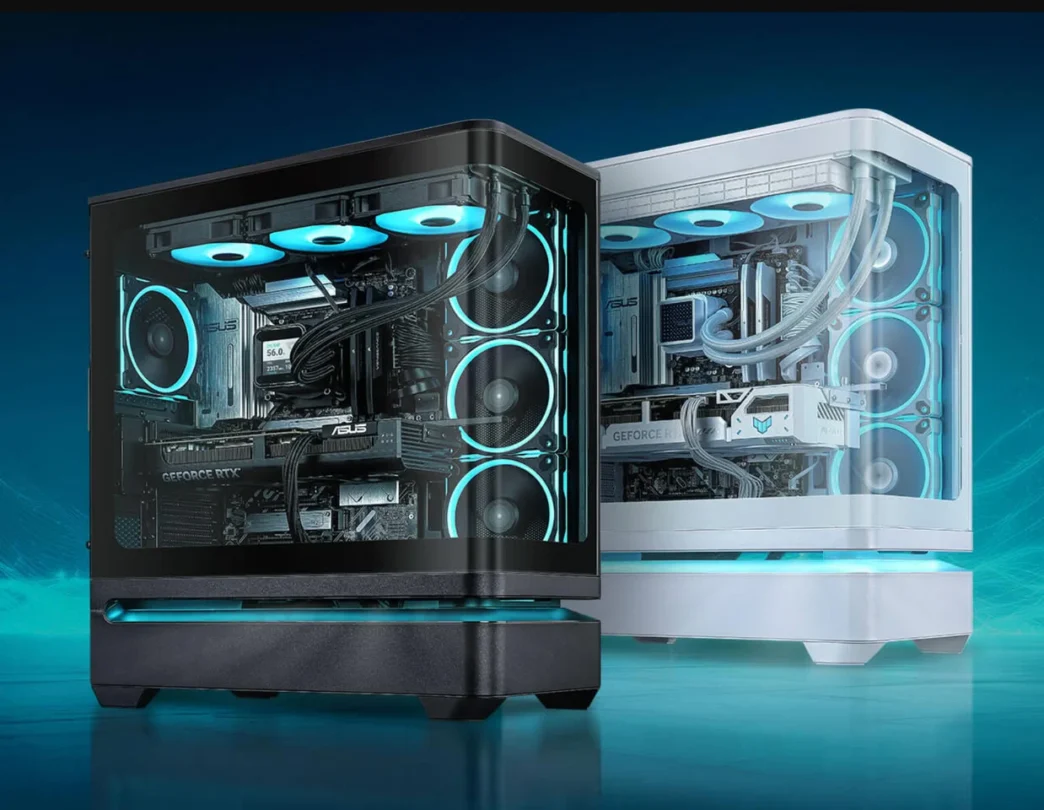
ASUS has introduced the Prime AP304, a mid tower PC case designed around improved graphics card cooling, easier installation, and a wide view of the internal hardware.
The case uses a floating upper structure that leaves space beneath the main chamber for cool air to enter. This layout is intended to give the graphics card better access to fresh air, which can help in systems using large and powerful GPUs.
A curved tempered glass panel provides a panoramic view of the components from the front and side. To keep that view unobstructed, ASUS has moved the main front cooling area to the side of the chassis.
The Prime AP304 will be sold in black and white, but ASUS has not announced its price or release date.
Floating Layout Targets GPU Temperatures
The unusual lower gap is one of the AP304’s main features. Instead of placing the entire system directly above a closed base, ASUS leaves a ventilated area beneath the upper chamber.
Cool air can enter through this space and move toward the graphics card. This is useful because a large GPU often sits low in a case and may struggle to receive direct airflow in conventional layouts.
The chassis also includes a patented side vent that supports up to three fans. These fans can pull air from the lower section and direct it into the main chamber.
Builders can also install fans at the bottom for additional intake.
| Cooling location | Supported configuration |
|---|---|
| Side | Up to three fans or a liquid cooler |
| Bottom | Additional intake fans |
| Top | Liquid cooling support |
| Rear | Fan or liquid cooling support |
| Maximum radiator size | Up to 360mm |
The side area can hold either a triple fan setup or an all in one liquid cooler. The top and rear provide more mounting options, allowing builders to choose between stronger CPU cooling and additional case airflow.
ASUS has not published complete fan size or radiator compatibility details, so buyers will need to wait for the full specification sheet before planning a build.
Curved Glass Creates a Cleaner Interior View
The Prime AP304 uses a curved tempered glass side panel that wraps around the front area of the case.
This design provides a wider view than a traditional flat side window. It also removes the visual interruption created by a solid front panel or corner support.
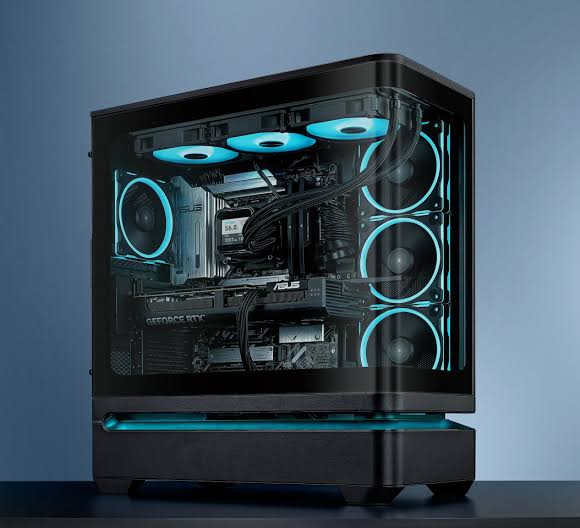
Moving the main intake fans to the side helps preserve that open appearance. The result is a case intended for builders who want to display RGB lighting, custom cooling, and premium components.
An integrated lighting strip runs along the lower section. It can be controlled through ASUS Aura Sync, allowing it to match compatible motherboards, fans, memory, and other lighting hardware.
The panoramic design may look cleaner, but it also makes cable management and component placement more important. Poorly routed wires will be easier to see through the large glass area.
Tool Free GPU Clamp Simplifies Installation
ASUS has added a patented graphics card slot clamp at the rear of the case.
Instead of using screws to secure the graphics card bracket, the builder can insert the GPU into the motherboard’s PCIe x16 slot and lock it in place with the clamp.
This should make installation and removal quicker, particularly when testing hardware or changing components regularly.
A reinforced internal graphics card bracket provides additional support for heavy models. It can support cards measuring up to 360mm, while the case itself offers enough clearance for GPUs as long as 420mm.
| GPU feature | Specification |
|---|---|
| Maximum case clearance | Up to 420mm |
| Internal support bracket | Supports GPUs up to 360mm |
| Rear mounting system | Tool free slot clamp |
| Main benefit | Easier installation and improved stability |
The difference between the 360mm bracket support and 420mm case clearance means very long graphics cards may fit but may not work with the included internal support in the same way.
Builders using an oversized GPU should check its exact length, thickness, power connector position, and compatibility with side mounted cooling equipment.
Side Cooling Could Affect Component Clearance
The side fan and radiator area gives the AP304 more cooling flexibility, but it may also reduce internal clearance depending on the hardware installed.
A thick 360mm radiator with large fans can occupy significant space beside the motherboard and graphics card. This could affect tubing routes, cable access, or the installation of particularly wide components.
The floating lower design may help compensate by providing additional airflow from below.
The best configuration will likely depend on the system. A high power graphics card may benefit from bottom and side intake fans, while a powerful processor may require a large radiator at the top or side.
ASUS has not yet provided thermal testing, so the actual improvement over conventional cases remains unconfirmed.
Rear Compartment Provides 33mm of Cable Space
The AP304 includes around 33mm of clearance behind the motherboard tray for cable management.
A dedicated routing section helps collect power, fan, lighting, and storage cables. This should make it easier to keep the visible side of the system clean.
The rear section also contains two mounting positions for 2.5 inch SATA SSDs.
| Cable and storage feature | Details |
|---|---|
| Rear cable clearance | Approximately 33mm |
| Dedicated routing area | Yes |
| 2.5 inch SSD mounts | Two |
| Unified front I/O header | Included |
A unified front input and output connector is also shown in ASUS material. This can simplify motherboard installation by combining several small front panel wires into one connector.
Traditional separate power switch, reset, and LED cables can be awkward to install, especially in a dark or crowded case. A single header reduces that difficulty when the motherboard supports the same layout.
Standard Storage Support Looks Limited
The available information confirms two rear mounting positions for 2.5 inch SATA drives.
ASUS has not detailed support for 3.5 inch hard drives. Builders who still rely on large mechanical storage should verify whether the final retail case includes dedicated hard drive bays.
Many modern systems use motherboard mounted M.2 SSDs, reducing the need for traditional drive cages. Removing those cages can also create more room for airflow and long graphics cards.
However, limited 3.5 inch support could make the AP304 less suitable for workstations, media servers, or users with large existing hard drive collections.
Prime AP304 Focuses on Modern Gaming Builds
The case is clearly aimed at gaming PCs with large graphics cards, liquid cooling, RGB lighting, and minimal visible clutter.
Its most useful features are the lower airflow gap, side cooling mounts, tool free graphics card clamp, reinforced GPU bracket, and generous 420mm graphics card clearance.
| Main strength | Practical benefit |
|---|---|
| Floating lower structure | Sends cooler air toward the GPU |
| Curved tempered glass | Wider view of internal components |
| Side fan support | Keeps front view clear |
| Tool free GPU clamp | Faster graphics card installation |
| Reinforced bracket | Supports heavy GPUs |
| 33mm rear clearance | Easier cable management |
| Black and white options | Fits different build themes |
The design has similarities to other floating chamber cases, but ASUS adds its own mounting system, lighting integration, and panoramic glass arrangement.
The final value will depend on pricing, included fans, dust filtration, material quality, and real thermal performance. Without those details, it is difficult to compare the AP304 directly with established airflow and panoramic cases.
Still, the Prime AP304 offers a clear approach. It prioritises GPU cooling and component visibility while simplifying the installation of large graphics cards.



Discussion (0)
Be the first to comment.