



Microsoft has released the Xbox July 2026 console update with longer gamertags, new library presentation options, expanded profile colours, cloud gaming improvements, and several useful interface changes.
The update uses OS version 10.0.26100.8866 and has started rolling out to supported Xbox consoles. You can also check for it manually by opening Settings, selecting System, and going to Updates.
One of the most visible changes is the return of unique gamertags containing up to 15 characters. The previous limit was 12 characters, which gave players less room to create a name that matched their preferred identity.
The longer limit only applies when the selected gamertag is unique and available. Names that require an identifying suffix or use non Latin characters will continue to support up to 12 characters.
Game libraries now support larger artwork and cleaner tiles
Microsoft has added new ways to change how games appear inside My games and apps. You can now display titles using larger poster style artwork, creating a more visual library that resembles modern streaming and storefront interfaces.
The layout can be changed by opening My games and apps, selecting Manage, and going to Settings. From there, choose Customize games and apps and select the preferred tile style.
Players can also remove badges and icons from game artwork. These indicators can show installation status, subscription access, or other information, but they may make a library feel crowded. The new setting allows you to decide which icons appear on tiles and recently played lists.
| Updated area | Main change |
|---|---|
| Gamertags | Unique names can contain up to 15 characters |
| Game library | New poster style artwork layout |
| Tile badges | Icons can be enabled or hidden |
| Profile colours | Hex codes and gamerpic colour matching |
| Service status | Alerts now appear on the Home screen |
| Friends | Profiles can display mutual connections |
| Wishlists | Unreleased games can be saved from Game Cards |
| Cloud gaming | Game artwork replaces the Xbox loading logo |
| Accessories app | Shows the exact connected controller model |
Profile colours offer more precise controls
Xbox profile colours can now be selected using a specific hexadecimal colour code. This provides more accuracy than choosing from a limited preset collection.
A new Match my gamerpic option can automatically select a colour from your current profile image. You can preview the result across the console before applying it.
These controls are available through Settings, General, Personalization, My color and theme, and My color.
Microsoft has also expanded offline personalisation. Dark and light themes, solid colour backgrounds, custom backgrounds, selected dynamic backgrounds, and colour changes for dynamic themes can now remain available when the console is not connected to the internet.
Personalisation settings for the Home screen and the game library have been separated into clearer sections. Shortcut options have also been added to context menus, reducing the number of steps needed to find them.
Xbox service problems will appear directly on Home
A new indicator will appear in the Home navigation area when Microsoft confirms an Xbox service problem.
Selecting the alert opens a status page showing which services are affected and when Microsoft expects them to return. This removes the need to check external websites or social accounts when games, multiplayer, purchases, or account functions stop working.
The Home screen will also provide direct access to the latest console release notes after an update. Microsoft has expanded these notes with more information about new features, changes, and major fixes.
Mutual friends and wishlists receive useful improvements
When viewing another player’s profile, you can now see shared Xbox friends when their privacy settings permit it.
Profiles belonging to people outside your existing friends list can also show how many mutual connections you share. This may help you identify players met during multiplayer sessions and decide whether to add them.
The update also allows unreleased games to be added to your Wishlist directly from their Game Card. Previously, wishlist controls could be unavailable until a game opened for purchases or preorders.
Cloud gaming sessions now open more cleanly
Cloud gaming loading screens will now show artwork from the selected game. When streaming begins, the console will enter the game directly instead of displaying an additional Xbox logo.
This is a small change, but it makes the transition from the library to a streamed game feel faster and more connected to the title being launched.
The Xbox Accessories app can now display an image matching the controller connected to the console. Supported standard controllers, special editions, and the Elite Wireless Controller Series 2 should be easier to identify when remapping buttons or adjusting profiles.
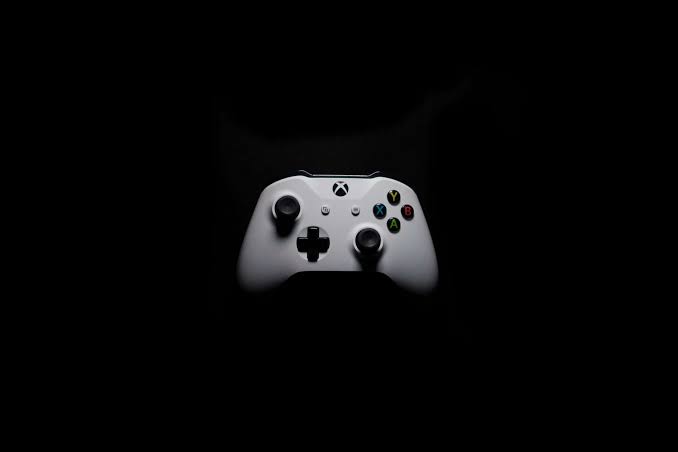
Microsoft says most controllers released since November 2020 should be supported.
The update also changes how Xbox 360 achievement artwork is displayed, using crisp pixel blocks when older images are enlarged.
Several bugs have been fixed as well. My games and apps should no longer crash during some update installations, navigation focus should reset less often, and the game list should not fully reload after leaving an achievement details page.



Discussion (0)
Be the first to comment.