



Winhanced has received one of its largest updates so far as the software moves closer to its version 1.0 release. Version 0.9.9.2 introduces a rebuilt performance system, a redesigned in game overlay, improved fan controls, wider game library support, and several fixes for Windows gaming handhelds.
The update focuses on making performance settings more stable during normal play, after waking a device from sleep, and when connecting to a dock or external graphics card. It also removes older system drivers that were considered a potential security risk.
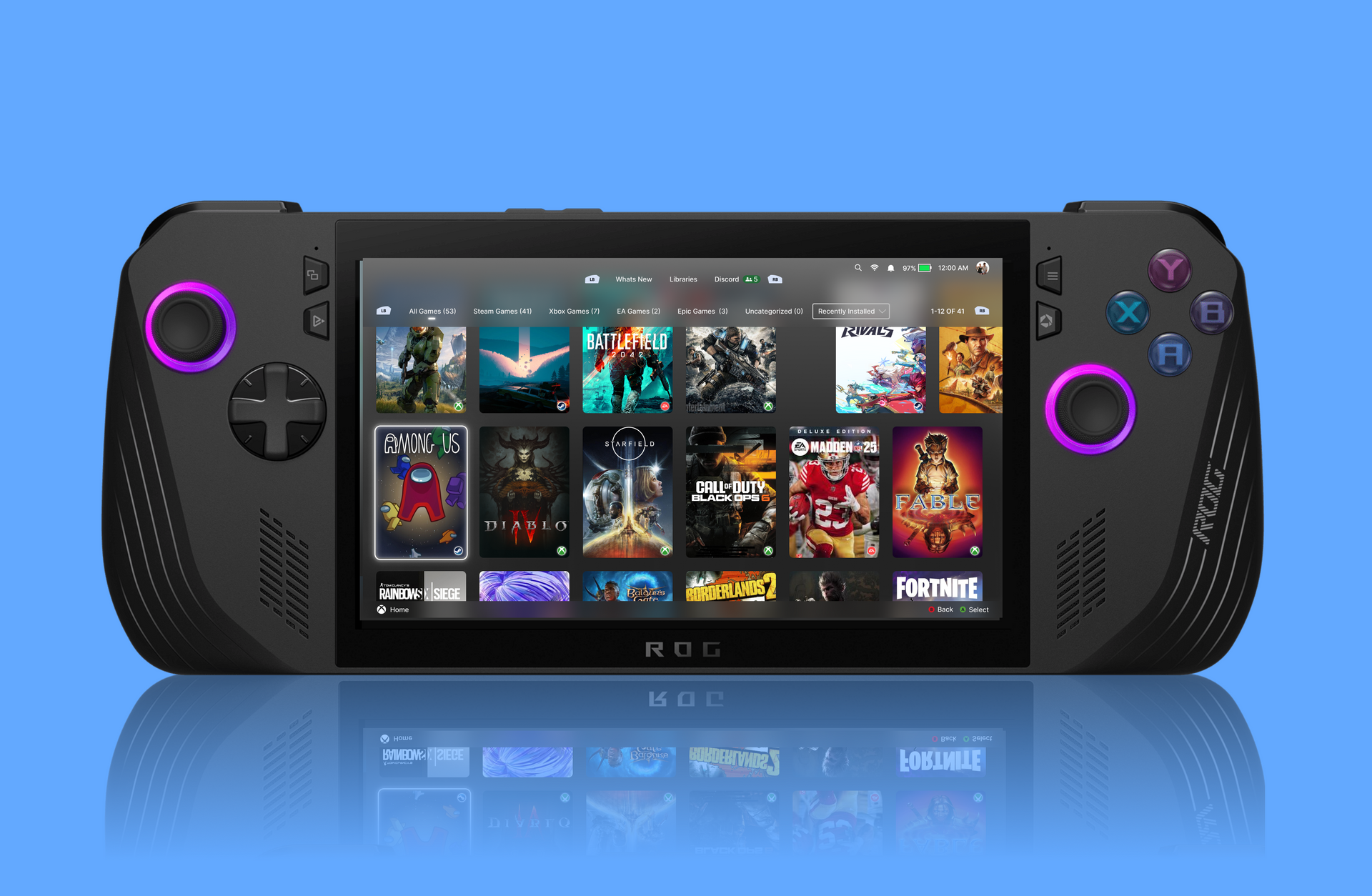
Winhanced is designed to provide a console style interface and easier performance controls on Windows handhelds. It offers an alternative to Microsoft’s full screen gaming experience by combining game management, power controls, hardware monitoring, and launcher support in one application.
The rebuilt Performance Engine should reduce power fluctuations
The new Performance Engine is designed to apply power settings more quickly and maintain them more consistently. Previous versions could allow power limits to move between different values before settling, which could contribute to uneven performance.
Version 0.9.9.2 should reduce those fluctuations by helping the selected power profile stabilise sooner. This may provide more consistent frame rates and temperatures during longer gaming sessions.
Fan control has also been made more reliable. When a fan setting does not apply correctly, Winhanced can now detect the problem and try to apply the setting again. This should reduce situations where a device continues using an unintended fan speed or cooling profile.
Power and temperature readings have also been improved. More accurate monitoring can help you understand how different performance modes affect heat, battery use, and frame rates.
| Updated area | Main improvement |
|---|---|
| Performance Engine | Faster and more stable power tuning |
| Fan controls | Settings can be reapplied automatically |
| Hardware monitoring | More accurate power and temperature readings |
| Docking support | Steadier settings with docks and external GPUs |
| Sleep recovery | Improved reliability after waking a device |
| System security | Older high risk drivers removed |
| In game overlay | New tile based HUD with quicker controls |
Winhanced HUD 2.0 adds a cleaner tile based interface
The update introduces Winhanced HUD 2.0, a rebuilt Xbox Game Bar widget that can be opened without leaving a game.
The new overlay uses a tile based layout with sorting and categories, making performance and hardware options easier to locate. Information is presented more clearly, which should help you make quick adjustments while playing.
The HUD can continue operating even when the main Winhanced application is closed. This reduces background software use while preserving access to important controls.
Custom fan curves can now be assigned to individual games and power profiles directly through the overlay. A demanding game can use a more aggressive cooling setup, while a lighter title can run with quieter fan behaviour.
Intel powered handhelds also receive new options. Endurance Gaming is designed to extend battery life during longer sessions by adjusting performance behaviour. A Frame Generation Override allows you to select Auto, 2x, 3x, or 4x frame generation without opening Intel’s separate graphics application.
This should make it easier to test different frame generation levels and find a suitable balance between image quality, responsiveness, and smoothness.
Early access members receive new layouts and launcher support
Early access members can use two new home screen designs called Art Forward and GlassStation. Each provides a different visual style for browsing games and navigating the application.
The installed game library can now detect titles from Ubisoft Connect, EA, Amazon Games, and Battle.net. Games from these platforms can appear alongside titles from other supported launchers, reducing the need to open several applications to find installed software.
Wider launcher support is especially useful on handhelds, where navigating traditional desktop applications with analogue sticks and touch controls can be inconvenient.
Steam fixes and standby improvements address common problems
Version 0.9.9.2 includes several fixes for Steam integration. The update addresses unexpected account sign outs and problems that prevented games with custom launch options from opening correctly.
Winhanced should also be less likely to force Steam to close during installations or application restarts. These changes could make the software more dependable as a primary interface for a Windows gaming handheld.
Other improvements include clearer labels for driver updates and a reorganised friends list that places active players near the top. A new screenshot shortcut can be assigned to rear paddles on compatible devices.
The update also fixes settings that occasionally failed to save and includes further changes intended to reduce battery drain while a handheld is in standby mode.
Winhanced remains below version 1.0, so additional changes are likely before its full release. However, update 0.9.9.2 addresses several important areas, including performance stability, overlay usability, fan management, launcher compatibility, and battery behaviour.



Discussion (0)
Be the first to comment.