



Microsoft is testing a broad set of Bluetooth improvements for Windows 11 that could fix several long running reliability problems affecting wireless audio devices and accessories.
The changes are included in Windows 11 Insider Release Preview builds 26100.9539 and 26200.9539 for versions 24H2 and 25H2. They focus on Bluetooth audio stability, connection reporting, microphone compatibility and the Settings app.
For now, the improvements are only available to Insider testers. Microsoft has not confirmed when they will reach the stable version of Windows 11.
| Area | Improvement |
|---|---|
| Bluetooth audio | Better stability and compatibility |
| Microphones | Improved support for some Bluetooth Classic accessories |
| LE Audio | Better reliability and performance |
| Settings | More stable Bluetooth and devices page |
| Connection status | More accurate reporting after disconnections |
| Bluetooth toggle | Fix for incorrect enabled status |
| Audio streaming | Fix for crash with error code 0x139 |
| Volume controls | Better on screen feedback during calls |
| Shared audio | Improved reliability |
Bluetooth audio receives several fixes
One of the more important changes addresses a crash that could occur while streaming Bluetooth audio.
The issue could produce error code 0x139, causing the Bluetooth audio session to fail. Microsoft says the new builds include a fix for this problem.
Bluetooth audio compatibility is also being improved more generally, including microphone support for certain accessories that use Bluetooth Classic Audio.
That could help people who have experienced situations where headphones connect correctly but the built in microphone does not work as expected.
Microsoft is also improving reliability and performance for LE Audio accessories.
LE Audio is a newer Bluetooth audio standard designed to improve efficiency and support features such as better multi device audio experiences.
Windows 11 will report connection status more accurately
Another issue affects the way Windows reports whether Bluetooth accessories are connected.
In some cases, a device could lose its connection while Windows continued to show incorrect information.
The update improves the accuracy of the connection status shown for accessories after their connection to the PC has been interrupted.
Microsoft is also fixing a separate problem where Bluetooth itself could be disabled while the toggle inside the Bluetooth and devices section of Settings still appeared to be turned on.
These changes should reduce situations where Windows gives you conflicting information about the actual state of your wireless devices.
Settings should become more stable
The Bluetooth and devices page in Windows 11 Settings is also receiving reliability improvements.
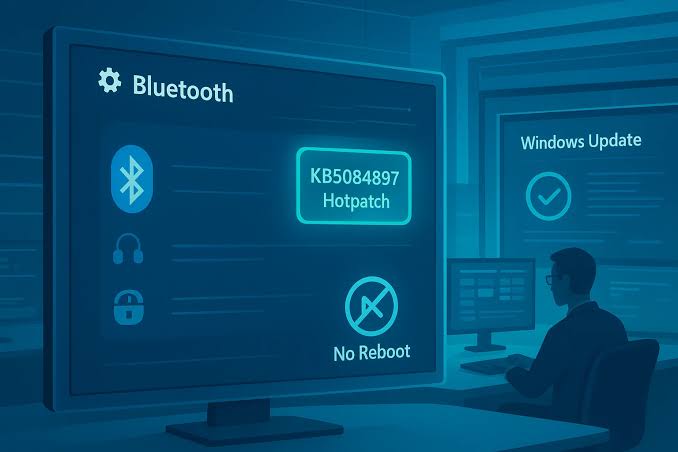
Microsoft says the page should be more stable when managing Bluetooth and audio devices.
The company is also improving volume feedback during voice calls.
When you change the volume directly from a Bluetooth Classic Audio accessory, Windows will now show its volume control popup so you can see the updated level on screen.
Shared Bluetooth audio reliability is receiving improvements as well.
Stable Windows 11 release timing remains unclear
The number of Bluetooth related changes suggests Microsoft is addressing several separate problems rather than one specific bug.
That could make Bluetooth headphones, headsets, microphones and other wireless accessories more dependable in daily use.
However, these fixes are still being tested through the Windows Insider Release Preview channel.
Microsoft has not provided a date for their wider rollout to regular Windows 11 installations.
If testing proceeds without major issues, the improvements could eventually become part of a future cumulative update for Windows 11 24H2 and 25H2. Until then, most people will need to wait for Microsoft to move the changes into the stable release.

Discussion (0)
Be the first to comment.