




A QWERTY keyboard uses a layout named after the first six letters on the top row: Q, W, E, R, T, and Y. This layout appears on almost every laptop, desktop, and phone because it offers a familiar, easy way to type in English. This guide explains everything you need to know about the QWERTY keyboard and how to optimize its usage.
Table of contents
Definition of the QWERTY keyboard
A QWERTY keyboard arranges letters in a pattern that helps people type quickly and accurately. Manufacturers, software developers, and mobile platforms support this layout because users already know it.

How the QWERTY layout is arranged
The QWERTY layout places letters in staggered rows that help your fingers reach keys naturally. This arrangement keeps common English letter pairs apart to reduce finger strain and improve rhythm.
Why the top row starts with QWERTY
Early typewriters used this sequence to avoid jamming by spreading high-frequency letters apart. Modern keyboards kept the pattern because millions of people learned to type with it.
How QWERTY supports English-language typing
QWERTY positions letters so your hands move efficiently when you type common English words. This pattern still helps digital keyboards feel comfortable and predictable.
History of the QWERTY keyboard
Christopher Latham Sholes created the QWERTY layout in the 1870s to improve typewriter reliability. The design became a standard as manufacturers adopted it across many machines.
Adoption and standardization
Businesses, schools, and governments trained workers on QWERTY, which locked the layout into daily use. Software and hardware makers continued to support it because everyone already knew it.
QWERTY on modern devices
Windows, macOS, Android, and iOS all present QWERTY as their default layout. This consistency helps you switch between devices without relearning how to type.

QWERTY vs touchscreen keyboards
Phones and tablets use predictive text and autocorrect to speed up typing on smaller QWERTY layouts. These tools help you type faster despite the reduced space.
QWERTY compared to other layouts
Some people explore alternatives such as AZERTY, DVORAK, or Colemak to improve comfort or typing speed. Each layout offers different strengths based on your needs.

Strengths of QWERTY
QWERTY offers broad compatibility, wide support in apps, and minimal learning time. You can switch devices and still type confidently.
Limitations of QWERTY
QWERTY does not optimize for pure typing efficiency, and some people experience wrist strain with long sessions. Alternatives try to solve these issues with new arrangements.
Choosing or switching keyboard layouts
You can change layouts when you want better ergonomics or support for another language. Windows, macOS, Android, and iOS all let you add layouts and switch between them instantly.
Switching layouts on Windows or macOS
Windows lets you add layouts in Settings under Time & language. macOS places layout controls in System Settings under Keyboard, where you can enable shortcuts to toggle layouts.

Switching layouts on phones
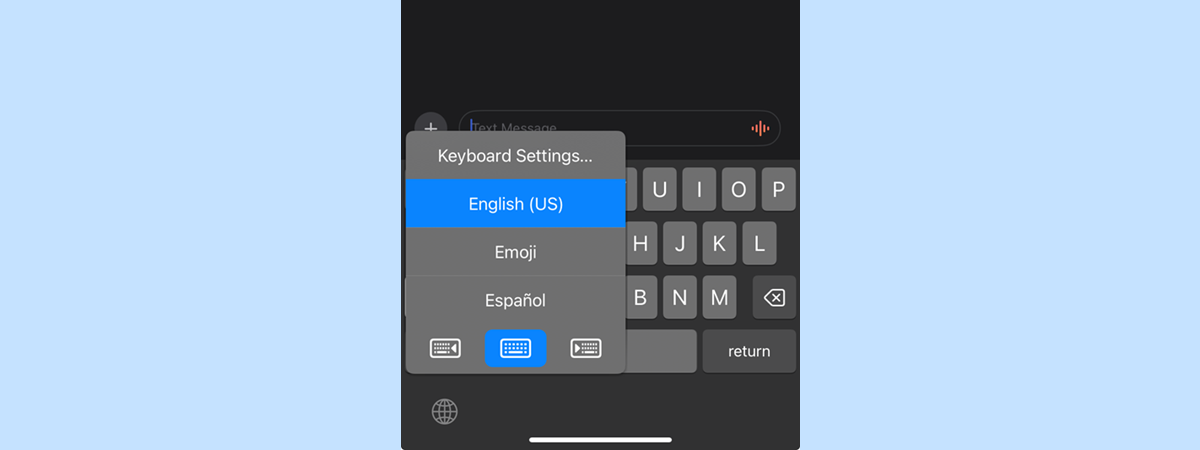
iOS and Android allow quick layout switching through the globe or language key. You can add new layouts in each device's keyboard settings.
Customizing QWERTY for better typing
You can adjust key repeat rates, remap keys, or use ergonomic split keyboards to improve comfort. Many apps allow deeper customization for advanced users.
Accessibility adjustments
Windows and macOS include tools like Sticky Keys, Filter Keys, and on-screen keyboards for users with mobility or vision needs. These features help you type more comfortably with QWERTY.
FAQs about the QWERTY keyboard
Why does QWERTY remain popular? Most users learned to type on it, and manufacturers continue to support it.
Does DVORAK or Colemak improve speed? Some users see gains, but results vary.
Can I switch layouts easily? All major platforms let you add or remove layouts quickly.
Summary
- QWERTY is the standard keyboard layout on computers and phones.
- It uses a staggered design that improves typing flow.
- The layout dates back to early typewriters and now serves as a global standard.
- Alternatives exist for users who want more efficiency or comfort.
- Every major operating system lets you switch or customize layouts.
You get the most reliable experience with QWERTY because it appears on nearly every device. You can try alternatives if you want better ergonomics, but QWERTY remains the easiest option for most users.

Discussion (0)
Be the first to comment.