



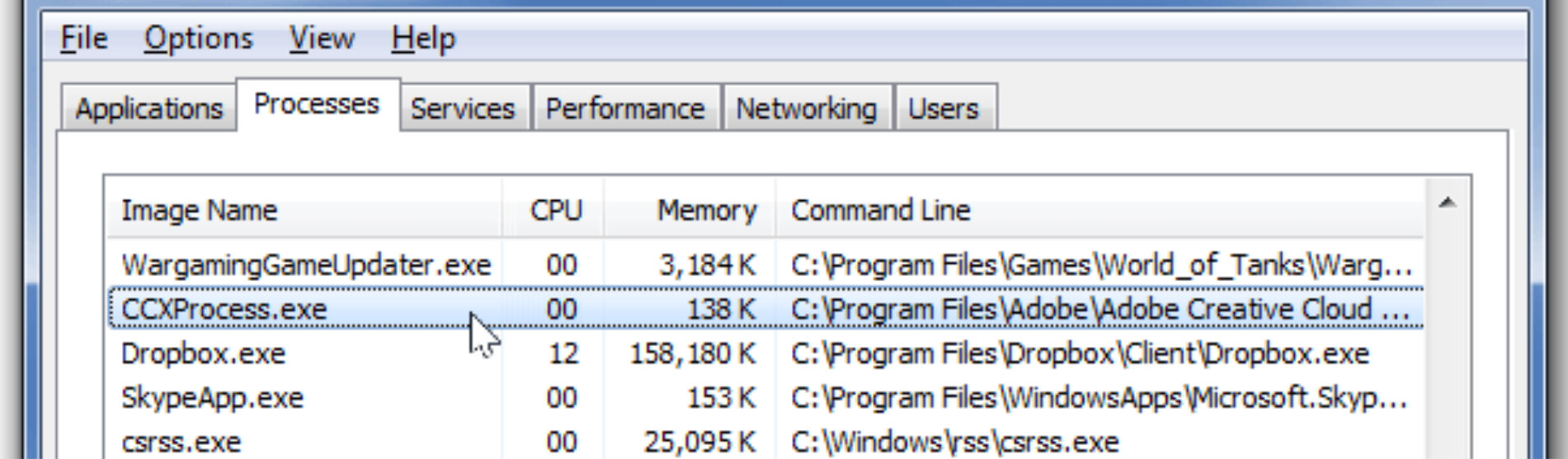
If you notice CCXProcess.exe running in Task Manager when Windows starts, you may wonder whether it is necessary or safe to disable. In most cases, CCXProcess is related to Adobe Creative Cloud applications.
This guide explains what CCXProcess is, why it runs at startup, and whether you can disable it safely on Windows 10 and Windows 11.
What Is CCXProcess
CCXProcess stands for Creative Cloud Experience Process. which is a background component installed with Adobe Creative Cloud apps such as:
- Photoshop
- Illustrator
- Premiere Pro
- After Effects
- Acrobat
It helps manage features like:
- Adobe account syncing
- Cloud libraries
- Fonts
- Notifications
- Templates
It usually runs automatically when Windows starts
Why Does CCXProcess Run at Startup
CCXProcess starts automatically to:
- Keep Adobe services active
- Sync cloud data
- Enable Adobe libraries
- Improve app startup speed
If you use Adobe software frequently, this process supports background services.
Does CCXProcess Slow Down Your PC
On most systems, it uses minimal CPU and memory. However, on low-spec devices, it may contribute to slower startup times.
You can check usage:
- Open Task Manager
- Go to Processes tab
- Look at CPU and memory usage
If it uses high resources consistently, further troubleshooting may be needed.
Can You Disable CCXProcess
Yes, you can disable it if you do not need Adobe background services.
Disabling it will not uninstall Adobe software, but certain features may not work automatically.
How to Disable CCXProcess from Startup
Method 1: Using Task Manager
- Press Ctrl + Shift + Esc
- Click Startup tab
- Find CCXProcess
- Right-click it
- Select Disable
- Restart your PC
Method 2: Disable from Adobe Creative Cloud
- Open Adobe Creative Cloud
- Click your profile icon
- Go to Preferences
- Disable Launch at login
This prevents Adobe services from starting automatically.
Should You Disable CCXProcess
Disable it if:
- You rarely use Adobe apps
- Your PC has limited resources
- You want faster startup time
Keep it enabled if:
- You use Creative Cloud daily
- You rely on cloud syncing
- You need Adobe fonts and libraries active
How to Remove CCXProcess Completely
To remove it:
- Uninstall Adobe Creative Cloud
- Go to Settings > Apps
- Find Adobe apps
- Click Uninstall
Removing Creative Cloud removes CCXProcess.
Final Thoughts
CCXProcess is a legitimate Adobe background service that starts with Windows. It supports Creative Cloud features such as syncing and libraries. While safe, it is not essential for Windows itself. You can disable it from startup if you want faster boot time and do not rely on Adobe background services.
FAQs
Is CCXProcess a virus
No, it is part of Adobe Creative Cloud if located in the correct folder.
Can I delete CCXProcess.exe
Deleting the file directly is not recommended. Uninstall Adobe apps instead.
Does disabling CCXProcess affect Photoshop
Photoshop will still work, but some background services may not run.
Why is CCXProcess using high CPU
It may be syncing or updating. Restart your PC or update Adobe apps.
Is it safe to disable CCXProcess on Windows 11
Yes, it is safe if you do not need Adobe background services.


Discussion (0)
Be the first to comment.