



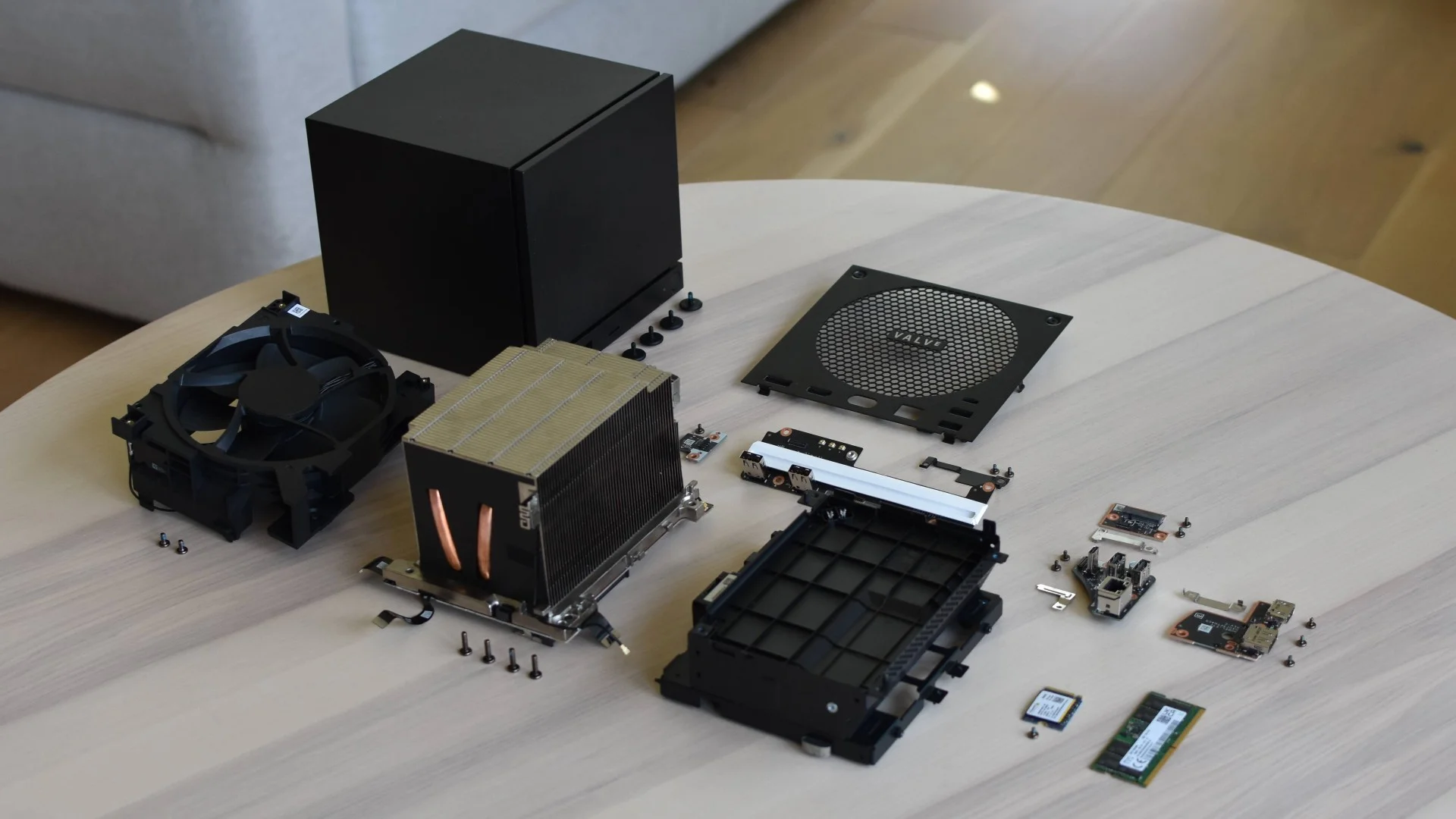
Valve’s new Steam Machine now has a full set of official repair instructions, giving owners detailed guidance for replacing or maintaining major internal components. The documentation is comprehensive, but it also shows that some upgrades are much more involved than the compact PC’s design might suggest.
There are 18 repair guides covering tasks such as cleaning the system, replacing the cooling fan, upgrading storage and memory, working on the chassis, and even replacing the motherboard.
That level of documentation is useful for long term ownership, especially for a gaming PC designed around replaceable parts. The more complicated issue is accessibility, because some procedures require extensive disassembly before you can reach the component you actually want to change.
Steam Machine repair difficulty varies by component
| Repair or upgrade | Difficulty concern |
|---|---|
| Cleaning | Straightforward maintenance |
| SSD replacement | Relatively accessible |
| Fan replacement | More involved |
| RAM replacement | Requires 49 steps to reach memory |
| Motherboard replacement | Major disassembly |
| Wi Fi antenna handling | Delicate during some procedures |
| Replacement parts | Expected, but not yet widely available |
The RAM replacement process is the part attracting the most attention.
According to the repair instructions, reaching the memory requires 49 steps before the module can be removed. After that, the entire process has to be reversed to reassemble the Steam Machine.
This does not necessarily make a RAM upgrade impossible, but it is far more complicated than opening a conventional desktop case and releasing two memory clips.
Reaching the RAM means removing several other parts
One of the awkward stages involves taking out the cooling fan.
The design also places Wi Fi antennas in the path of the repair. In one part of the procedure, heat may be needed to soften adhesive before the antennas can be detached safely.
A heat pad can be used, while a hair dryer can serve as an alternative.
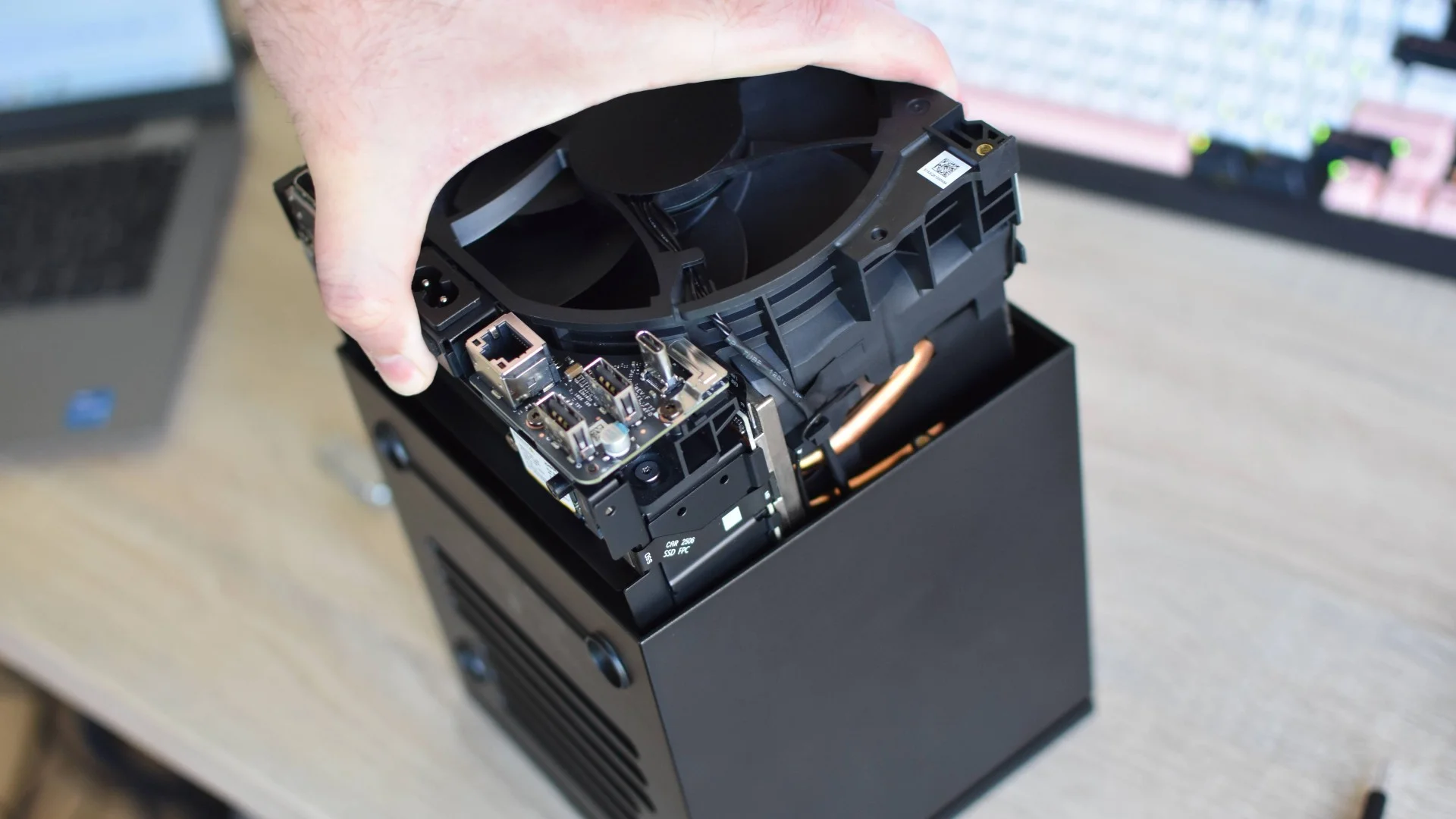
These extra steps increase the chance of accidentally damaging another component while performing what would normally be considered a basic PC upgrade.
For experienced builders, the process should still be manageable with patience and careful handling. Less experienced owners may find the amount of disassembly intimidating.
The layout is particularly notable because Valve has confirmed that Steam Machines use a single 16 GB RAM module. That leaves an obvious upgrade path, but accessing the slot is less convenient than the specification might initially suggest.
Repair documentation remains a strong point
The complexity of some procedures does not take away from the quality of the repair documentation itself.
The guides include clear step by step instructions, diagrams, device orientation details, and specific warnings for delicate stages. There is also a dedicated cleaning guide, which should help owners keep dust under control over long periods of use.
That is especially useful for a compact gaming PC where restricted airflow and dust buildup can have a larger effect on cooling performance.
Valve has already followed a similar approach with the Steam Deck, where repair instructions and replacement components have made it easier for owners to keep devices running rather than replacing them entirely.
Replacement parts for the Steam Machine are also expected, although they are not broadly available yet.
The repair guides show that the Steam Machine was designed with serviceability in mind, but serviceable does not always mean easy. SSD changes and routine maintenance appear approachable, while RAM and deeper internal repairs demand much more time, confidence, and care.


Discussion (0)
Be the first to comment.