



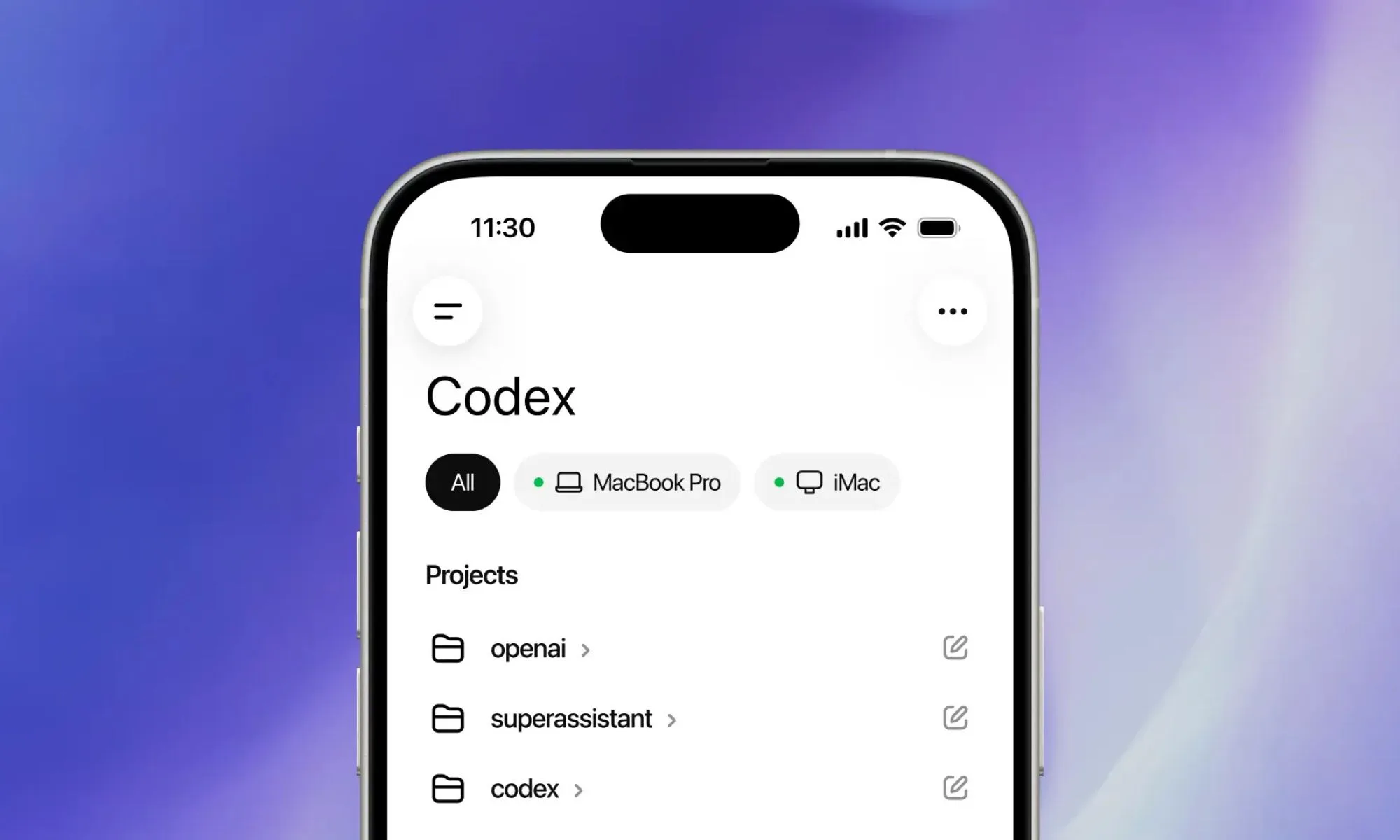
OpenAI has expanded Codex’s Computer Use feature to Windows 11, giving the coding agent the ability to control desktop apps with a virtual mouse and keyboard. The feature was previously available on macOS, but Windows support makes it more useful for developers who work inside Microsoft’s ecosystem every day. OpenAI’s Codex app is available on Windows, and the company has also been expanding Codex access through the ChatGPT mobile app so developers can monitor and steer work from anywhere. (OpenAI)
Computer Use lets Codex operate a PC more like a person sitting at the machine. It can open apps, click through interfaces, type into fields, test a workflow, check a page, or interact with tools that do not have a simple command line option. For developers, that means Codex can move beyond writing code and start helping with the messy parts of testing and verification.
A common example is checking whether an app still works after changes. Instead of only reading code or running tests in a terminal, Codex can open a browser, load a page, click through a checkout screen, inspect the result, and report what happened. That makes the feature especially useful for frontend work, app testing, debugging, dashboard checks, and workflows that involve several tools.
| Feature | What it means for Windows developers |
|---|---|
| Computer Use on Windows 11 | Codex can control apps with virtual mouse and keyboard input |
| App level instructions | You can refer to specific apps or the whole computer in prompts |
| Workflow testing | Codex can check pages, tools, and project behavior directly |
| Mobile support | You can start, review, and steer Codex tasks from your phone |
| Plan access | Available across Codex plans for now, with paid plan limits expected later |
The Windows launch matters because many developers still build and test software on Windows PCs. Codex already had value as a coding assistant, but Computer Use makes it closer to a hands on agent that can help operate the system itself. That could save time when a task requires switching between an editor, a browser, a database tool, a dashboard, and a local app.
The mobile integration is also important. OpenAI says Codex in the ChatGPT mobile app can connect to machines where Codex is running, letting you review outputs, approve actions, change direction, and keep work moving while away from the desk. That does not mean your files move to the phone. The work stays on the machine where Codex is operating, while updates are shown on mobile in real time. (OpenAI)
For now, the feature is available across Codex plans, including free tiers, but OpenAI is expected to reserve it later for bigger paid plans such as Plus, Pro, Business, and Enterprise. That gives more people a chance to try it early, but long term access may depend on the subscription level.
This also raises practical questions. A tool that can control apps on your PC needs clear permissions, strong safety controls, and careful review. Developers may welcome the automation, but they will still need to watch what Codex is doing, especially when it touches databases, production tools, customer data, or important files.
OpenAI has been working on Windows sandboxing for Codex, including controlled file access and network limits, which shows the company knows Windows automation needs stronger safety boundaries. That work matters because a coding agent with desktop control is only useful if people can trust it not to damage files, leak data, or take actions outside the intended scope. (OpenAI)
The bigger picture is that AI coding tools are moving from suggestions to actions. Codex is no longer only helping write snippets or explain errors. With Computer Use on Windows 11, it can interact with the environment where software is actually built, tested, and shipped.
That does not make human developers less important. It changes the kind of help they can expect. Codex can handle repetitive checks, run through workflows, and surface problems faster, while developers still decide what should be built, what changes are safe, and whether the result is good enough.
For Windows developers, this is a meaningful step. Codex can now work inside the same apps and tools many teams already use, and mobile control means those tasks do not have to stop when you leave your desk. If OpenAI can keep the experience safe and reliable, Computer Use on Windows could become one of Codex’s most useful features yet.



Discussion (0)
Be the first to comment.