



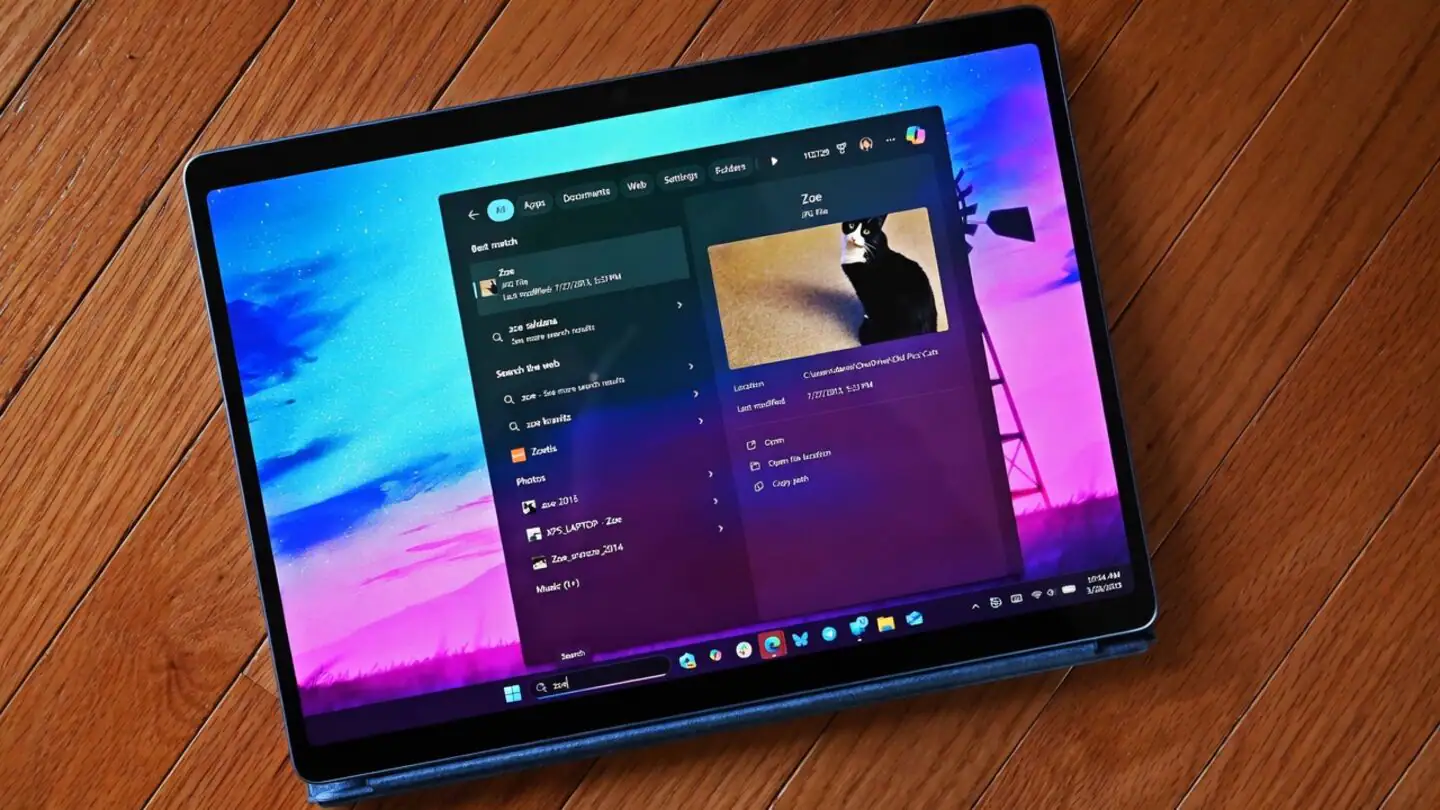
Microsoft is redesigning Windows Search to reduce promotional material and place greater emphasis on apps, files, folders, and system settings stored on your PC.
The updated experience removes product promotions from web results and instead aims to show the most relevant answer to a search. This should make the interface feel less crowded, especially when you are trying to locate a local application or Windows setting.
Microsoft is also introducing clearer controls for Bing web results and Microsoft Store recommendations. These settings will allow you to decide whether online suggestions should appear beside content stored on your computer.
The changes address a long running complaint about Windows Search. Many people use the feature to open an application, locate a document, or reach a system setting, but promotional cards and web content could sometimes appear ahead of the expected local result.
Windows Search will prioritize local apps, files, folders, and settings
Microsoft says local results will receive greater priority in the updated search interface.
This means a query for an installed application should be more likely to show the relevant program before an online article, product listing, or unrelated recommendation. Searches for system tools and settings should also lead more directly to the appropriate Windows page.
The change does not remove web search entirely. Online results can still appear when they are enabled, but promotional material will no longer take the leading position.
| Windows Search change | Expected effect |
|---|---|
| Promotional web content removed | Fewer product cards and advertisements |
| Local results prioritized | Apps, files, and settings appear more prominently |
| Bing results can be disabled | Greater control over online search suggestions |
| Microsoft Store suggestions can be disabled | Fewer app recommendations in results |
| Better partial term recognition | More useful results from incomplete queries |
| Improved spelling tolerance | Search can handle typing mistakes more accurately |
Microsoft describes the new approach as more focused and less distracting. The practical benefit will depend on how consistently Windows identifies the intent behind each search.
New settings let you disable Bing and Microsoft Store suggestions
The revised controls can be found under Settings, Privacy and Security, and Search.
From this page, you will be able to manage whether web results and Microsoft Store recommendations appear alongside local content. Separating these options should give you more control than the current all in one experience.

Disabling Bing results may be useful when you treat Windows Search mainly as an application launcher or file finder. It can also reduce the chance of opening a browser when you expected to reach a local setting.
The Microsoft Store control is intended for people who do not want app recommendations mixed into their searches. Store results may still be helpful when looking for new software, but they can add unnecessary clutter during routine tasks.
Microsoft has not removed online search from Windows. Instead, it is making the feature easier to control and reducing the prominence of promotional material.
Search should handle incomplete words and spelling mistakes more effectively
The update also changes how Windows interprets search terms.
Microsoft says Search will become better at understanding partial words, incomplete queries, and spelling errors. This could help when you remember only part of an application name or type a setting incorrectly.
For example, a shortened or misspelled query could still bring up the correct installed app rather than falling back immediately to a web search. Similar improvements may help with longer file names and deeply placed system options.
Windows Search has often struggled with consistency. A full application name may work correctly, while a shorter version can produce unrelated web content. Better query interpretation could make the feature more dependable for everyday use.
The quality of these improvements will become clearer after the update reaches a wider range of PCs. Search results can vary depending on indexing status, regional settings, account configuration, and whether web integration is enabled.
The redesign makes Windows Search more useful as a local tool
Promotional content has become increasingly common across Windows 11, including the Start menu, Settings app, lock screen, and other parts of the operating system.
Removing it from Search is a useful change because the feature is primarily used to find something quickly. Extra cards and recommendations can slow down a simple action and make the correct result harder to identify.
The new controls also recognize that people use Windows Search differently. Some want a combined local and online search tool, while others expect it to search only their computer.
Microsoft’s update supports both approaches without requiring everyone to use the same configuration.
The redesigned Windows Search should make applications, files, folders, and settings easier to locate while keeping web results available for those who find them useful. The removal of promotional content is the most visible improvement, but better query recognition and separate search controls may have a larger effect on daily use.



Discussion (0)
Be the first to comment.