



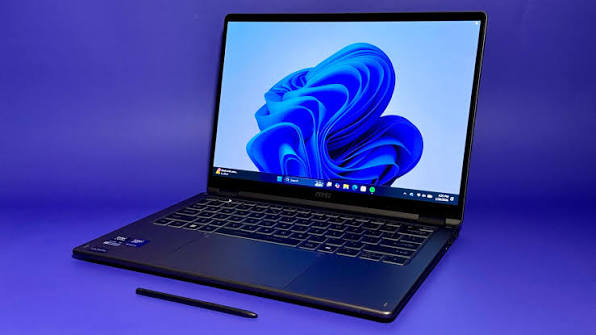
Microsoft is expanding Auto Super Resolution to more Windows PCs, bringing the operating system level upscaling feature to systems powered by Intel Panther Lake hardware.
The feature is designed to improve game performance by rendering at a lower internal resolution and then reconstructing the image at a higher output resolution. The idea is similar to technologies such as Nvidia DLSS, AMD FSR, and Intel XeSS, but Auto Super Resolution works through Windows rather than requiring direct support from every game.
That gives it a broader reach. Microsoft says Auto SR can be used with DirectX 10 games and newer, potentially covering thousands of PC titles.
The latest expansion matters for both laptops and handheld gaming PCs using Intel Core Ultra Series 3 processors and Arc G3 graphics. These devices are expected to make up a growing share of Windows gaming hardware, particularly compact systems where power efficiency is important.
Auto SR support on Intel hardware
| Feature | Details |
|---|---|
| Supported hardware | Intel Panther Lake systems |
| Graphics | Intel Arc G3 supported devices |
| Game support | DirectX 10 and newer |
| Processing | Uses NPU acceleration |
| Current output target | Up to 1080p |
| Best use case | Higher graphics settings with similar frame rates |
| Main limitation | Entire image is upscaled, including UI elements |
Auto SR also makes use of the NPU found in newer processors. That allows part of the image reconstruction workload to run on dedicated AI hardware instead of relying entirely on the CPU or GPU.
Microsoft is positioning the feature differently from a pure frame rate booster. Its current examples focus on raising graphics quality while keeping performance at roughly the same level.
In Assassin’s Creed Shadows, for example, Auto SR is shown enabling a higher graphics preset with additional foliage while maintaining a similar frame rate.
Auto SR still has visible limitations
The technology is still developing and has several restrictions.
Its current performance targets are tuned around specific input and output resolutions, with support effectively capped at 1080p. Using other resolutions can produce inconsistent results.
Another issue is that Auto SR processes the entire frame. That includes menus, text, icons, and fine interface elements. As a result, small text and thin lines can appear softer or fainter after reconstruction.

This differs from some game integrated upscalers, which can separate interface elements from the 3D image and render them at full resolution.
Microsoft therefore still recommends using native technologies such as XeSS when a game already supports them directly. Those implementations can be better optimized for individual titles and avoid some of the interface quality problems that come with full frame upscaling.
Auto SR is more useful when a game does not already offer a modern reconstruction option.
For newer Intel laptops and handhelds, that could make the feature valuable in older or less optimized games where GPU performance is limited. Rather than lowering every graphics setting, you may be able to keep better textures or effects while allowing Windows to reconstruct the final image.
Panther Lake device owners can install the Auto Super Resolution package and enable the feature on compatible systems. As Microsoft expands hardware support and improves resolution handling, Auto SR could become a more practical fallback for games that lack their own built in upscaling technology.


Discussion (0)
Be the first to comment.