




Creating custom images no longer requires design software or advanced artistic skill. With ChatGPT, you can turn ideas into visuals using nothing more than well-structured prompts and a bit of iteration.
But while the process is simple on the surface, getting consistently good results depends on how you approach it. The difference between an average image and a great one is almost always in the details you provide.
What ChatGPT Image Generation Can Actually Do
ChatGPT can generate images from text descriptions, allowing you to create:
- Photorealistic scenes
- Digital illustrations
- Concept art
- Social media graphics
- Product-style visuals
- Stylized portraits
It is not just about generating random images. It is about translating your intent into a visual outcome.
Step 1: Start with a Clear and Structured Prompt
Everything begins with your prompt, and this is where most people either get great results or get disappointed.
A weak prompt might look like:
“a futuristic city”
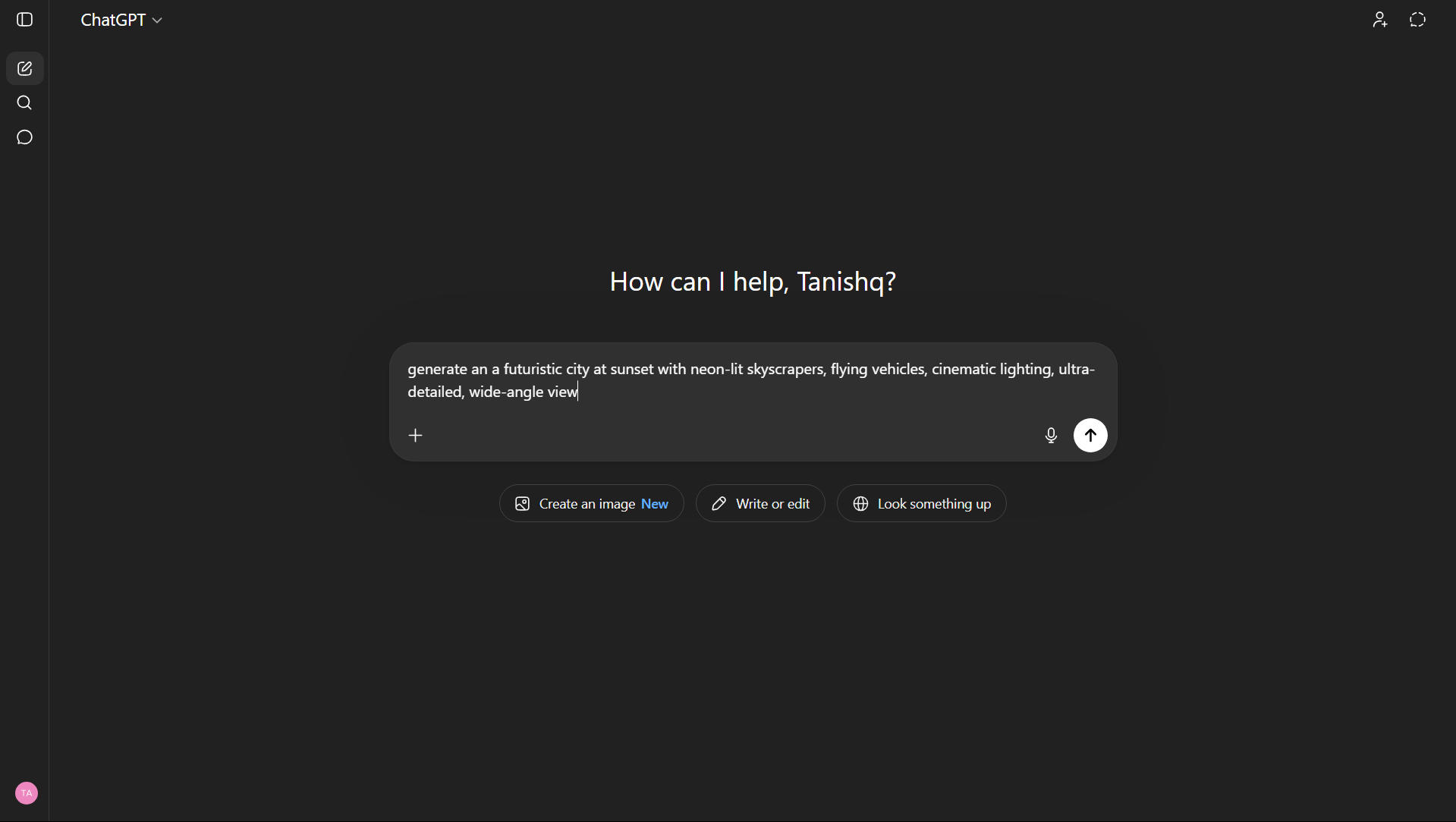
A stronger version would be:
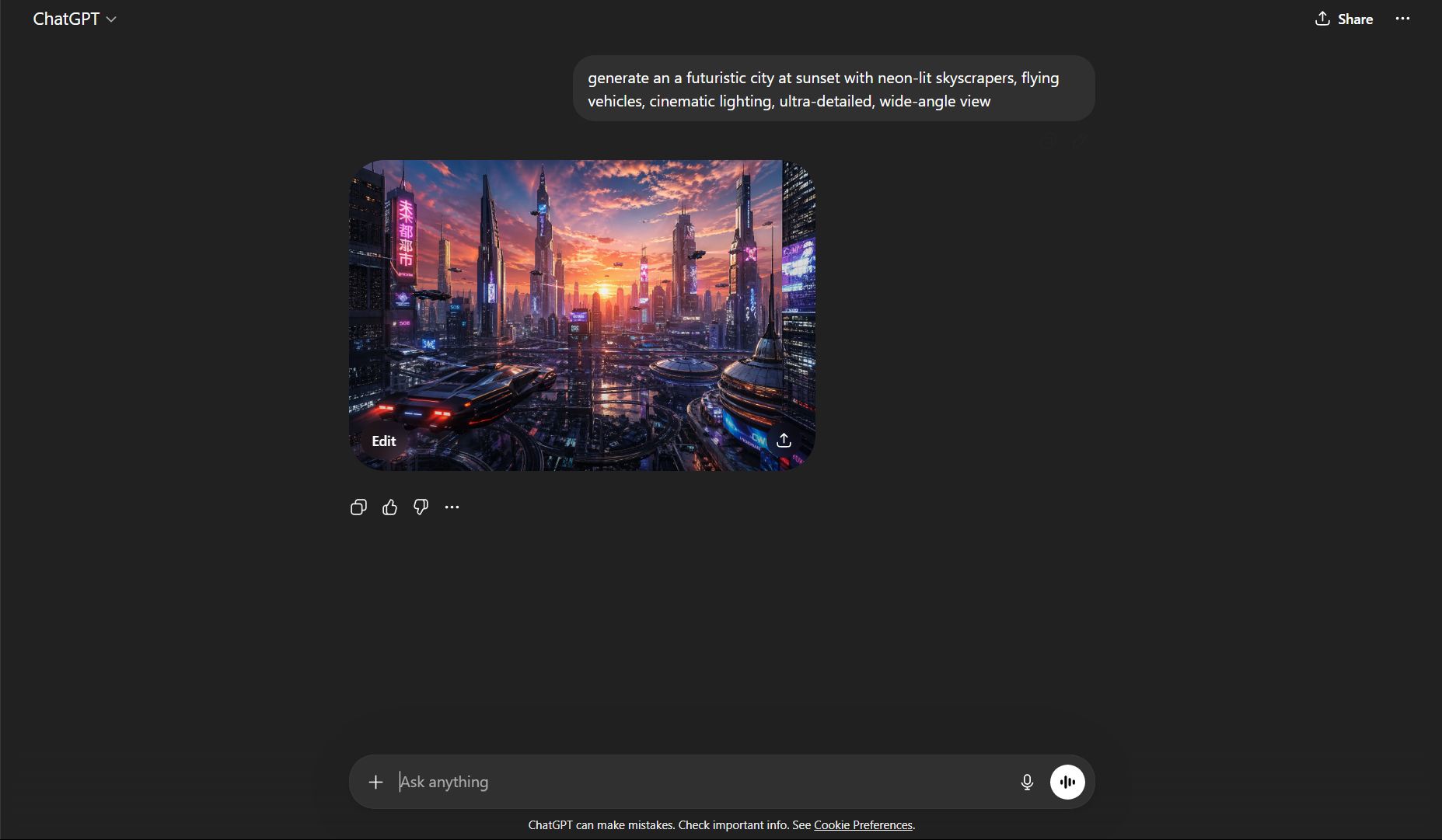
“a futuristic city at sunset with neon-lit skyscrapers, flying vehicles, cinematic lighting, ultra-detailed, wide-angle view”
The second works better because it defines:
- The subject
- The environment
- The lighting
- The style
- The level of detail
Think of your prompt as a set of instructions rather than a simple idea.
Step 2: Guide the Style and Visual Direction
Once your subject is clear, the next step is shaping how the image should look.
You can do this by specifying:
Visual Style
- Photorealistic
- Digital art
- Minimalist
- Anime
- Cyberpunk
Lighting and Mood
- Soft natural light
- Dramatic shadows
- Golden hour
- Dark and moody
Composition and Perspective
- Close-up
- Wide-angle
- Top-down view
- Portrait framing
For example:
“a photorealistic portrait of a woman in soft natural lighting, shallow depth of field, 50mm lens, high detail”
These additions help the AI move from a generic output to something more intentional.
Step 3: Generate and Evaluate the Output
Once you generate the image, treat the result as a draft rather than a final product.
Look at:
- Whether the main subject matches your idea
- The overall composition
- Lighting and atmosphere
- Any inconsistencies or missing details
It is normal for the first output to be close but not perfect.
Step 4: Refine Through Iteration
This is where ChatGPT becomes especially powerful.
Instead of rewriting everything, you can refine the image with follow-up instructions:
- “make the lighting more dramatic”
- “add more background detail”
- “change the color tone to cooler shades”
- “make the scene look more realistic”
This iterative process allows you to gradually shape the image instead of starting from scratch each time.
What Makes a Prompt Effective
A good prompt balances clarity and focus.
It should:
- Be specific about the main idea
- Include relevant visual details
- Avoid unnecessary complexity
For example:
“a cinematic shot of a rainy street at night with reflections on wet pavement, neon signs, shallow depth of field, highly detailed”
This works because it builds a clear visual without becoming cluttered.
Common Mistakes to Avoid
One of the most common mistakes is being too vague. Short prompts often lead to generic results.
Another is overloading the prompt with too many ideas. Trying to combine multiple concepts in one request can confuse the output.
Finally, expecting perfection in one attempt usually leads to frustration. Image generation works best when you treat it as a process.
Real-World Perspective
What makes tools like ChatGPT powerful is not just the ability to generate images, but the ability to iterate quickly.
You can:
- Explore multiple styles
- Adjust direction instantly
- Refine ideas without starting over
This changes how you approach visual creation. It becomes less about execution and more about direction.
Final Thoughts
Generating custom images with ChatGPT is not about writing long prompts or using complex language. It is about being clear, intentional, and willing to refine your results.
Once you understand how to guide the process, it becomes a flexible creative tool that adapts to your ideas rather than limiting them.
And that is what makes it genuinely useful.



Discussion (0)
Be the first to comment.