




Halo: Campaign Evolved is now available in early access, but its performance on the ROG Xbox Ally X is weaker than expected for a game carrying a Steam Deck Verified rating.
The Xbox PC version automatically selects an optimised profile on the handheld. This configuration limits the frame rate to 30 FPS and keeps power consumption near 27 to 28 watts. It also uses the Very Low graphics preset at a full 100 percent render scale.
Despite these conservative settings, the game can still fall below 30 FPS during demanding campaign sections. Reducing the render scale with TSR does not completely solve the problem, which suggests that the Xbox Ally X version needs further optimisation.
The game remains playable, but owners must choose between stronger image quality and a higher frame rate.
| Configuration | Typical result |
|---|---|
| Default optimised profile | 30 FPS target with occasional drops |
| Graphics preset | Very Low |
| Power use | Around 27 to 28 watts |
| TSR at reduced scale | Better image quality but limited performance gain |
| FSR High | Frame rate can rise into the 50s |
| Main FSR drawback | Visible shimmering and pixelation |
Default settings make several visual compromises
The ROG Xbox Ally X is considerably more powerful than the Steam Deck, so a 30 FPS limit at the Very Low preset is surprising.
The default profile keeps the internal render scale at 100 percent, which helps preserve image clarity. However, the game still struggles in larger environments and vehicle focused missions. Frame rates can briefly fall to around 28 FPS even when the handheld is fully updated and running in its intended Xbox mode.
Lowering TSR to 80 percent does not produce the improvement you might expect. The frame rate remains close to the same range in demanding scenes, while the image becomes slightly softer.
TSR produces the cleanest presentation on the handheld. Fine details remain stable, and the image avoids much of the noise seen with alternative upscaling options. Its performance cost is the main limitation.
FSR improves frame rates but reduces image quality
Switching to FSR creates a much larger performance gain. At the High setting, frame rates can increase from the upper 30s into the 50 FPS range.
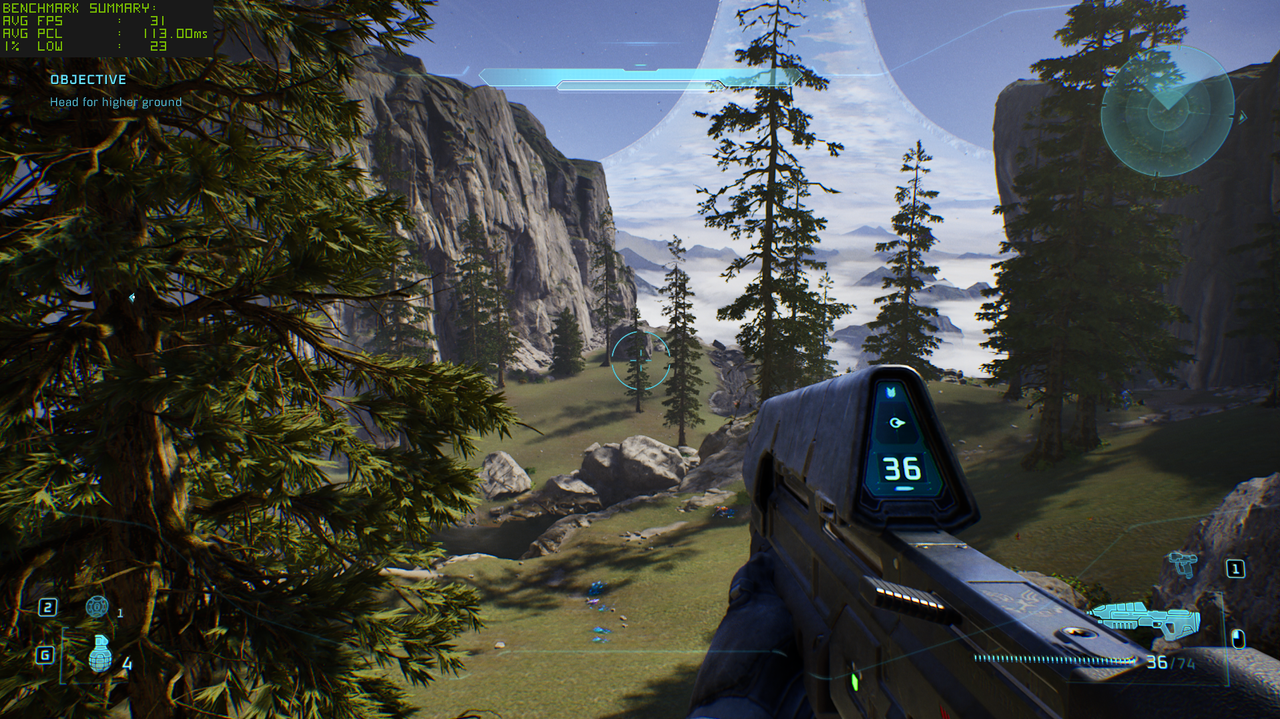
That improvement comes with a visible cost. Shimmering and pixelated edges appear around objects, particularly during movement. Fine environmental detail can also look unstable compared with TSR.
The choice therefore depends on your priorities. TSR is better for a stable and attractive picture, while FSR is better when higher frame rates matter more.
For most portable sessions, a 30 FPS cap with TSR around 70 percent offers the most balanced experience. The game generally remains stable, and the visual presentation still looks good on the handheld display. Occasional drops below the target remain possible, but they do not make the campaign unplayable.
The game still works well for portable campaign sessions
Performance limitations do not remove the appeal of playing Halo: Campaign Evolved on a handheld.
The remade campaign includes the original adventure along with additional missions and a remix mode that provides another reason to return after completing the story. Cooperative play also adds value for players who want to experience the campaign with friends.
The ROG Xbox Ally X makes it possible to continue the game while travelling, even if the settings are far below what a powerful desktop computer can provide. The smaller screen also makes the reduced graphics quality less noticeable than it would be on a large monitor or television.
Still, the performance results raise questions about optimisation. A handheld with stronger hardware than the Steam Deck should not need such aggressive settings to maintain a basic 30 FPS target.
Halo: Campaign Evolved costs $69.99 through the Xbox PC app and is also planned for Game Pass. It remains enjoyable on the ROG Xbox Ally X, but players should expect to use Very Low settings, accept occasional frame rate drops, or tolerate weaker image quality when using FSR for better performance.



Discussion (0)
Be the first to comment.