




If you’re buying a laptop or a budget PC, you’ve probably seen both eMMC and SSD listed as storage options. On paper, they can look similar. Both store your files, run your operating system, and handle everyday tasks.
In reality, they’re very different. And choosing the wrong one can completely change how your system feels to use.
What is eMMC Storage?
eMMC (embedded MultiMediaCard) is a type of flash storage that’s built directly onto the motherboard.
It’s commonly found in:
- Budget laptops
- Entry-level tablets
- Chromebooks and low-cost devices
eMMC is designed to be cheap, compact, and power-efficient. It works fine for basic tasks like browsing, streaming, and light office work.
But it has clear limitations, especially when it comes to speed and multitasking.
What is an SSD?
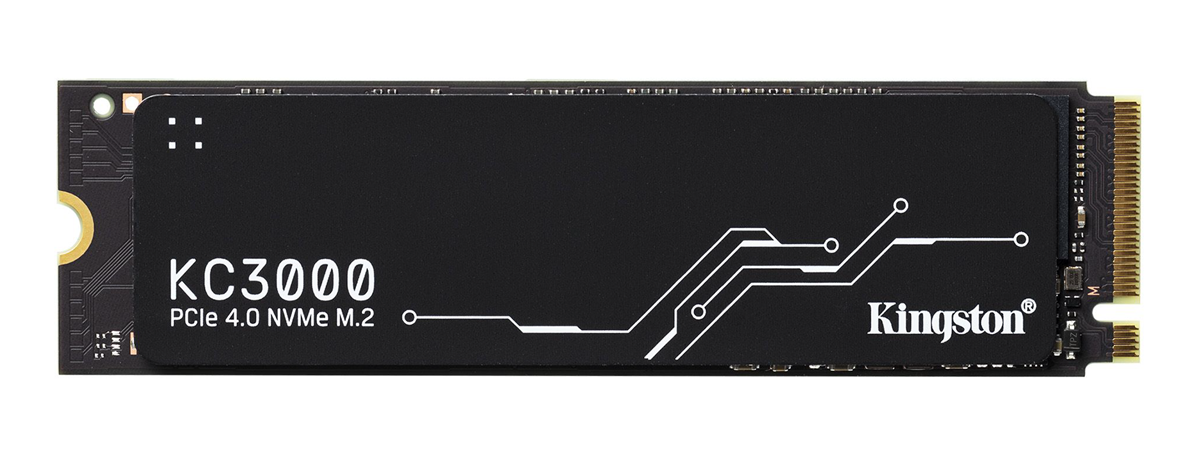
SSD (Solid State Drive) is also flash-based storage, but it’s significantly more advanced.
Unlike eMMC, SSDs are separate drives that connect via interfaces like SATA or NVMe. They’re designed for higher performance and flexibility.
You’ll find SSDs in:
- Mid-range and high-end laptops
- Gaming PCs
- Professional workstations
Even entry-level SSDs are usually much faster than eMMC.
How They Actually Differ
Speed
This is the biggest difference.
SSDs are much faster than eMMC in both read and write speeds. That means:
- Faster boot times
- Quicker app launches
- Better multitasking
eMMC, on the other hand, can feel sluggish under load, especially when multiple tasks are running.
Upgradeability
eMMC is soldered onto the motherboard. You can’t upgrade or replace it.
SSDs are removable and upgradeable in most systems.
This alone makes SSDs a better long-term option.
Storage Capacity
eMMC is usually limited to smaller capacities like 32GB, 64GB, or 128GB.
SSDs commonly start at 256GB and go much higher.
If you store a lot of files or install large applications, SSD is the only practical option.
Performance Consistency
SSDs maintain performance better over time, especially under heavy workloads.
eMMC can slow down significantly when the storage is nearly full or when handling multiple processes.
Real-World Usage: What You’ll Actually Notice
This is where the difference becomes obvious.
On an SSD-based system:
- Windows boots quickly
- Apps open almost instantly
- Multitasking feels smooth
On an eMMC-based system:
- Boot times are longer
- Apps take more time to open
- Performance drops when multiple apps run
For light usage, eMMC is acceptable. But as soon as you push the system even slightly, the limitations show.
When eMMC Still Makes Sense
Despite its drawbacks, eMMC isn’t useless.
It works well for:
- Basic browsing and streaming
- Students using lightweight apps
- Secondary or backup devices
If your usage is minimal and budget is tight, eMMC can be sufficient.
But it’s important to understand what you’re getting.
When You Should Definitely Choose SSD
If you plan to use your PC regularly, SSD is the better choice.
It’s especially important for:
- Work and productivity
- Multitasking
- Gaming
- Long-term use
Even a basic SSD will provide a noticeably better experience than eMMC.
Limitations to Be Aware Of
Not all SSDs are equal.
SATA SSDs are slower than NVMe SSDs, but still much faster than eMMC.
Also, some budget devices with SSDs may still have other limitations like low RAM or weak processors.
So while SSD is important, it’s only one part of the overall system.
Final Thoughts
The difference between eMMC and SSD isn’t just technical. It directly affects how your system feels every day.
eMMC is fine for very basic use, but it comes with clear limitations.
SSD, even at the entry level, offers a smoother, faster, and more reliable experience.
If you have the option, choosing SSD is almost always the better decision.
FAQs
Is eMMC the same as SSD?
No, eMMC is slower and less flexible than SSD.
Can I upgrade eMMC storage?
No, it’s soldered onto the motherboard.
Is SSD worth the extra cost?
Yes, it significantly improves performance and usability.
Which is better for students?
SSD is better, especially for multitasking and long-term use.
Does SSD make a laptop faster?
Yes, it improves boot time, app loading, and overall responsiveness.

Discussion (0)
Be the first to comment.