



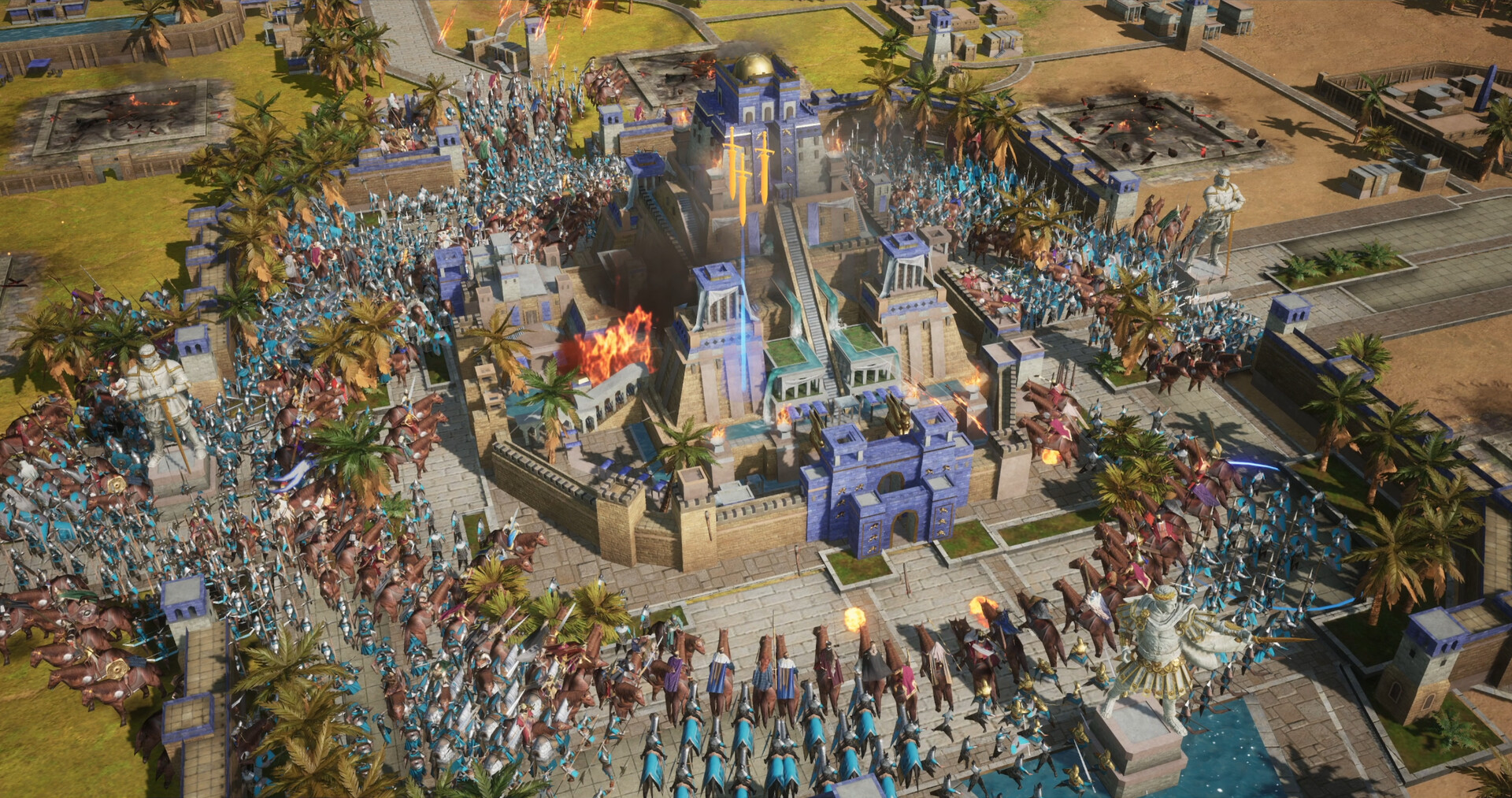
Age of Empires Mobile is now available on PC, giving players a way to continue their mobile empire building progress on a larger screen with keyboard and mouse controls. The new release, called Age of Empires Mobile: PC Edition, is free to download through Steam and the Microsoft Store.
The game first launched on Android and iOS nearly two years ago. While it carries the Age of Empires name and uses familiar historical strategy themes, it remains designed around a mobile focused structure that includes in game purchases and progression systems built for shorter sessions.
The PC version does not turn the game into a traditional real time strategy experience like earlier Age of Empires titles. Instead, it brings the same mobile game to desktops with interface changes, improved controls, and some visual updates intended to make it more comfortable on larger displays.
Players can move between PC, phones, and tablets through crossplay, but they must first link their account to carry over their existing progress.
The PC Edition Adds Keyboard, Mouse, and Updated Visuals
Microsoft has adjusted Age of Empires Mobile for desktop use with full keyboard support, mouse controls, and a redesigned user interface. These changes should make menus, building systems, and combat controls easier to manage compared with a touch screen device.
The game also includes updated 4K textures for sharper visuals on larger monitors. This will not transform the title into a high end PC strategy game, but it should improve the presentation for people playing at higher resolutions.
Age of Empires Mobile is centered on building settlements, managing resources, training units, and leading battles against rival factions. It also includes alliances, seasonal events, heroes, and progression systems that are common in free to play mobile strategy games.
| Feature | What It Means for PC Players |
|---|---|
| Free download | Available through Steam and Microsoft Store |
| Mouse controls | Easier menu navigation and building placement |
| Keyboard support | Better desktop control options |
| 4K textures | Improved visuals for larger displays |
| Crossplay | Play with people using phones, tablets, or PCs |
| Linked progress | Continue the same account across devices |
How to Transfer Your Mobile Progress to PC
Progress does not automatically appear when you install the PC Edition. You first need to link the account used on your phone or tablet, then sign in with that same account on your computer.
Follow these steps to carry over your progress:
- Open Age of Empires Mobile on your Android or iOS device.
- Select the Settings menu using the gear icon.
- Open the Account section.
- Choose Bind Account.
- Select a sign in method and complete the linking process.
- Install Age of Empires Mobile: PC Edition through Steam or Microsoft Store.
- Sign in on PC using the same account method.
Once the account is linked, your progress should be available across your supported devices. That includes your empire progress, unlocked content, purchases, and other account based data.
Game Pass Members Receive a PC Reward Pack
Xbox Game Pass subscribers can receive an additional reward pack when playing the PC version. The bundle includes one Monthly Pass Token, one Custom Resource Chest, ten Universal 60 Minute Speed Ups, 1,000 Empire Coins, and an exclusive player portrait frame.

The rewards may help new PC players start building faster, especially during the early stages when resources and timers can slow progression.
Age of Empires Mobile: PC Edition gives existing players a more flexible way to play, particularly for those who prefer a keyboard and monitor over a phone screen. However, players expecting the deeper strategy systems of Age of Empires II or Age of Empires IV should remember that this remains a mobile game at its core, even after its move to PC.



Discussion (0)
Be the first to comment.